25
9 Conguration
9.2 Machine Parameters
Press the menu button.
Select Setup > Machine param..
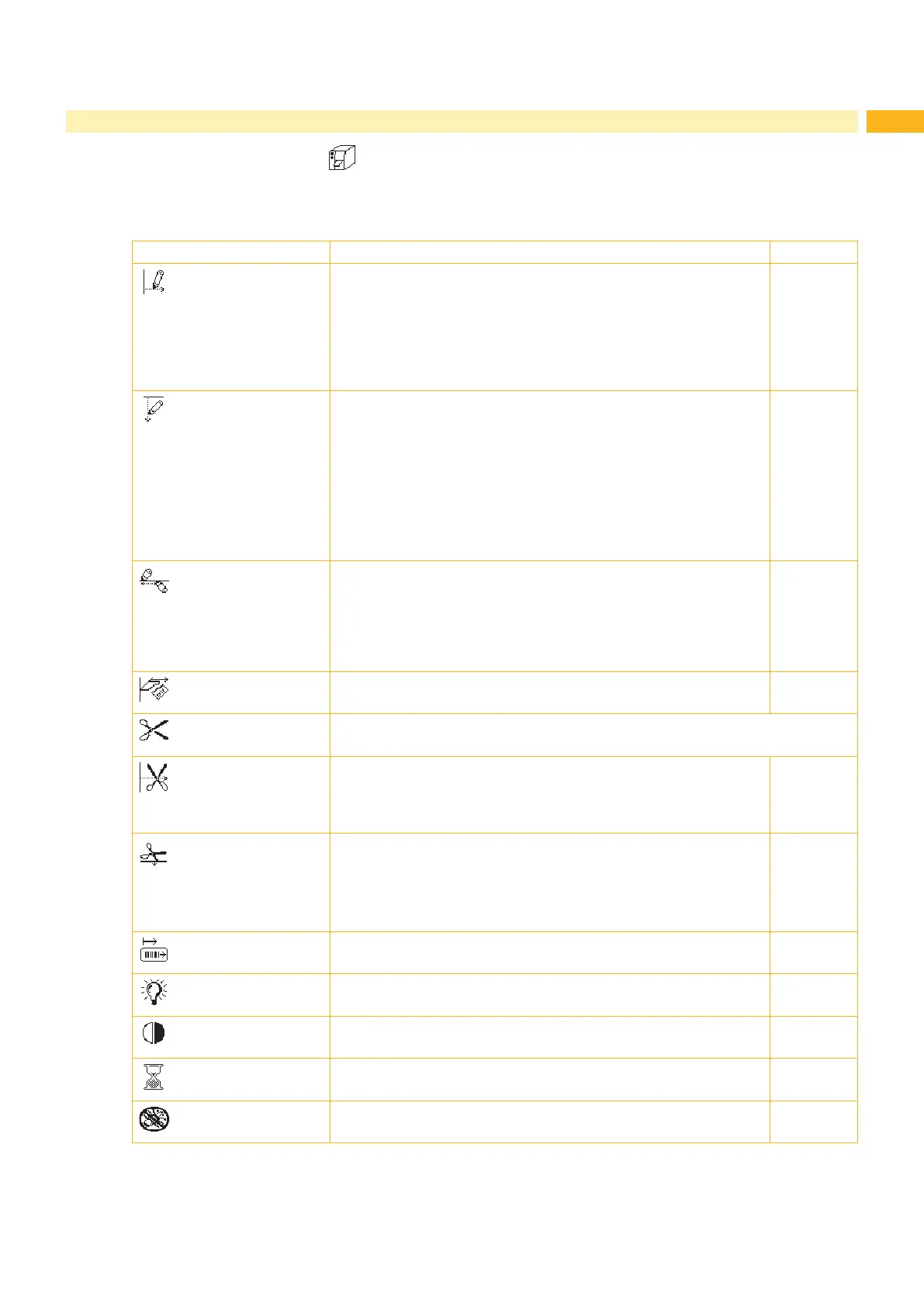
Parameter Meaning Default
Printhead pos. X
Shifting of the entire print image perpendicular to the direction of
paper ow.
The absolute shifting is limited by the margins of the print zone.
Those are determined by the width of the printing line on the
printhead. The Printhead pos. X can also be set via software.
The offset values from the Machine param. menu and the
software are added together.
0,0 mm
Printhead pos. Y
Shifting of the entire print image in the direction of paper ow. With
positive values, printing begins later in the direction of paper ow.
Shifting of the print image in the direction of paper ow also inu-
ences the peel and cutting positions.
Correct the Peel position and Cut position parameters
by the same value in the opposite direction.
The Printhead pos. Y can also be set via software. The offset
values from the Machine param. menu and the software are
added together.
0,0 mm
Offset upper-
lower head
Shift the print image of the upper printhead in the direction of the
media.
With positive values, printing begins later in the direction of the
media. The Offset upper-lower head can also be set via
software. The offset values from the Machine param. menu and
the software are added together.
0,0 mm
Tear-off pos.
Shifting of the tear-off position in the direction of paper ow. With
positive values, the label strip is transported farther out of the printer.
0,0 mm
Cutter
Conguration of the cut parameters for devices with cutter.
> Cut position
Offset of the cut position relative to the rear label edge.
The Cut position can also be set via software. The offset values
from the Machine param. menu and the software are added
together.
0,0 mm
> Cut depth
with perforation cutter only
Setting of the perforation depth.
The Peel position can also be set via software. The offset values
from the Machine param. menu and the software are added
together.
0
Backfeed
position
Offset of the backfeed movement
0,0 mm
Brightness LCD
Brightness of the LCD display from 1 to 10.
10
Contrast LCD
Contrast of the LCD display from 4 to 8.
6
Time Powersave
Time between the last operation and activation of energy-saving
mode.
5 min
Debug mode
Operating mode which supports the rmware programmer when
localizing errors.
Off
Table 11 Parameters of the menu Setup > Machine param.


 To Next Page