EasyManua.ls Logo

Teac A-6010GSL - Playback Performance; Playback Head Azimuth Adjustment

Teac A-6010GSL
73 pages
Print Icon
To Next Page IconTo Next Page
To Previous Page IconTo Previous Page
Loading...
PLAYBACK
PERFORMANCE
Q@
‘vmiovse!
Viuoes202
:
9
J
Giescaos
340
O
aa
PLAYBACK
EQ
ian
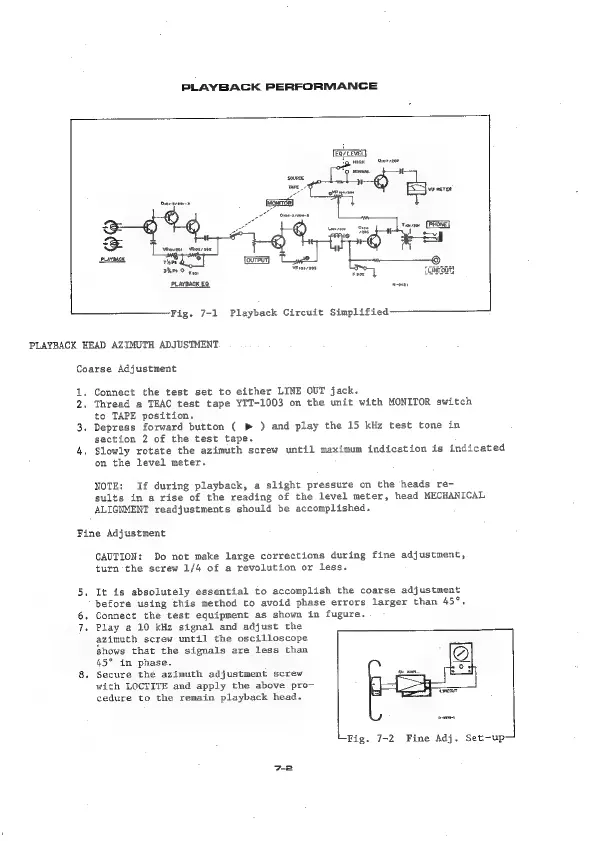
Fig.
7-1
Playback
Circuit
Simplified
PLAYBACK
HEAD
AZIMUTH
ADJUSTMENT
Coarse
Adjustment
1.
2.
3.
4.
Connect
the
test
set
to
either
LINE
OUT
jack.
Thread
a
TEAC
test
tape
YTT-1003
on
the
unit
with
MONITOR
switch
to
TAPE
position.
Depress
forward
button
(
p
)
and
play
the
15
kHz
test
tone
in
section
2
of
the
test
tape.
Slowly
rotate
the
azimuth
screw
until
maximum
indication
is
indicated
on
the
level
meter.
NOTE:
If
during
playback,
a
slight
pressure
on
the
heads
re-
sults
in
a
rise
of
the
reading
of
the
level
meter,
head
MECHANICAL
ALIGNMENT
readjustments
should
be
accomplished.
Fine
Adjustment
CAUTION:
Do
not
make
large
corrections
during
fine
adjustment,
turn
the
screw
1/4
of
a
revolution
or
less.
It is
absolutely
essential
to
accomplish
the
coarse
adjustment
before
using
this
method
to
avoid
phase
errors
larger
than
45°.
.
Connect
the
test
equipment
as
shown
in
fugure.
.
Play
a
10
kHz
signal
and
adjust
the
azimuth
screw
until
the
oscilloscope
shows
that
the
signals
are
less
than
45°
in
phase.
Secure
the
azimuth
adjustment
screw
with
LOCTITE
and
apply
the
above
pro-
cedure
to
the
remain
playback
head.
Fig.
7-2
Fine
Adj.
Set-up—

Related product manuals