Basic
operation
In
order to protect the
speakers,
turn the power for systems that this
unit
is
connected
to
on and
off
in
the following order.
El
This
explanation
assumes
that a preamplifier
is
connected to this unit.
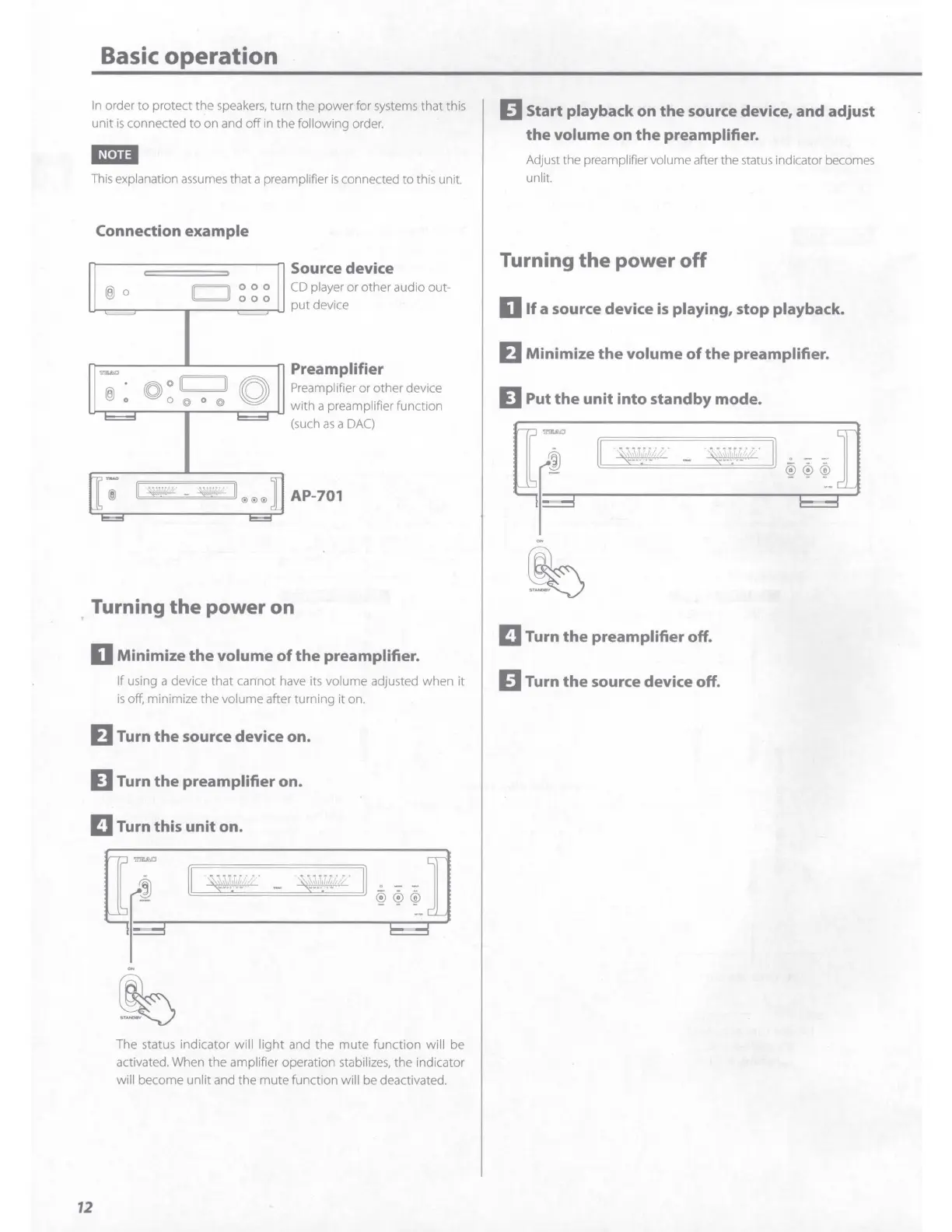
Connection
example
,.__
___
c_=_=_=_=_=_=_=_=_
=-
___
...,...,
Source device
® 0
000
000
CD
player or other audio out-
put
device
,,,...,
Preamplifier
® : O
O
II II
O Preamplifier or other device
u-,,--......,.--
0
--.
@
,--
0
_ @
--r----r-u
with a preamplifier function
(such
as
a
DAC)
11
~
AP-701
. Turning
the
power on
D
Minimize
the
volume
of
the
preamplifier.
If using a device that cannot have
its
volume adjusted when
it
is
off, minimize the volume after turning it on.
EJ
Turn
the
source device
on.
D Turn
the
preamplifier
on.
II
Turn this
unit
on.
12
The status indicator will
light
and the
mute
function will be
activated. When the amplifier operation stabi
li
zes,
the indicator
will become unlit and the mute function will be deactivated.
E
Start
playback on
the
source device,
and
adjust
the
volume
on
the
preamplifier.
Adjust the preamplifier volume after the status indicator becomes
unlit.
Turning
the
power
off
D
If
a source device
is
playing, stop playback.
EJ
Minimize
the
volume
of
the
preamplifier.
D Put
the
unit
into
standby
mode.
II
Turn
the
preamplifier
off.
E Turn
the
source device off.



 To Next Page