16
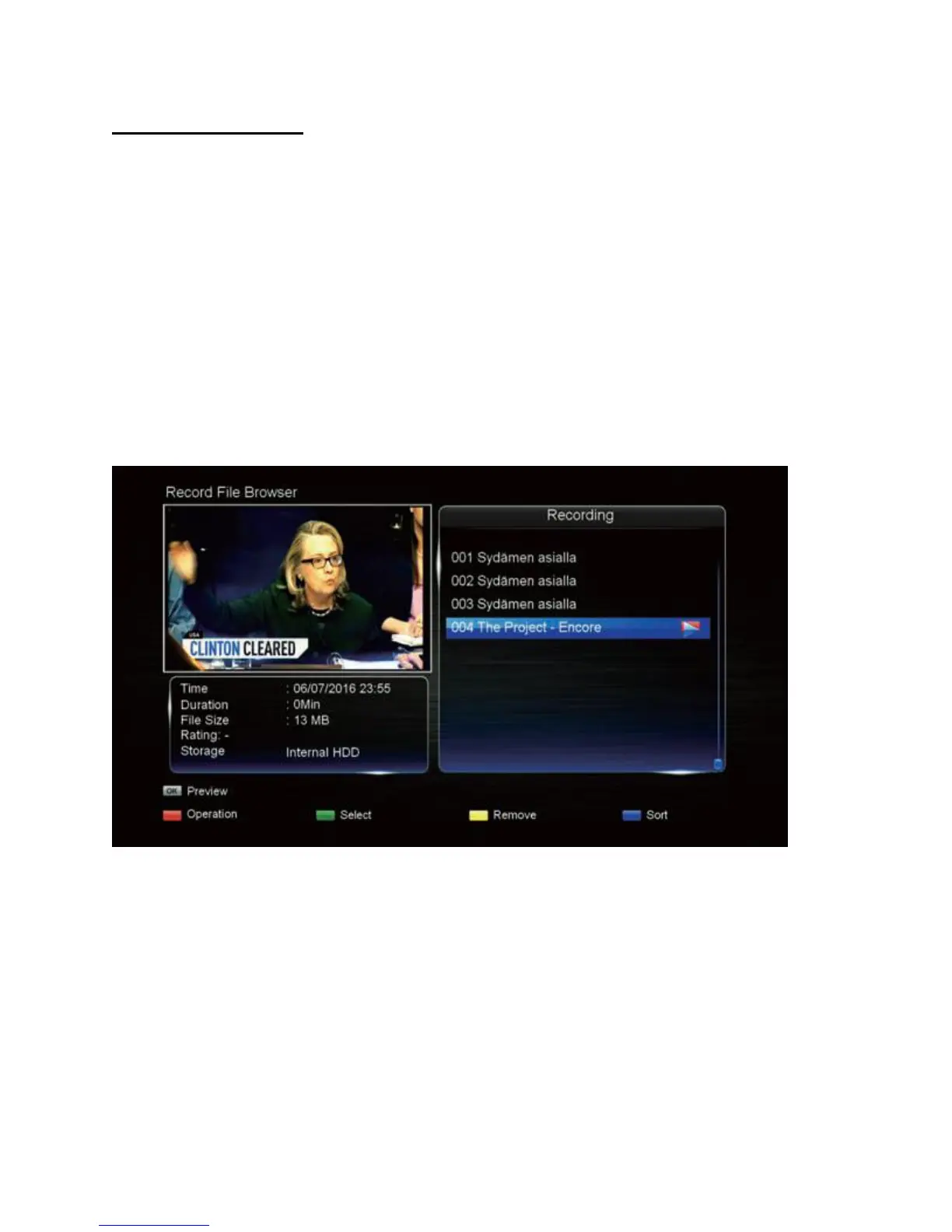
Recorded programs list
Quickly access your recorded TV programs with this list.
1. Press the PVR LIST button to view the Recorded File Browser.
2. Use the UP/DOWN buttons to highlight a desired file.
3. To start playback of that file, press the OK button.
4. To delete a highlighted file, press the GREEN button to mark it, then the YELLOW
button to delete. (If you need to quickly select all files, press the RED button, then
"Select All".)
5. To copy a file from the built-in hard drive to a connected USB drive, highlight the file, the
press the RED button and select Copy. Press OK to continue and choose "To USB".
Press OK to finish. (Note: You can copy from USB to HDD also.)
Note: To close the pop up option list that appears when using the RED button, press the MENU
button.


 To Next Page