- -
4
View of Unit
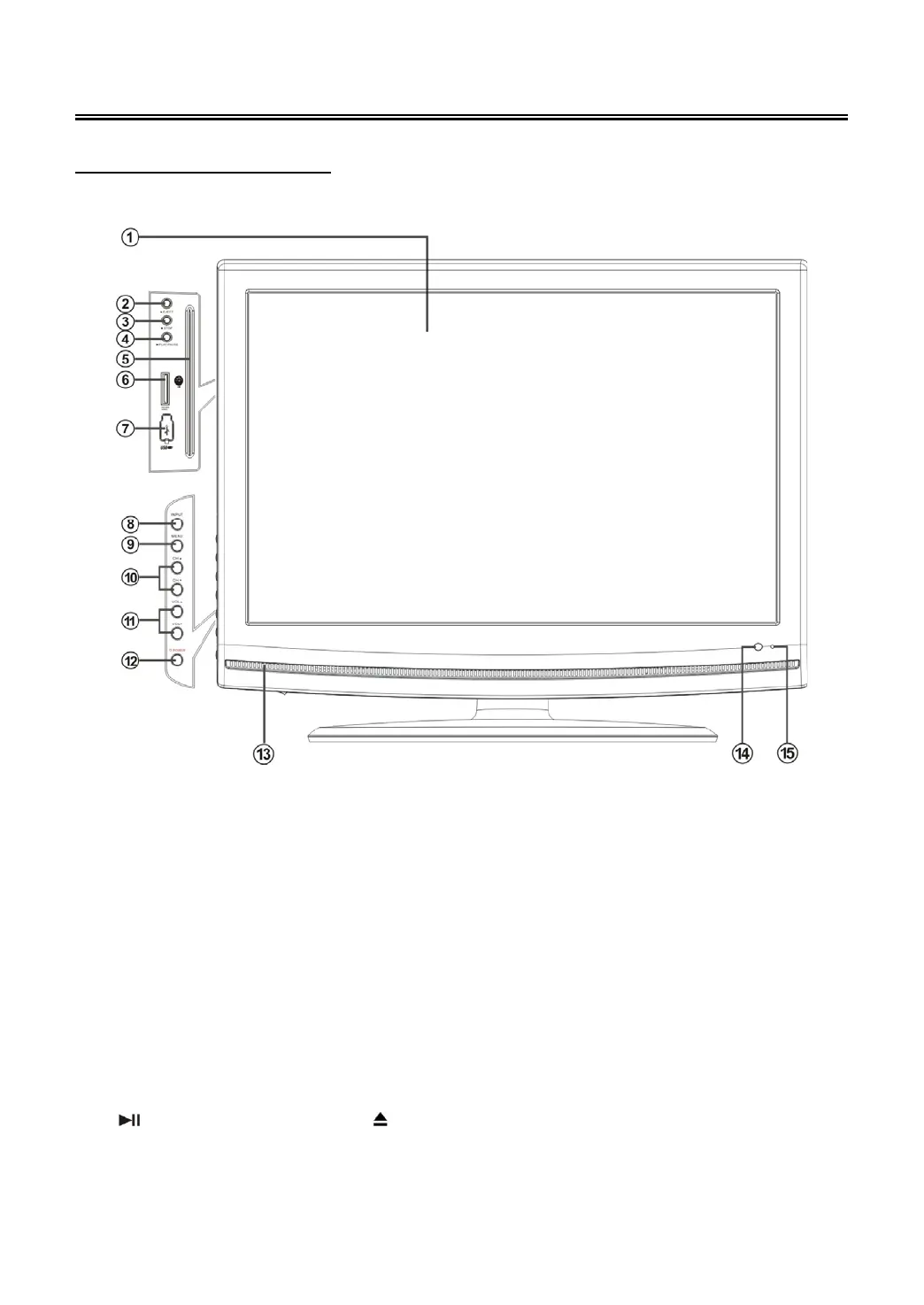
Front and Left Side Panel
10. CH ▲/▼ buttons
In TV or DTV mode, press to select
channels;
On system setup menu, the same function
as ▲/▼ direction buttons.
11. VOL ▲/▼ buttons
Press to decrease or increase the volume;
On system setup menu, the same function
as ◄/► direction buttons.
12. POWER button
Press to enter or exit standby mode.
13. Speaker
14. Remote Sensor
15. Power Indicator
Lights blue while system is active and red
while system is in standby mode.
NOTE:
The “
PLAY/PAUSE”, “■ STOP”, “ EJECT” buttons are available when the DVD module is
connected.



 To Next Page