25
Settings
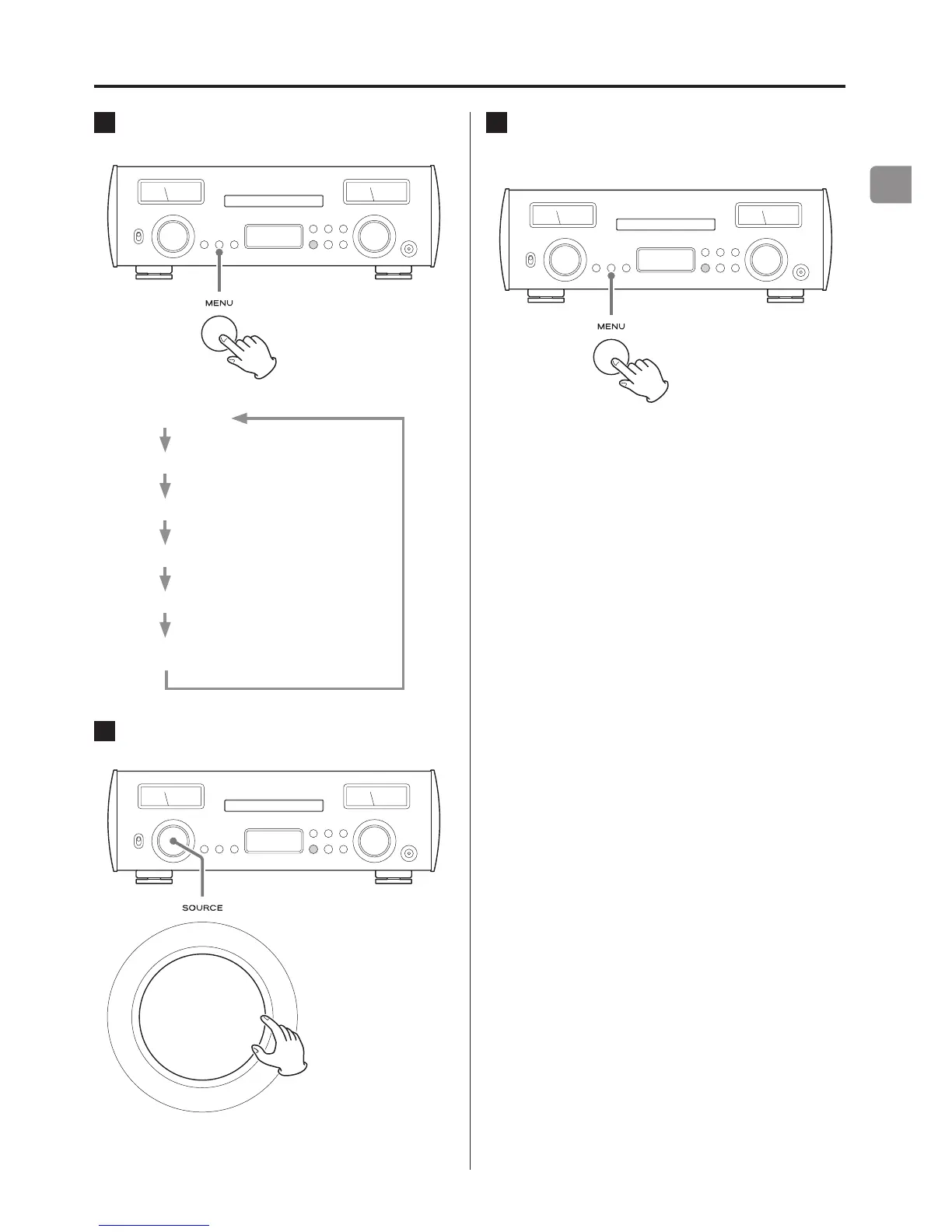
1 Press the MENU button repeatedly to show the
setting items.
The menu items appear in the following order.
PCM D-FILTER
DSD D-FILTER
DIMMER
METER
AUTO POWER SAVE
Input source information display
2 Turn the SOURCE knob to change the setting
value.
o You can also use the up and down (k, j) buttons on the
remote control.
o The currently set value is shown on the display.
3 When you are done changing settings, press
the MENU button repeatedly to show the input
source again.
o If no operation occurs for about 10 seconds, the input source
will reappear.



 To Next Page