14
Basic Operation
Recording a Source
You can record a source such as a Compact Disc onto a CD-R or
a cassette tape connected to the DIGITAL OUT terminal or the
AUDIO OUT jacks.
Select a source to be recorded by pressing the FUNCTION
buttons.
Start recording.
2
1
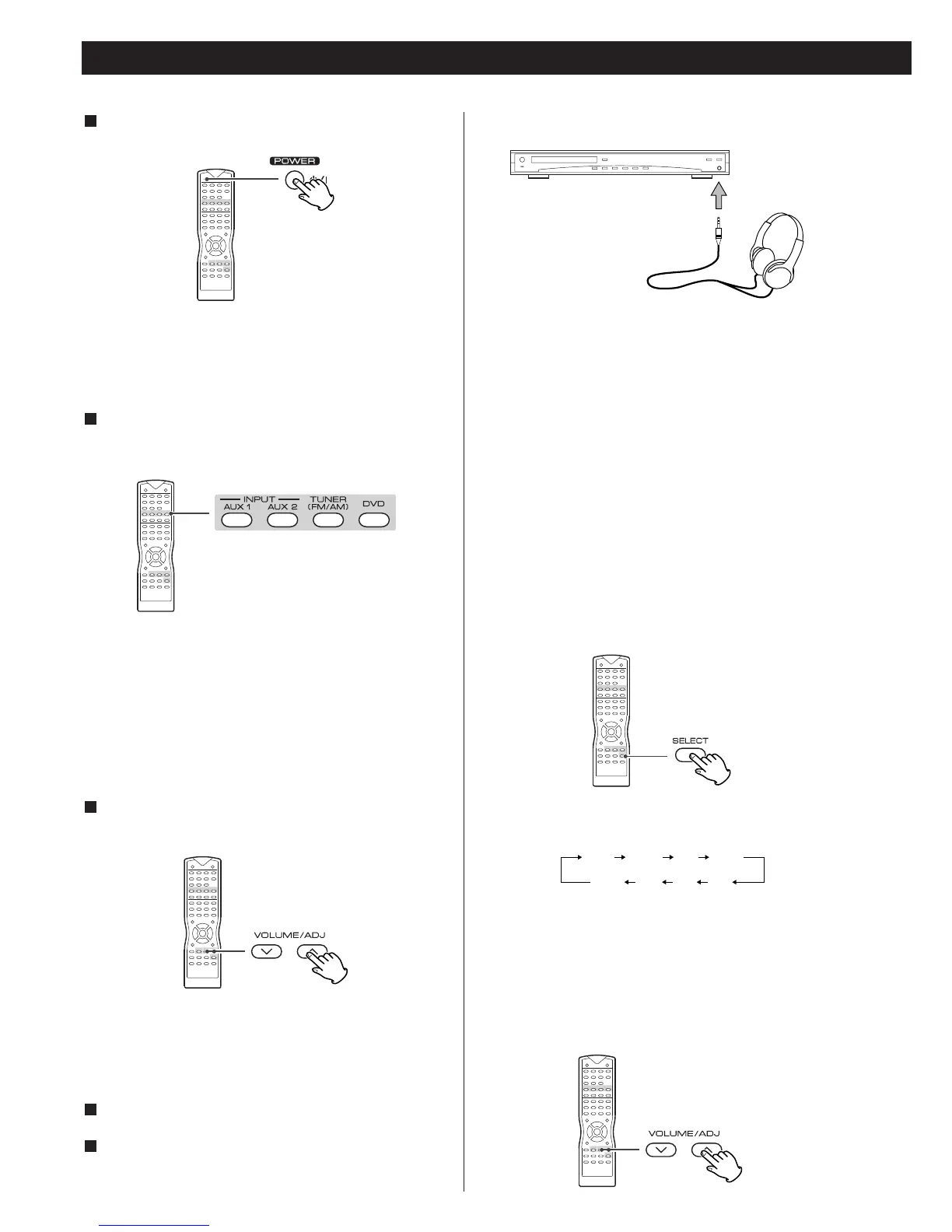
Press the POWER switch to turn the unit on.
1
The power can be also turned on by pressing the FUNCTION
buttons or OPEN/CLOSE button.
<
Turn the subwoofer on when necessary.
Select a source by pressing one of the FUNCTION buttons (or
press the FUNCTION button of the main unit repeatedly).
2
The selected source is shown on the front panel's display.
DVD/CD
AUX1 IN
AUX2 IN
FM (frequency is displayed)
AM (frequency is displayed)
<
Pressing theTUNER button alternates between FM and AM.
Play the source, and gradually turn up the volume to the
required level by pressing the VOLUME buttons.
3
Each time the SELECT button is pressed, the mode is changed
as follows :
To adjust the level of high frequency sound range, select "TRE
(treble)".
To adjust the level of low frequency sound range, select "BAS
(bass)".
2. Press the VOLUME buttons to change the setting.
The level can be adjusted in 2 dB steps from -10 dB to +10 dB.
For private listening, first reduce the volume level on the
receiver to minimum. Then insert the plug from your
headphones into the PHONES jack, and adjust the volume by
pressing the VOLUME buttons. The sound from speakers will
be cut off while the headphones are plugged in.
< When the headphones plug is inserted, the Surround mode is
changed to STEREO automatically.
<
When you plug in or unplug the headphones, the sound and
video stop momentarily. Do not plug in or unplug the
headphones during recording.
Tone Control
1. Press the SELECT button.
Headphones



 To Next Page