22
DVD
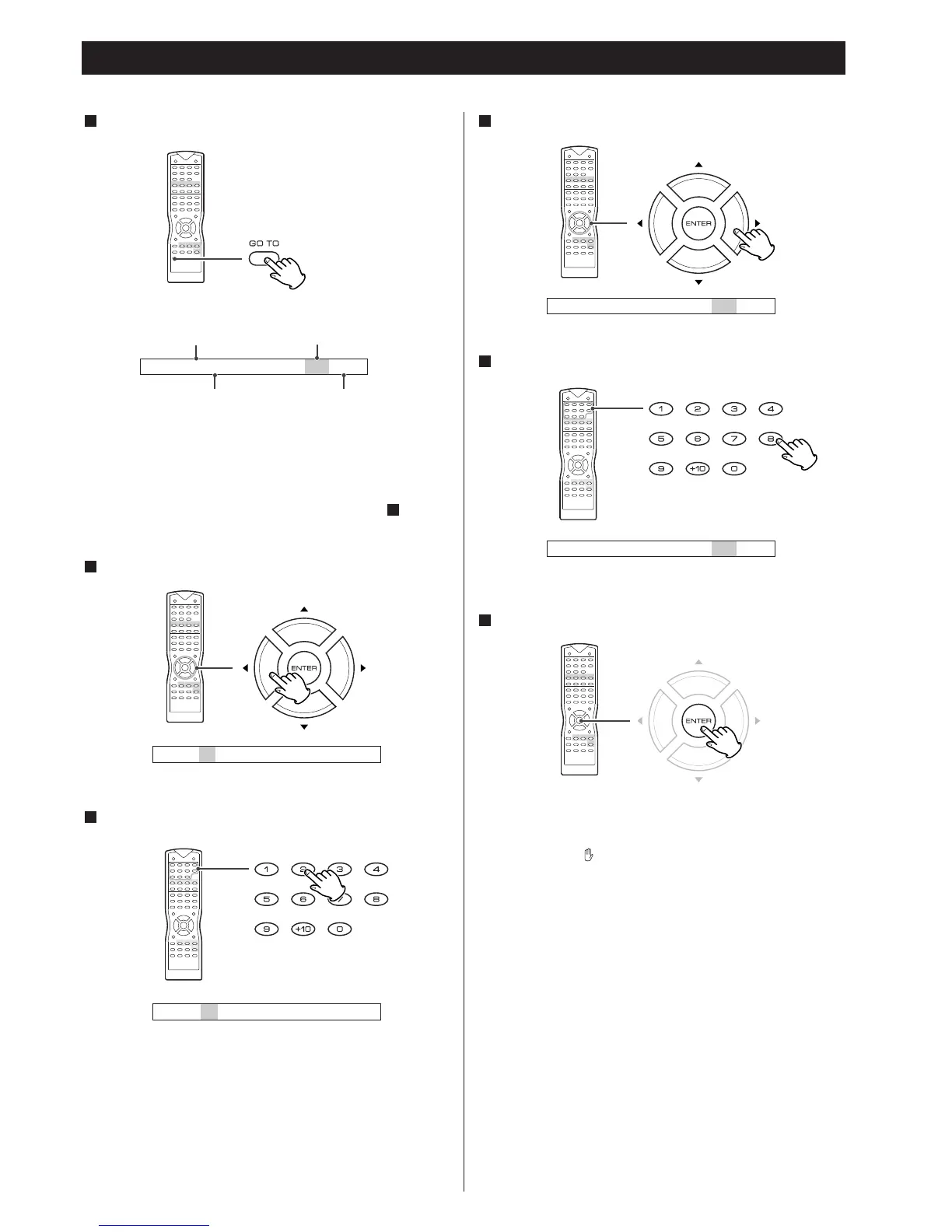
Title and Chapter Select
Playback starts from the selected chapter.
<
If you select the numbers which doesn't exist on the disc,
PROHIBIT icon will be displayed.
Press the numeric button to select a chapter.
5
Press the
t
button.
4
Press the numeric button to select a title.
3
To highlight a title number, press the
g
button.
2
Press the GO TO button.
1
< This function doesn't work in the RESUME mode. Press the
STOP button to cancel the resume mode.
<
When no button is pressed for 10 seconds, chapter select
mode will be cancelled.
<
When you don't want to change the title, go to step .
5
Press the ENTER button.
6
current title number current chapter number
total number of the titles
on the disc
total number of the chapters
in the current title



 To Next Page