3737
ENGLISH
You can store presets for up to 20 FM and 20 AM stations.
1 Tune in to the station you want to store
(page 36).
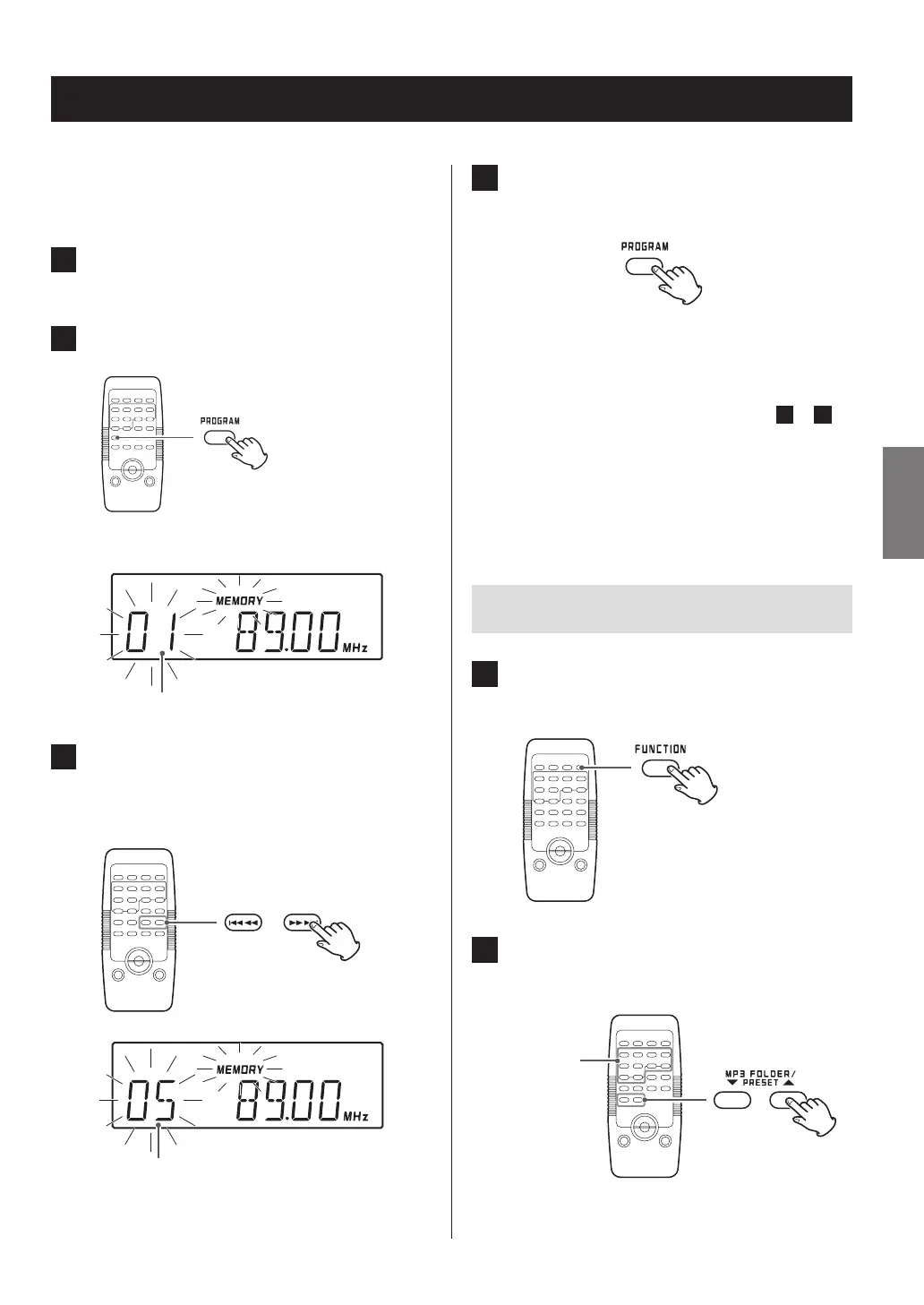
2 Press the PROGRAM button.
Preset number
3 Within five seconds, press the skip
(,/) button to select a preset number
to store the station.
The number of the preset that you want to set
4 Within 10 seconds, press the PROGRAM
button.
The radio station will be remembered, and the preset
number and the MEMORY indicator will stop blinking
and continue to appear on the display.
To store more station presets, repeat steps
1
to
4
.
o If the backup battery (page 15) dies, the presets will
be erased if a power outage occurs or the power cord is
unplugged from an outlet.
Listening to a preset station
1 Press the FUNCTION button repeatedly to
select “FM” or “AM”.
2 Press the number buttons or PRESET (5/b)
buttons to select a preset.
Preset tuning



 To Next Page