2424
Listening to a CD/MP3/WMA disc
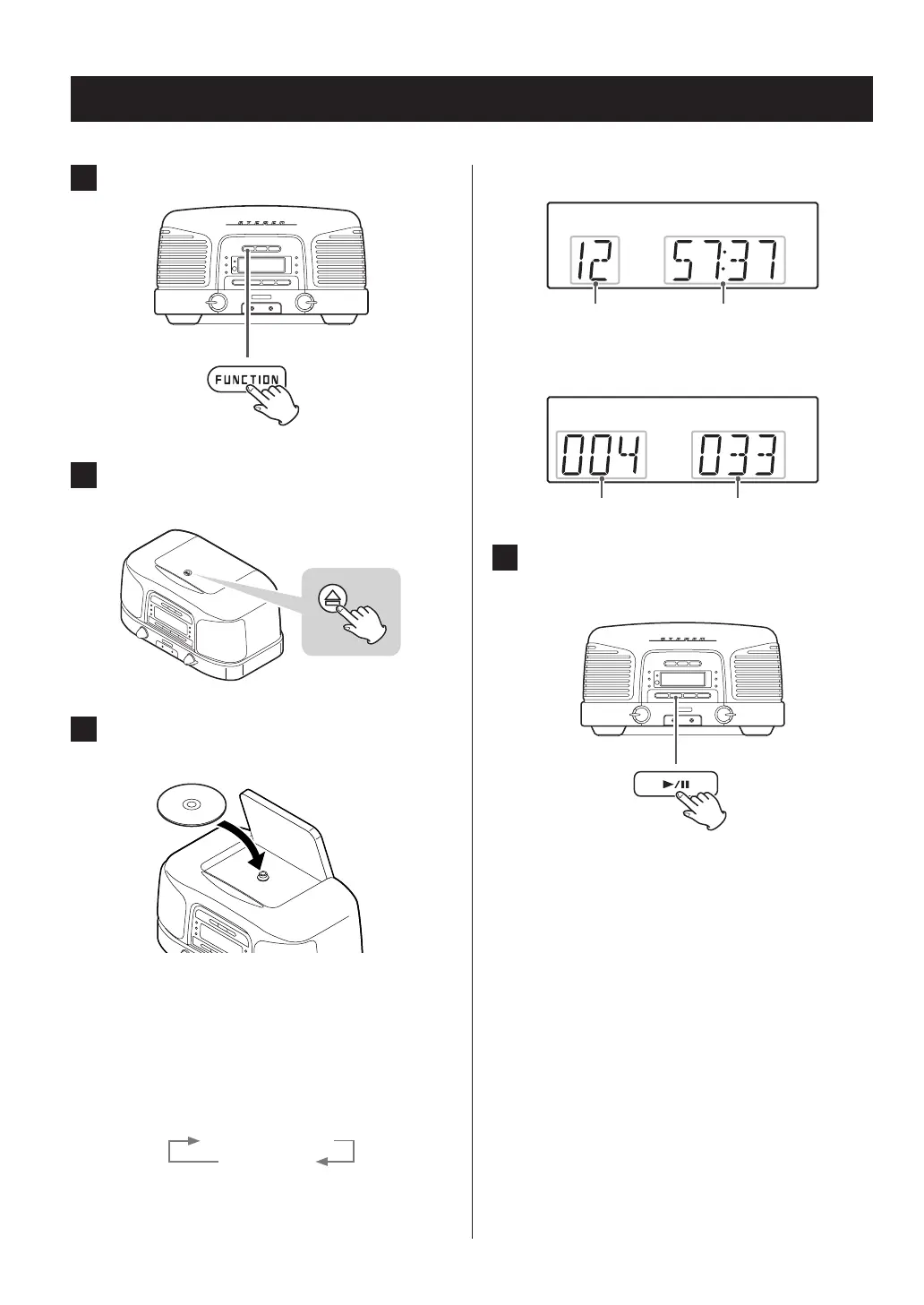
1 Press the FUNCTION button to select “CD”.
2 Push the - mark on the cover to open the
disc compartment.
3 Place a disc with the labeled side facing up
and close the cover by hand.
o Do not insert multiple discs at the same time. Doing so
could cause malfunction.
o Loading a disc takes a few seconds.
o “NO DISC” will be displayed if a disc has not been
inserted.
o When “NO DISC” appears on the display, press the
DISPLAY button to show the time.
“NO DISC” display
Time display
o Be careful not to pinch your hand when closing the
cover.
When an audio CD is loaded
Total number of tracks Total playback time
When an MP3/WMA disc is loaded
Total number of folders Total number of files
4 Press the play/pause (y/9) button to start
playback.
Playback starts from the first track/file.
o This unit treats MP3/WMA files that are not in folders as
being in the 001 (ROOT) folder. Playback starts with the
first track in the 001 (ROOT) folder.
o For details about MP3/WMA file playback order, see
page 27.
o The unit stops automatically when playback of all the
tracks/files has finished.
V
Never open the disc cover during playback.
Doing so could cause the disc to fly out, possi-
bly resulting in injury or damage.



 To Next Page