4141
ENGLISH
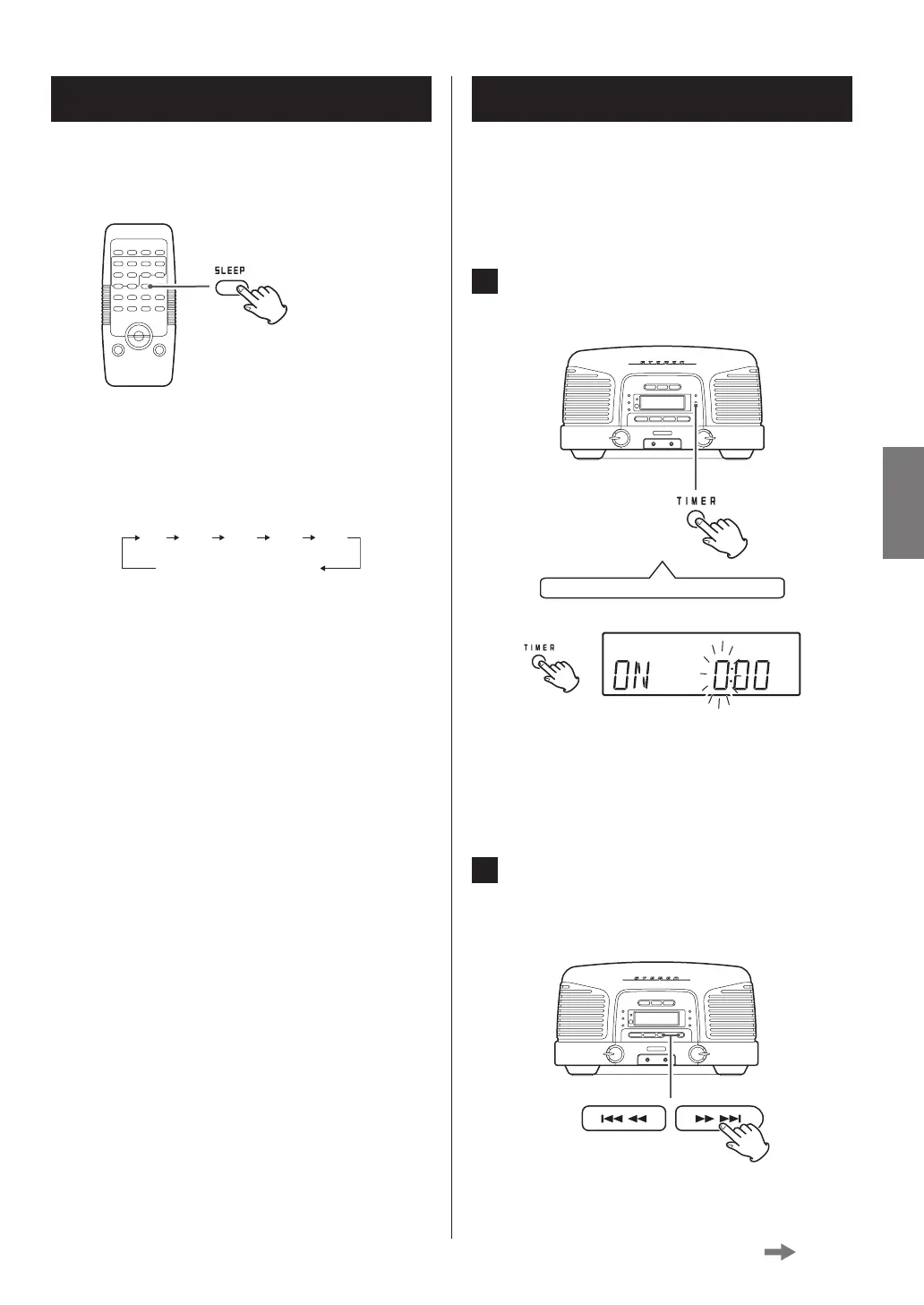
This unit has a wakeup timer function.
At the set time, sound will be output from the speakers.
o Adjust the clock before setting the timer (page 21).
1 Press and hold the TIMER button for at least
two seconds.
Press and hold for at least 2 seconds
“ON” appears and the hour value blinks.
o If no action is taken for 10 seconds, timer setting
will end automatically.
2 Press the skip (.m/,/) buttons
to set the hour of the start time and press
the TIMER button.
Wakeup timer (1)
The unit can be set to turn off (enter standby) after a speci-
fied amount of time.
Press the SLEEP button repeatedly until the desired setting
appears on the display.
The setting for the time until the unit turns off (enters
standby) changes as follows.
Sleep timer off
o The display is dimmed when the sleep timer is
active.
o After setting the sleep timer, press the SLEEP button
once to show for a few seconds the amount of time
until the unit enters standby.
Sleep timer
Continued on the next page



 To Next Page