17
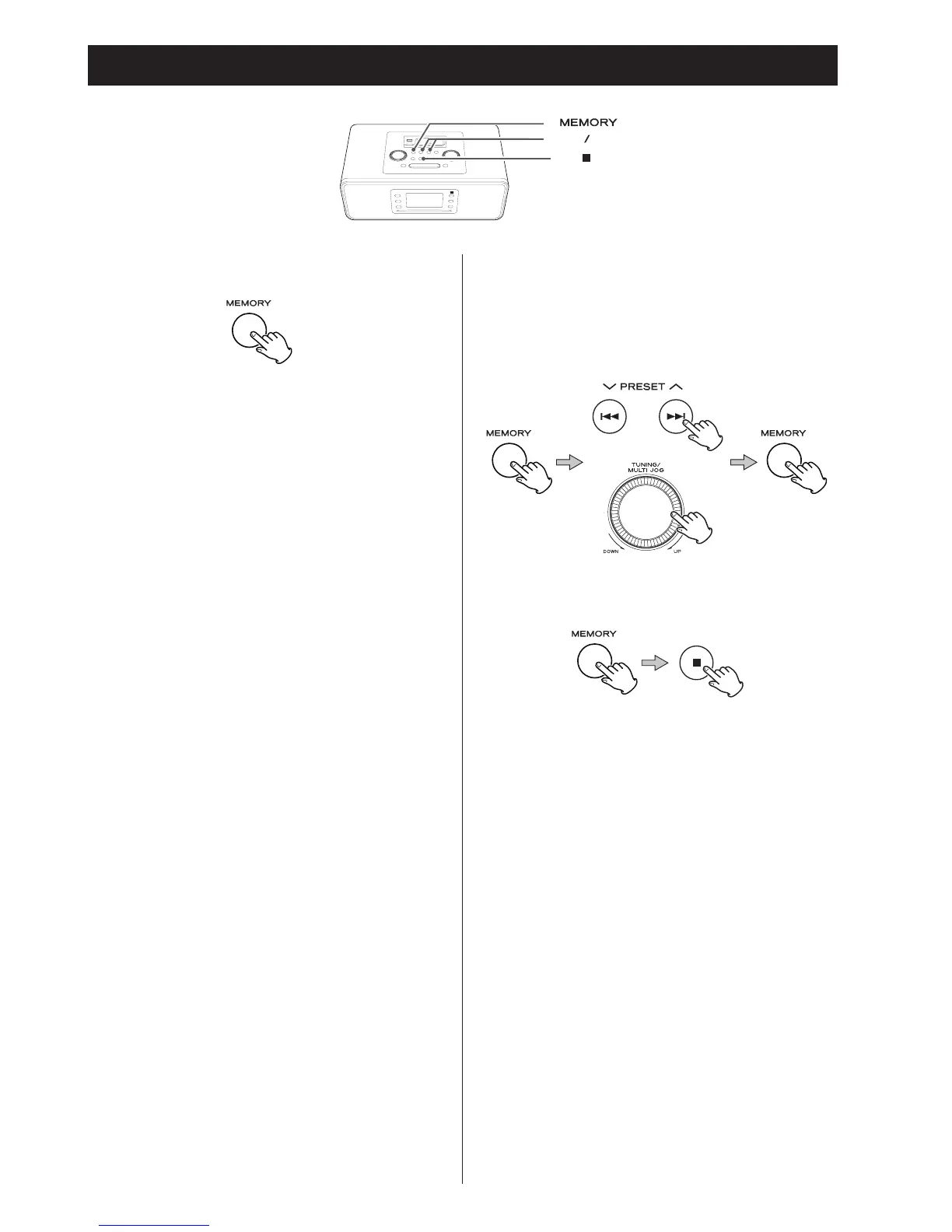
To check the programmed order
In the stop mode, press the MEMORY button repeatedly. The
track number and program number will be shown on the
display.
To add a track to the end of the program
In the stop mode, press the MEMORY button repeatedly until
“00” or “000” appears on the display. Select a track/file
number using the skip button (.or/) or the MULTI JOG
knob, and then press the MEMORY button. The track/file
is added to the end of the programme.
To overwrite the program
In the stop mode, press the MEMORY button repeatedly until
the program number to be changed appears on the display.
Select a new track number using the Skip button (.or/)
or turn the MULTI JOG knob and then press the MEMORY
button.
To clear program
To clear the programmed contents in the stop mode, press the
MEMORY and the stop button (H) for more than 2 seconds.
< When
you eject the disc, the programmed contents will also
be clear
ed.
< If the power supply is interrupted, the programmed contents
will also be cleared.


 To Next Page