19
1
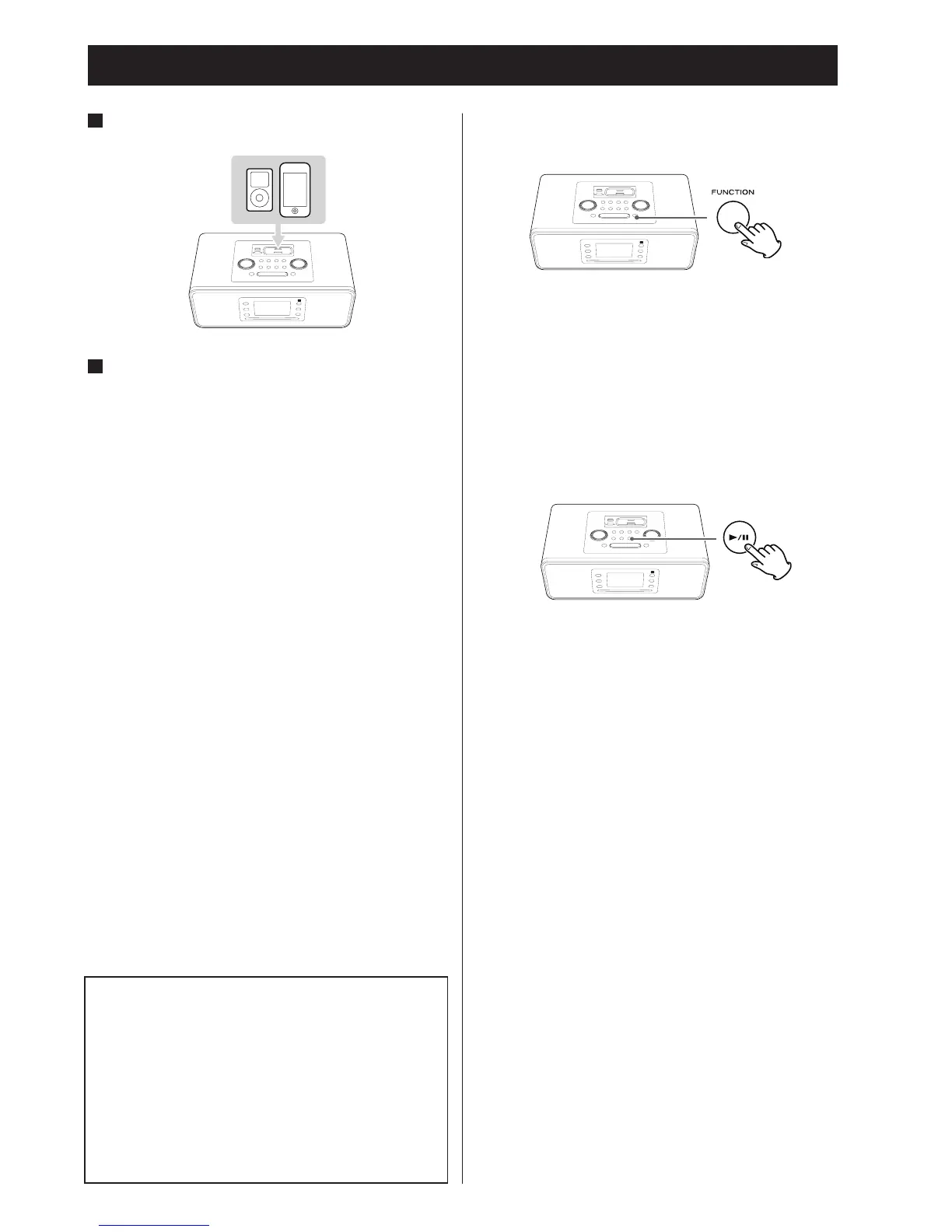
Insert the iPod / iPhone into the SR-3DAB dock.
2
Then press the Play / Pause button (y / J) on the
iPod / iPhone or the SR-3DAB.
The SR-3DAB will automatically turn on and start playback
from the iPod / iPhone’s song list.
• If
an iPod / iPhone that is in playback mode is inserted into
the dock, the SR-3DAB will automatically turn on and
playback sound will be heard from the speakers.
• Make sur
e to use a suitable Dock Adapter (page 11).
• The battery of an iPod / iPhone will be recharged until it is
full whenever the iPod / iPhone is docked and the SR-3DAB is
connected to AC power.
• If headphones are also plugged into the iPod / iPhone,
sound comes from both the headphones and the SR-3DAB
speakers.
Listening to an iPod or iPhone (1)
To select iPod mode
Select “iPod” using the FUNCTION button. If an iPod/ iPhone
is already docked, playback will start.
If no iPod/iPhone is docked, the iPod indicator on the display
blinks.
To suspend playback temporarily (pause
mode)
Press the Play/Pause button (G/J) during playback to stop
playback at the current position.
To resume playback, press the Play/Pause button (G/J )
again.
•
Y
ou can also use the button on the iPod to pause playback.
Note for iPod Touch/iPhone
If an iPod touch/iPhone that is in video playback mode is
inserted into the dock while the SR-3DAB is in the standby
mode, the SR-3DAB is not turned on.
If you want to hear the sound of video from an iPod touch
or iPhone, connect the iPod touch/iPhone to the Dock
first, and then operate the SR-3DAB and iPod/iPhone.
•
The SR-3DAB might turn on when you play data for which
the audio signal is output earlier than the video signal.


 To Next Page