< If one of the following buttons is pressed, repeat mode will be
canceled:
STOP, FUNCTION, EJECT, STANDBY/ON
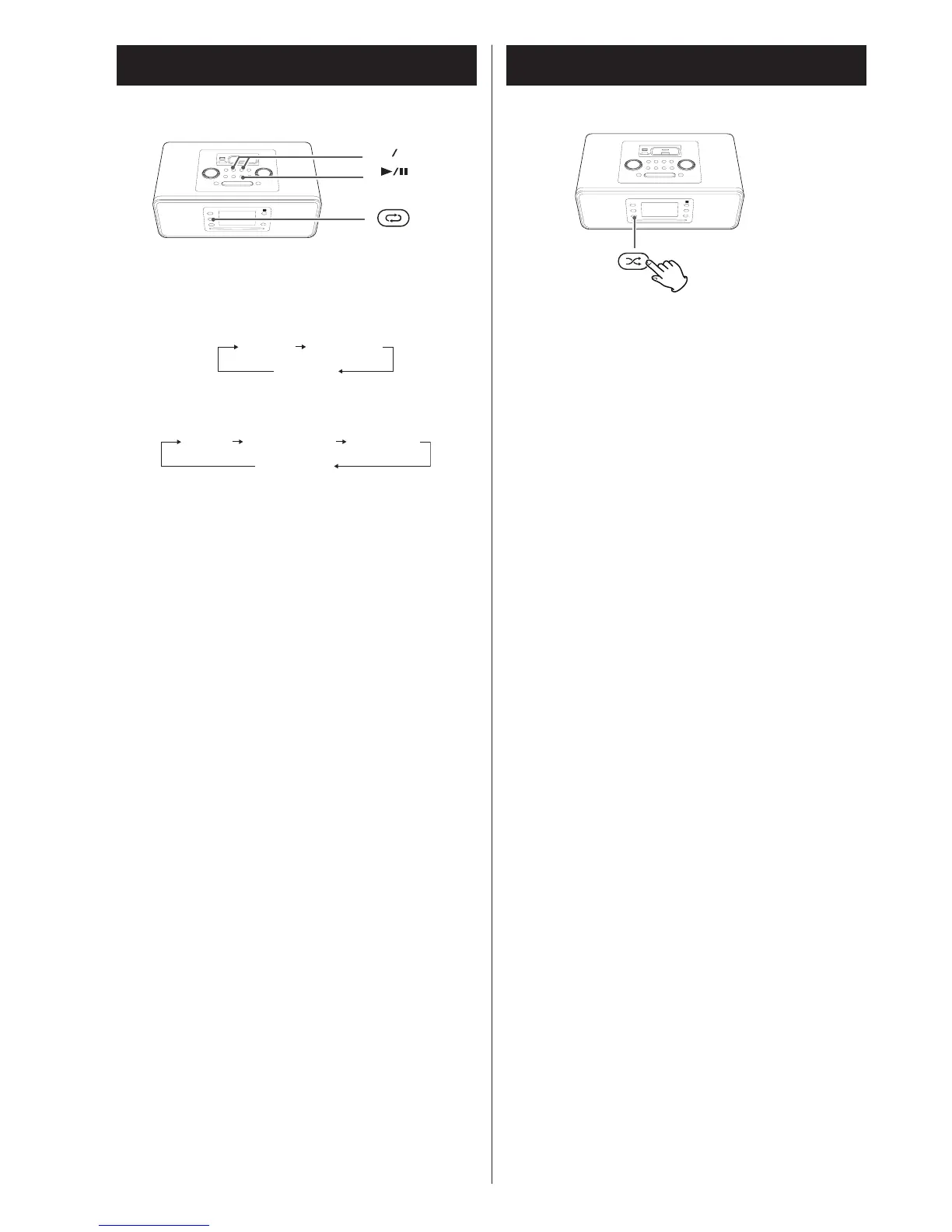
Repeat one track
Press the REPEAT button once during playback. “Rep one”
lights.
The track being played will be played repeatedly. If you press
the Skip button (.or/) and select another track, the
track you selected will be played repeatedly.
It is also possible to select a track to be repeated in the stop
mode. Press the REPEAT button, select a track using the Skip
button (.or/), and then press the Play/Pause button
(G/J) to start playback.
Repeat all the tracks
All the tracks will be played repeatedly.
Press the REPEAT button twice. “Rep all” lights.
During programmed playback, programmed tracks will be
played repeatedly.
Repeat all the tracks in the folder (MP3/USB/
SD)
All the tracks in the folder will be played repeatedly.
Press the REPEAT button two times. “Rep folder” lights.
Shuffle Playback
The tracks can be played randomly. Press the SHUFFLE button
during playback or when in the stop mode. “SHUFFLE” will
then light up in the display.
< I
f you press the /b
utton during shuffle playback, next
track will be randomly selected and played.
If you
press the .button, the currently played track will be
played from the beginning. If you press the .button twice
or more, next track will be randomly selected and played.
One track cannot be r
eplayed during shuf
fle playback.
< Shuffle playback doesn’t work during programmed playback.
<
If one of the following buttons is pressed, shuffle mode will
be cancelled:
SHUFFLE, STOP
, FUNCTION, STANDBY/ON, EJECT


 To Next Page