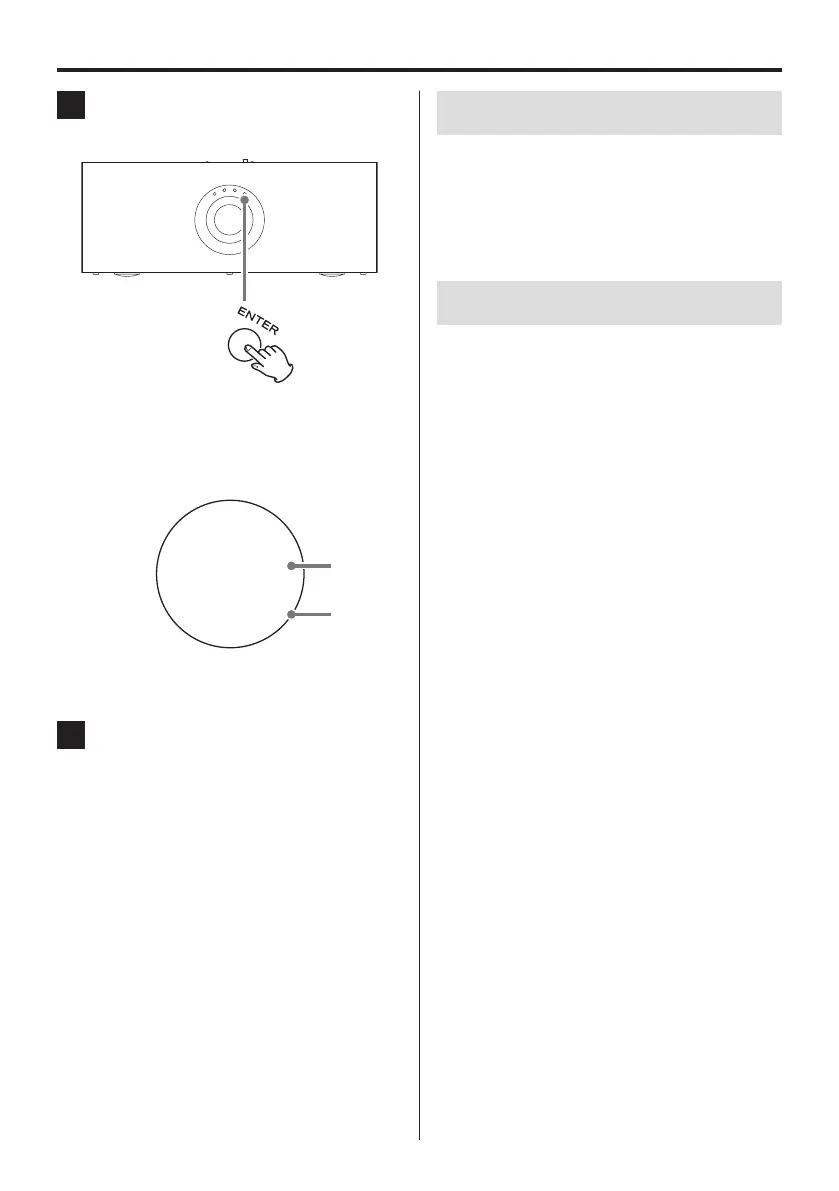
3 Press the ENTER button to conrm the
input source.
o After showing the confirmed source for a few
seconds on the display, the Home Screen will
automatically reappear.
Display example
50
DIGITAL IN
Volume
Input source
o Press the SOURCE button before pressing the
ENTER button to cancel input source selection.
4 Start playback.
See “Capabilities of this unit” on page15 for infor-
mation about playback operations.
V
CAUTION
Minimize the volume before starting playback and
gradually increase it whenever you change the
input source and immediately after turning the
power on by pressing the main POWER switch or
the standby/on (¤) button.
Automatic power saving function
When the unit is on, it will automatically enter standby
mode if it is not used for a certain amount of time.
See “APS (automatic power saving function)” in “Settings”
for details (page24).
Display
The display of this unit will automatically dim after a cer-
tain amount of time to prevent screen burn-in.
See “DIMMER” in “Settings” for details (page24).
Basic operation (continued)
14



 To Next Page