Pairing (initial setup)
o Pairing this unit with another Bluetooth device is necessary the first time it is used and when connecting to a different
Bluetooth device for the first time.
o When pairing with another Bluetooth device, they should be within a few meters of each other. If they are too far
apart, pairing and connection afterwards might become impossible.
o For details, refer to the operation manual of that Bluetooth device.
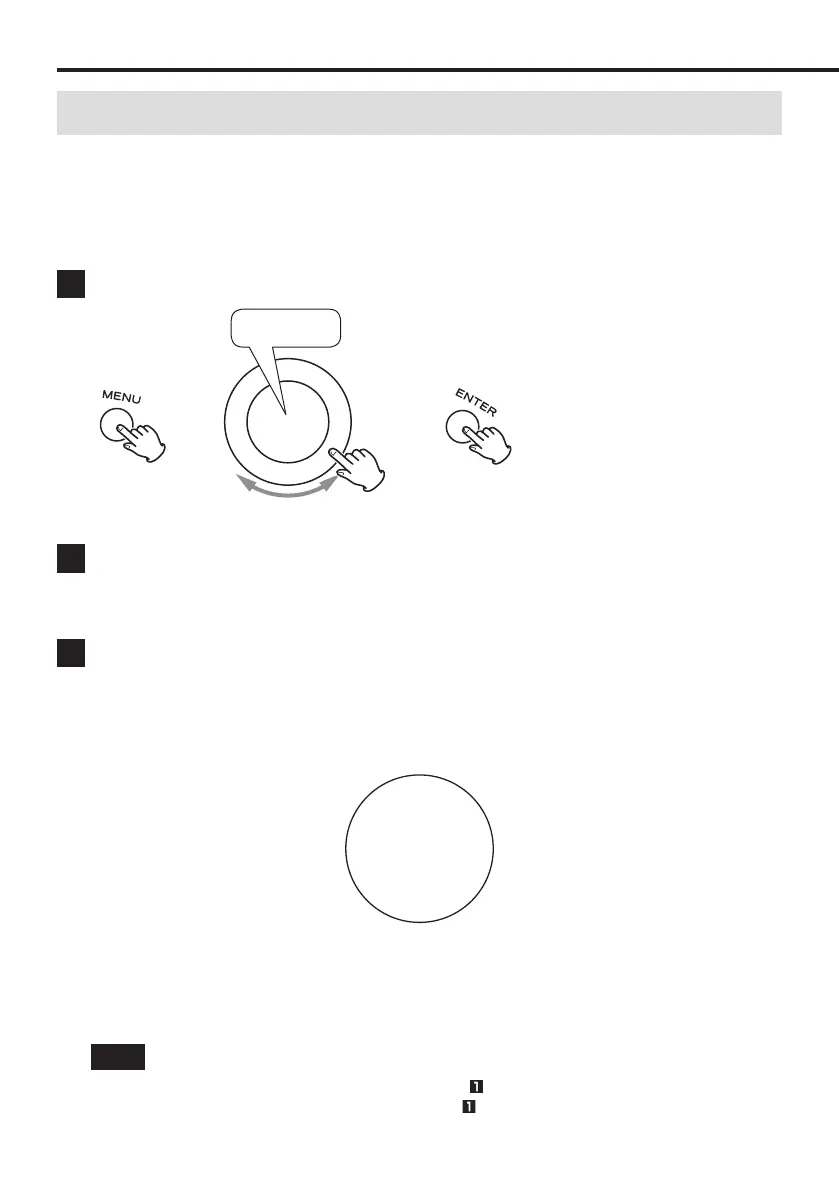
1 Press the MENU button, and select PAIRING.
PAIRING
e e
Pairing becomes possible when PAIRING blinks on the display.
2 Turn on the Bluetooth function of the smartphone or other device.
Example with Android
Open Settings > Bluetooth, and turn Bluetooth on.
Example with iPhone
Open Settings > Bluetooth, and turn Bluetooth on.
3 Select this WS-A70 unit from the device list on the smartphone or other device.
Example with Android
After opening Settings > Bluetooth, select “WS-A70
xxxxxx” from the “Available Devices” list.
Example with iPhone
After opening Settings > Bluetooth, select “WS-A70
xxxxxx” from the “Devices” list.
After pairing completes, “Bluetooth” will appear at the bottom of the display.
50
Bluetooth
Confirm the connection with the smartphone or other Bluetooth device.
Example with Android
After opening Settings > Bluetooth, check “Paired
Devices”.
Example with iPhone
After opening Settings > Bluetooth, check “My Devices”.
NOTE
o Complete pairing within five minutes of enabling pairing in .
o If pairing did not complete, repeat the operations from . Please also refer to the operation manual of the
Bluetooth device you are using.
Using as a Bluetooth speaker
16



 To Next Page