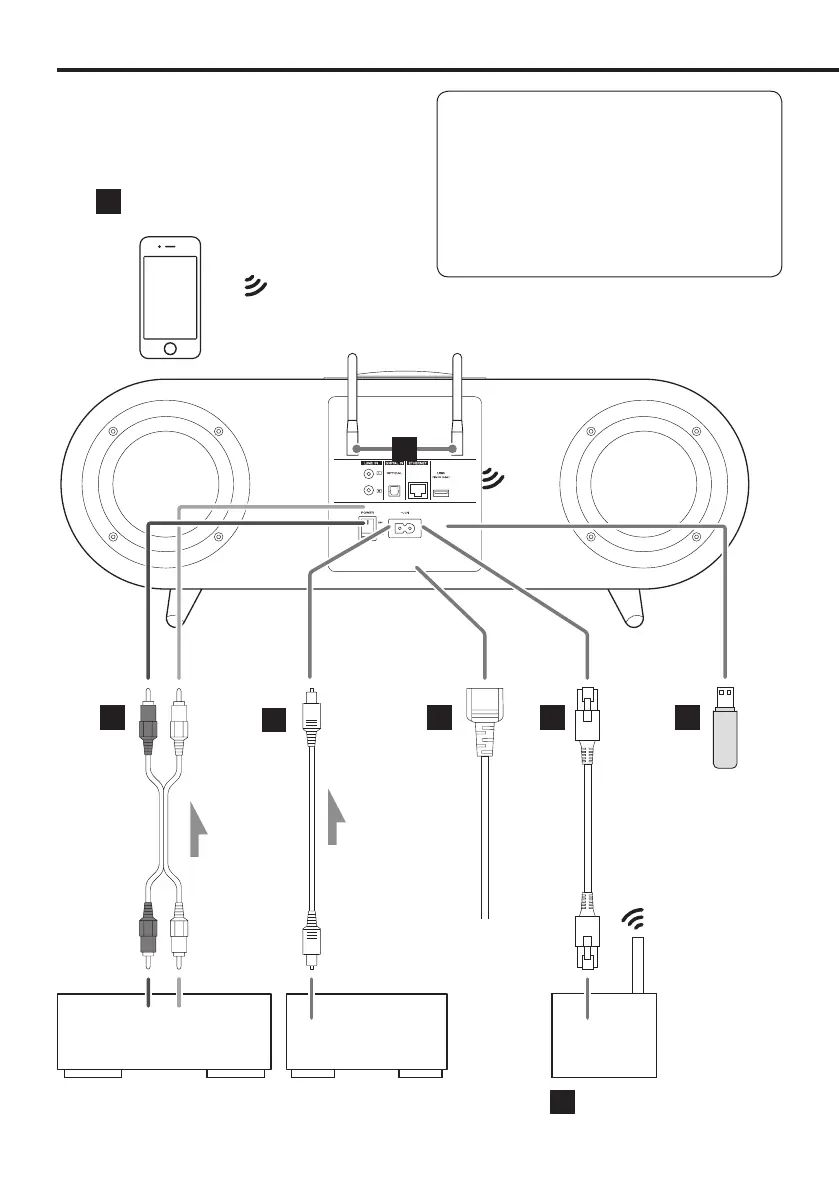
Connections
V
Complete all other connections
before turning the unit on.
o Carefully read the manuals of the devices that you
are connecting and follow their instructions when
making connections.
o Do not bundle connecting cables with power
cords. Doing so could cause noise.
o Connect all plugs completely.
LR
c
d
ef
g
h
b
Optical digital cable
USB flash drive
RCA audio cables
Analog audio output device
Audio output
(LINE OUT, etc.)
DIGITAL OUT
(OPTICAL)
Digital audio output
device
Wi-Fi™ router
Android smartphone, iPhone, etc.
LAN cable
c
Wall
socket
Included power cord
8



 To Next Page