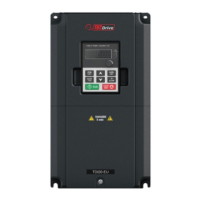
TECDrive TEC-3 User Guide Revision 1.20
www.tecmotors.co.uk/tecdrive
10. Trouble Shooting
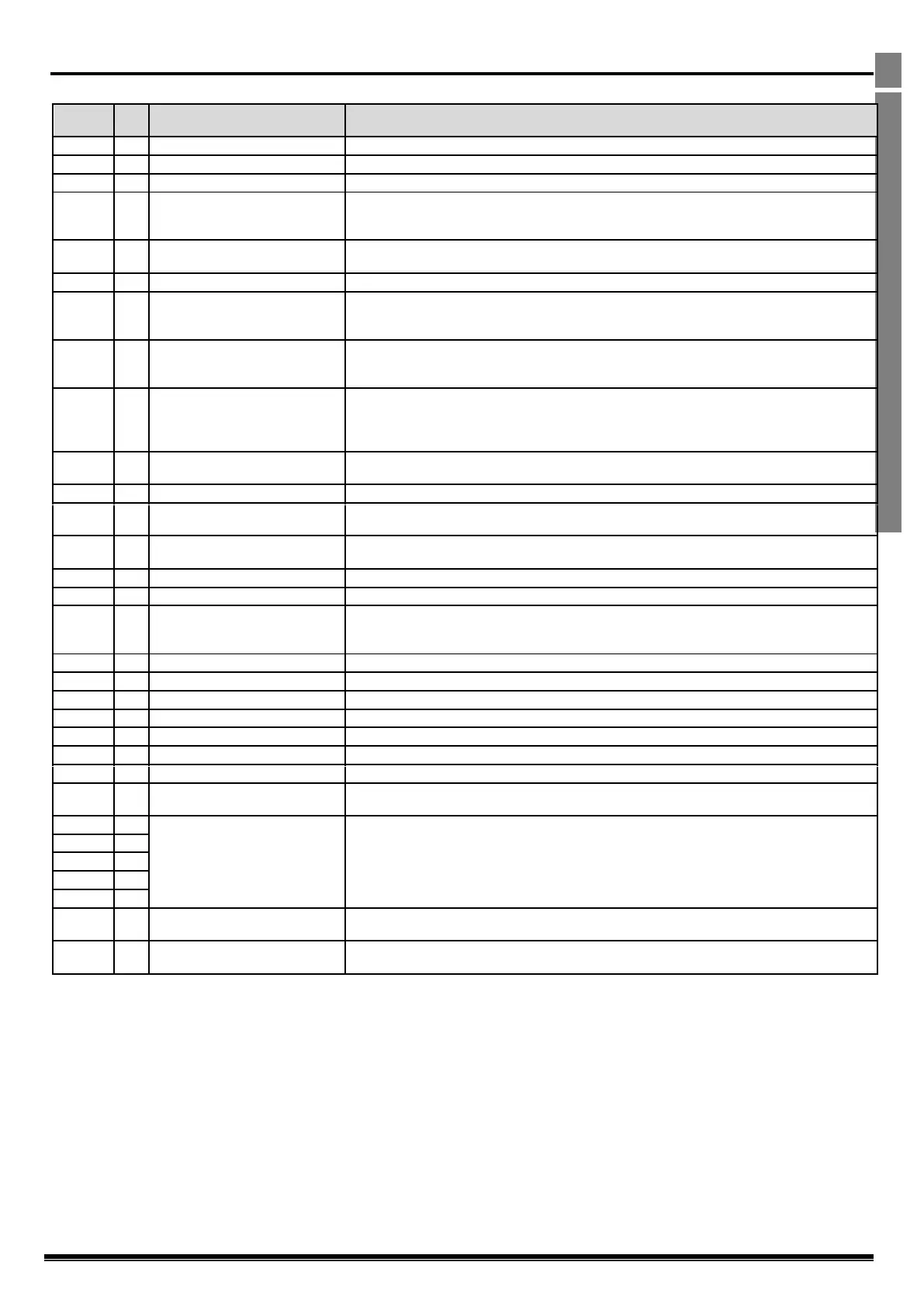
10.1. Fault Code Messages
Brake channel over current
Check external brake resistor condition and connection wiring
The drive has tripped to prevent damage to the brake resistor
Instantaneous Over current on the drive output. Excess load or shock load on the motor.
Note: Following a trip, the drive cannot be immediately reset. A delay time is inbuilt, which allows the
power components of the drive time to recover to avoid damage.
Motor Thermal Overload (I2t)
The drive has tripped after delivering >100% of value in P-08 for a period of time to prevent damage to
the motor.
Check for short circuits on the motor and connection cable
Check the supply voltage is within the allowed tolerance for the drive. If the fault occurs on deceleration
or stopping, increase the deceleration time in P-04 or install a suitable brake resistor and activate the
dynamic braking function with P-34
The incoming supply voltage is too low. This trip occurs routinely when power is removed from the drive.
If it occurs during running, check the incoming power supply voltage and all components in the power
feed line to the drive.
Heatsink over temperature
The drive is too hot. Check the ambient temperature around the drive is within the drive specification.
Ensure sufficient cooling air is free to circulate around the drive.
Increase the panel ventilation if required. Ensure sufficient cooling air can enter the drive, and that the
bottom entry and top exit vents are not blocked or obstructed.
Trip occurs when ambient temperature is less than -10°C. Temperature must be raised over -10°C in
order to start the drive.
Factory Default parameters loaded
E-trip requested on digital input 3. Normally closed contact has opened for some reason. If motor
thermistor is connected check if the motor is too hot.
Check communication link between drive and external devices. Make sure each drive in the network has
its unique address.
Check incoming supply phases are all present and balanced
Check incoming power supply phases are present and balanced.
Check for short circuits on the motor and connection cable
Note: Following a trip, the drive cannot be immediately reset. A delay time is inbuilt, which allows the
power components of the drive time to recover to avoid damage.
Faulty thermistor on heatsink
Internal memory fault. (IO)
Press the stop key. If the fault persists, consult you supplier.
Check the analog input connection(s).
Internal memory fault. (DSP)
Press the stop key. If the fault persists, consult you supplier.
Motor PTC thermistor trip
Connected motor thermistor over temperature, check wiring connections and motor
Cooling Fan Fault (IP66 only)
Check / replace the cooling fan
Drive internal temperature too high
Drive ambient temperature too high, check adequate cooling air is provided
Indicates a fault on the output of the drive, such as one phase missing, motor phase currents not
balanced. Check the motor and connections.
The motor parameters measured through the autotune are not correct.
Check the motor cable and connections for continuity
Check all three phases of the motor are present and balanced
Check the incoming Modbus RTU connection cable
Check that at least one register is being polled cyclically within the timeout limit set in P-36 Index 3
Check the incoming CAN connection cable
Check that cyclic communications take place within the timeout limit set in P-36 Index 3



 To Previous Page