4-5
Uni cistern
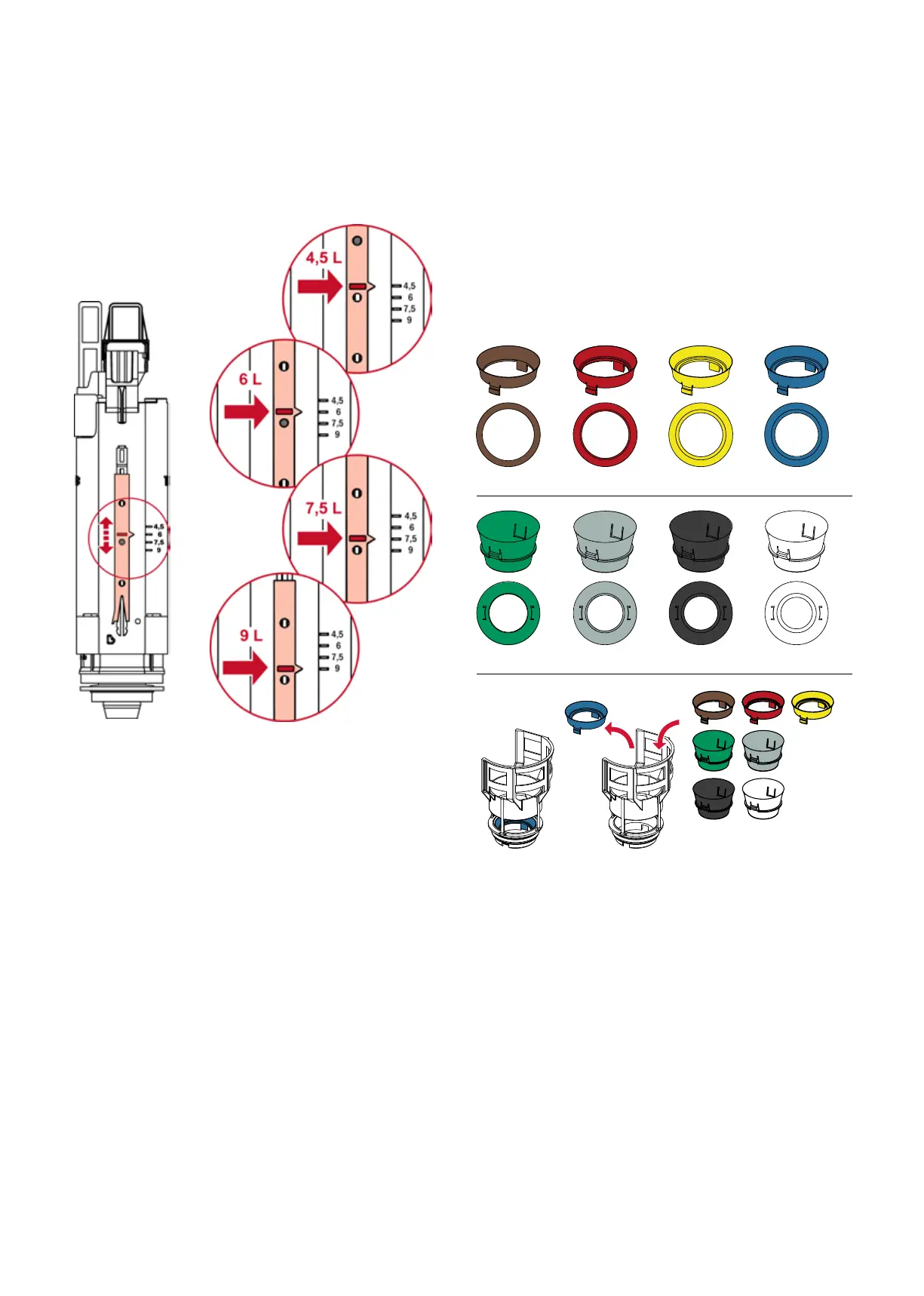
Setting the flush volumes
The flush volume is adjusted centrally via an adjustment
slide on the back of the drain valve. The adjustable flush
quantities are clearly marked on the valve.
A2 drain valve, adjusting the flush volume
Throttle set
If the flushing of a toilet ceramic is not adequate, the flush-
ing pressure can be reduced or increased with the help of
the throttle set.
The throttle set includes eight dierent throttles:
Brown: mm diameter (approx. % flushing pressure)
Red: mm diameter (approx. % flushing pressure)
Yellow: mm diameter (approx. % flushing pressure)
Blue: mm diameter (approx. % flushing pressure)
Green: mm diameter (approx. % flushing pressure)
Grey: mm diameter (approx. % flushing pressure)
Black: mm diameter (approx. % flushing pressure)
White: mm diameter (approx. % flushing pressure)
Reducing the flushing pressure:
The throttle set can be used to reduce the flushing pres-
sure if water sprays out of the toilet ceramics. To control
the flushing pressure, a throttle with a smaller internal
diameter can be used.
Increasing the flushing pressure:
If the toilet ceramics are not being cleaned correctly, the
flushing pressure for standard cisterns can be subse-
quently increased. To increase the flushing pressure, install
a throttle with a larger internal diameter or remove the
inserted throttle.
The flush flow throttle can be easily installed in the valve
seat of the drain valve.
Ø 36 mmØ 39 mmØ 42 mmØ 46 mm
Ø 28 mmØ 30 mmØ 32 mmØ 34 mm
Installing/removing the flush flow throttle in the valve seat



 To Next Page