12
Application
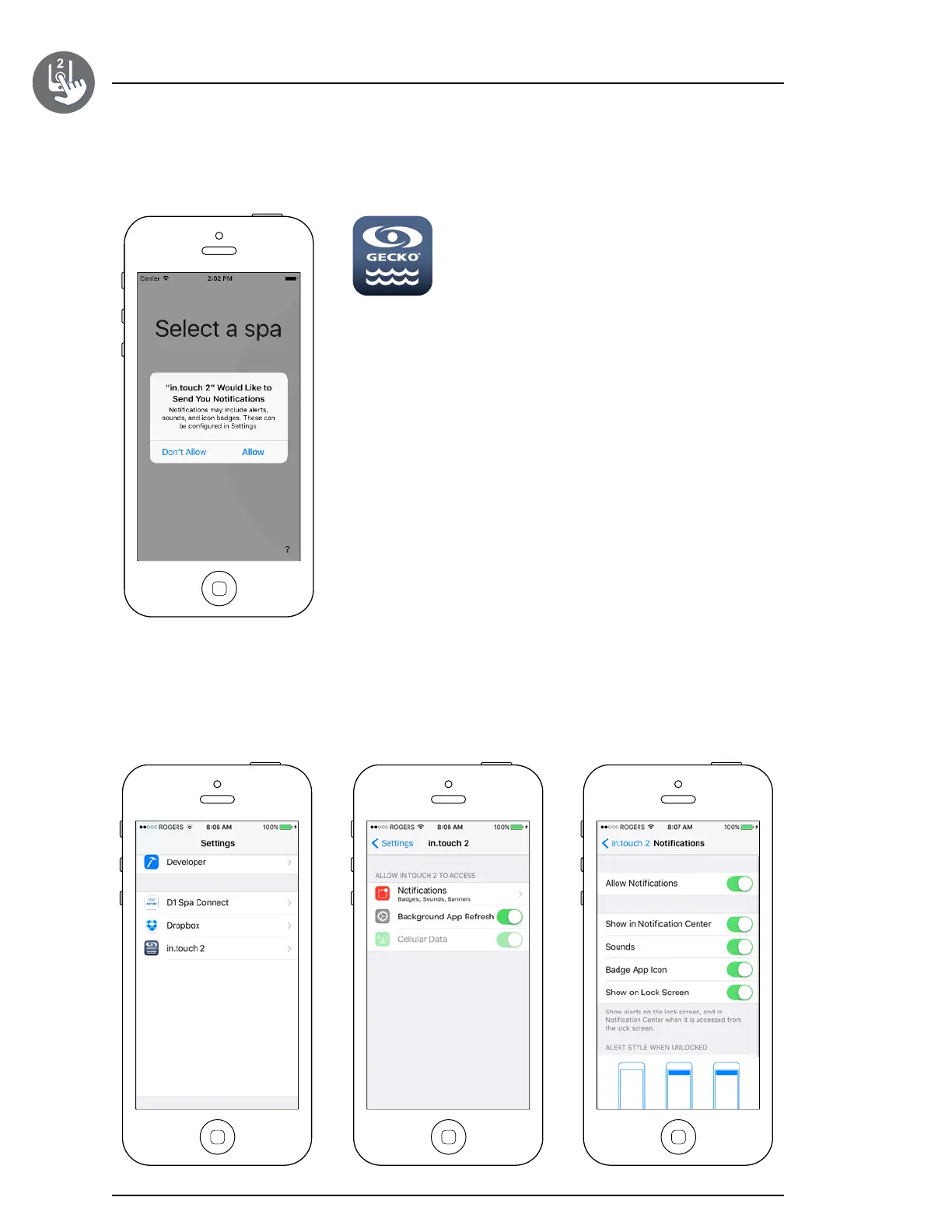
Find the icon for the in�touch 2 application,
then tap on it to open it�
The first time you use the application a message will ask you: “in�touch 2”
Would like to send you notifications� If you choose Allow, the application will
send you notifications about the status of your spa� If you choose Don’t Allow,
the application will not send you notifications�
If you change your mind later concerning notifications, you may add or remove notifications for the in�touch 2 applica-
tion� Go in your settings menu in your iOS device and choose in�touch 2� Select the notifications menu, you can turn
notifications on or off from this page�
Start the in.touch 2 application


 To Next Page