18
Application
in.touch network
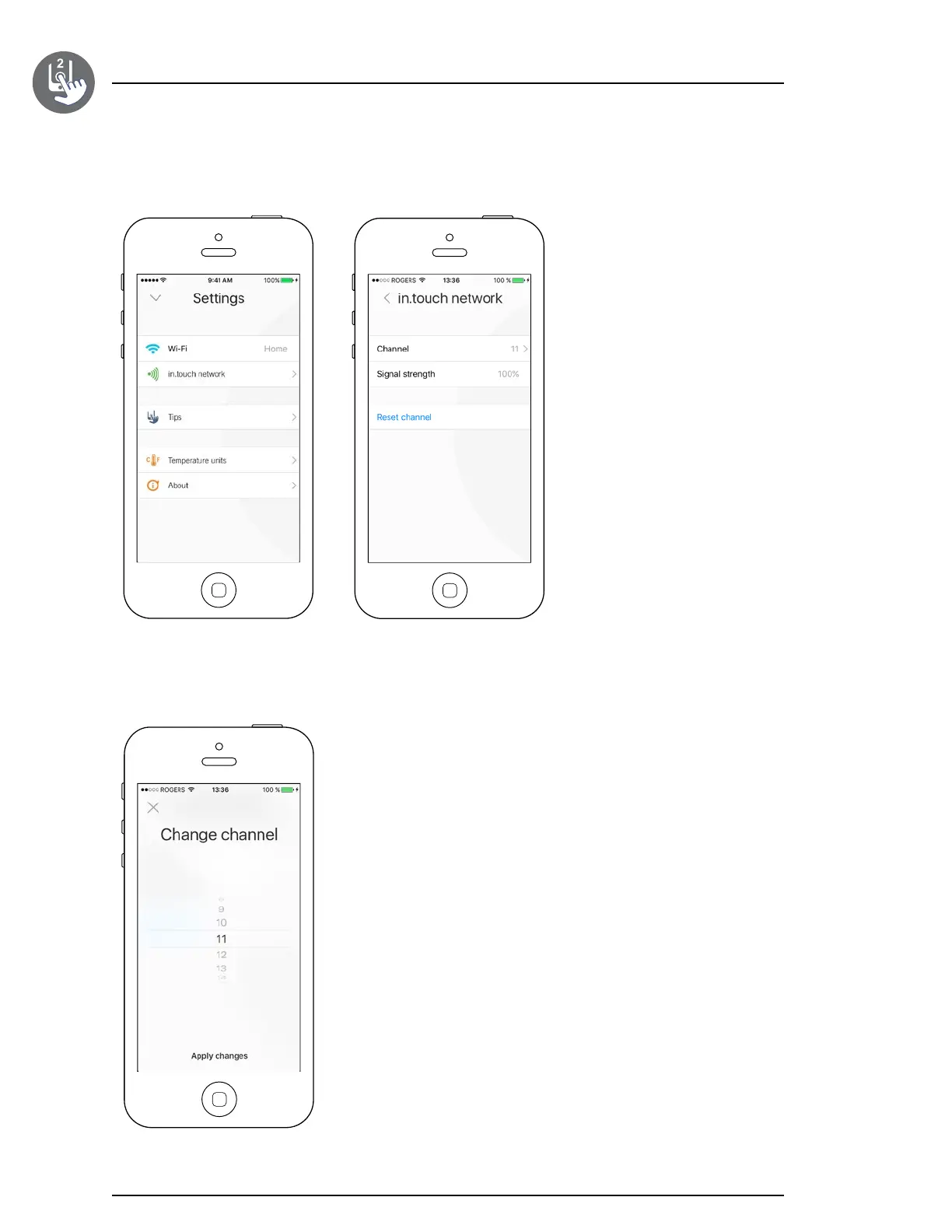
The Change channel page allows you to change the channel used by the two
in�touch 2 modules�
In some cases it is possible this will help you to have a stronger signal�
The in�touch network menu allows
you to have acces to information
concerning the RF connection
parameters between the in�touch 2-
EN and in�touch 2-CO modules�
This menu gives you acces to:
•
Channel
•
Signal strength
•
Reset channel (resets channel to ���
default)
To change channels, press on the
Channel line�
Change channel


 To Next Page