EasyManua.ls Logo

Technaxx TX-178 - User Manual

Technaxx TX-178
29 pages
Print Icon
To Next Page IconTo Next Page
Loading...
1
Model: TX-178 Article No. 4973, 01/2022
Technaxx
®
* User Manual
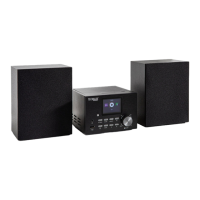
DAB+ Internet Stereo System TX-178
Before using the appliance for the first time, please read the instructions
for use and safety information carefully.
This appliance is not intended for use by persons (including children) with
reduced physical, sensory or mental capacities, or by persons lacking in
experience or knowledge, unless they are supervised or instructed on the
use of this device by a person responsible for their safety. Children should
be supervised to ensure they do not play with this device.
Keep this user manual for future reference or product sharing carefully. Do
the same with the original accessories for this product. In case of warranty,
please contact the dealer or the store where you bought this product.
Enjoy your product. * Share your experience and opinion on one of
the well-known internet portals.

Questions and Answers

  • J
    James MeyersAug 9, 2025
    What to do if Technaxx TX-178 Stereo System has no sound?
    • S
      Sarah ArmstrongAug 9, 2025
      If your Technaxx Stereo System isn't producing any sound, first, check if the mute function is activated in the volume control. If it is, deactivate it. If that doesn't work, increase the volume until you can hear the sound.
  • B
    Bridget WilsonAug 13, 2025
    How to fix Technaxx Stereo System when it does not switch on?
    • K
      Karen Nicholson DVMAug 13, 2025
      If your Technaxx Stereo System isn't turning on, make sure the power supply is properly connected to the power outlet and that the cable is securely connected to the device. If it still doesn't work, unplug the device, wait for about a minute, and then plug it back in.
  • C
    chelsea15Aug 19, 2025
    Why Technaxx Stereo System has no internet connection?
    • C
      Corey CantuAug 19, 2025
      If your Technaxx Stereo System isn't connecting to the internet, check the following: * Ensure your WLAN router is functioning correctly. * Verify that the parameters on the device are set correctly, paying special attention to the DHCP setting. * Try running the automatic scan for networks again. * Make sure you're entering the correct password that was set during router configuration. * Avoid selecting foreign networks. * Consider that the Internet server might be temporarily unavailable or overloaded.
  • M
    Melissa MartinAug 25, 2025
    What to do if Technaxx TX-178 Stereo System Bluetooth fails to connect?
    • M
      Matthew JohnstonAug 25, 2025
      If the Bluetooth on your Technaxx Stereo System fails to connect or play music, verify that your mobile device supports A2DP. Also, ensure the TX-178 is powered on and that Bluetooth is activated on your phone. Finally, make sure the TX-178 is within 10 meters of your phone without any obstructions like walls or other electronic devices in between.
  • I
    ibrayAug 29, 2025
    Why are the time and date wrong on my Technaxx TX-178 Stereo System?
    • T
      Timothy GreenAug 29, 2025
      If the time and date are incorrect on your Technaxx Stereo System, check the time zone settings and set them again.
  • I
    iwilkersonSep 2, 2025
    What to do if I have a problem to play audio files from USB on Technaxx TX-178 Stereo System?
    • A
      Amber HallSep 2, 2025
      If you're having trouble playing audio files from a USB drive on your Technaxx Stereo System, check that the audio file is correctly formatted as MP3 or WMA. Also, the USB flash disk format needs to be FAT32. The system supports a maximum data storage of 32GB, and the USB port doesn’t support any external hard disk drives (HDD).

Technaxx TX-178 Specifications

General IconGeneral
BrandTechnaxx
ModelTX-178
CategoryStereo System
LanguageEnglish