23
PROGRAMMING TEXT, TEMPERATURE AND TIME
This section gives instructions for the basic programming of text, temperature and time which are
required in later sections.
TEXT ENTRY
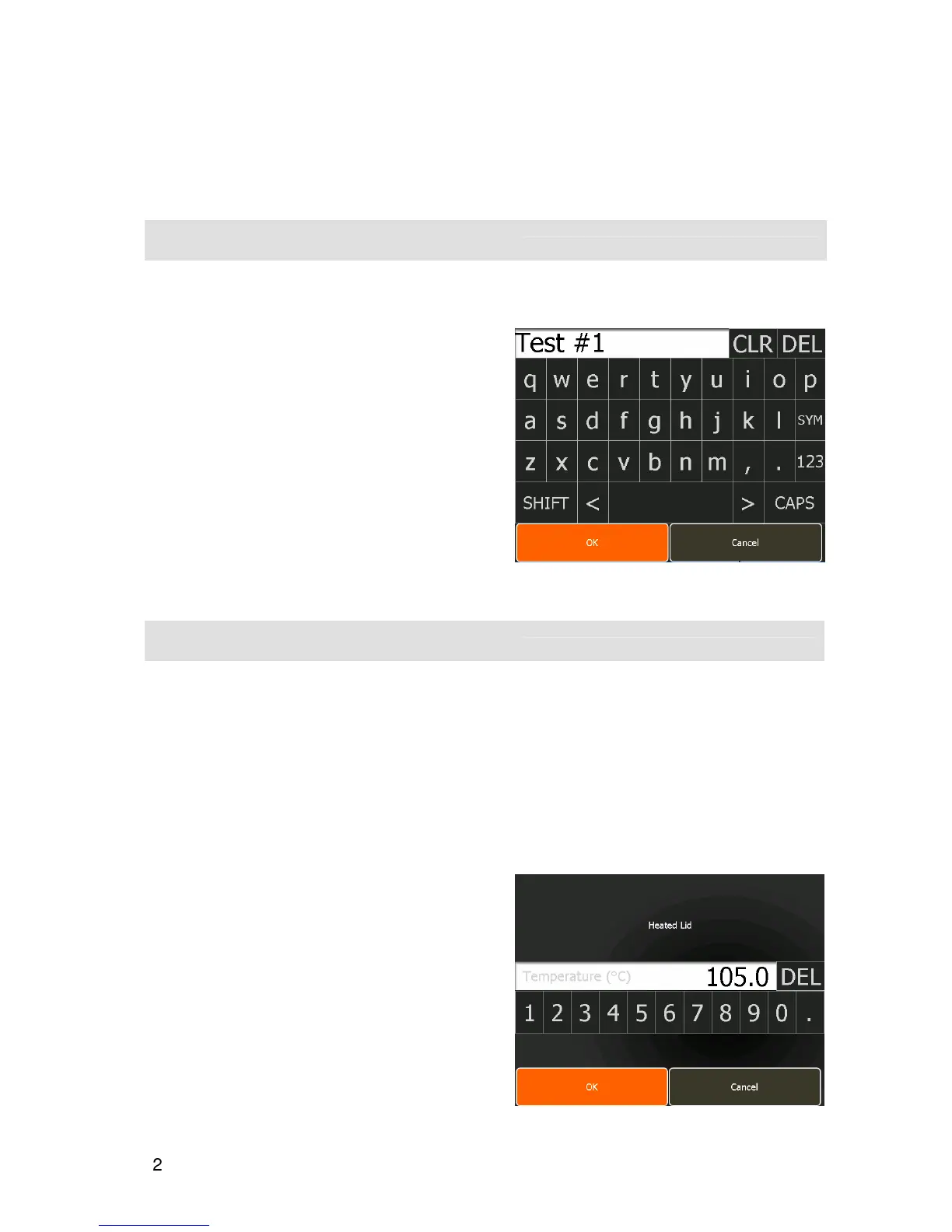
When giving a name to a program or stage, or when entering a keyword or a password, a text entry
screen will be opened.
Touch individual characters to create the name.
•
For words with all upper case letters touch
CAPS
.
•
Touch
SHIFT
if only the first letter is required in
upper case.
•
For numbers touch
123
.
•
For commonly used symbols touch
SYM
.
•
Touch the
space bar
(not labelled) for spaces
between characters.
•
To clear the typed name, touch
CLR
.
•
To delete the last character touch
DEL
.
Once the name is complete, touch
OK
.
TEMPERATURE ENTRY
When touching a temperature parameter a temperature entry screen will open. There are two forms of
temperature entry screen:
•
A
simple
form for adjusting the temperature of the instrument parameters such as the heated lid
and program parameters such as initial denaturation and final extension.
•
An
advanced
form when programming step temperatures within a cycling stage that includes the
options for introducing an incremented/decremented step temperature, for example in touchdown
PCR, or a temperature gradient.
Simple temperature entry
•
Enter the temperature, type in the required value.
The decimal point can be used for 0.1ºC resolution.
•
To clear the entry press
DEL
.
•
If an entered temperature is invalid, a prompt will
indicate the acceptable range.
•
Once the temperature is correct, touch
OK
to return
to the previous screen.
•
Touch
Cancel
to return to the previous screen if no
changes are required.


 To Next Page