•
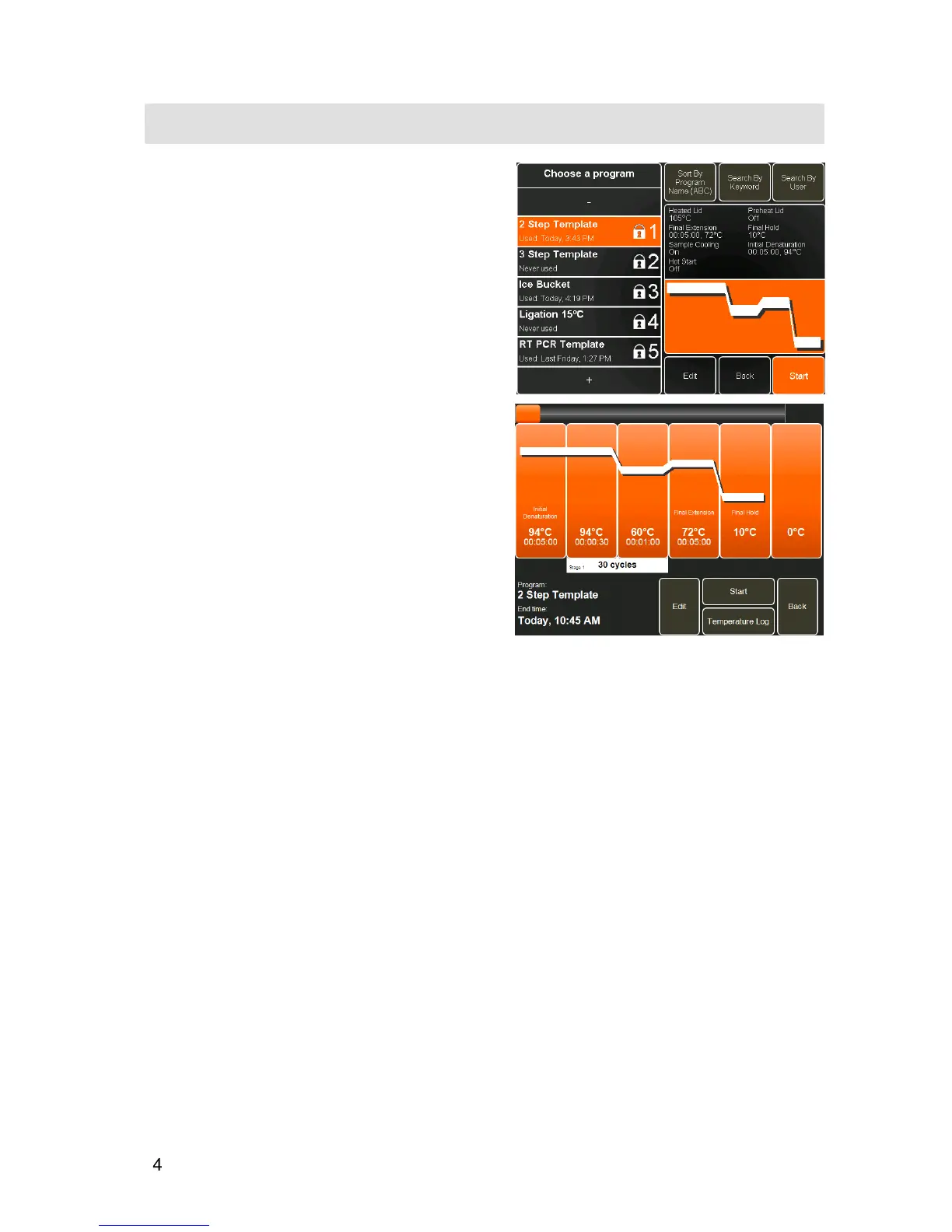
Once the required program has been identified,
touch it to highlight it.
The Program Selector Screen will show a summary of
the program, the instrument settings and a graphical
representation of the thermal cycling program.
•
Touch
Edit
to edit the program if required.
•
Touch
Back
to return to the Home Screen.
•
Touch
Start
to proceed to the Pre-run Screen.
•
From the Pre-run Screen, touch
Start
to run the
program.
See
THE RUN SCREEN
on page 46 for further
information on instrument status and progress during a
run.


 To Next Page