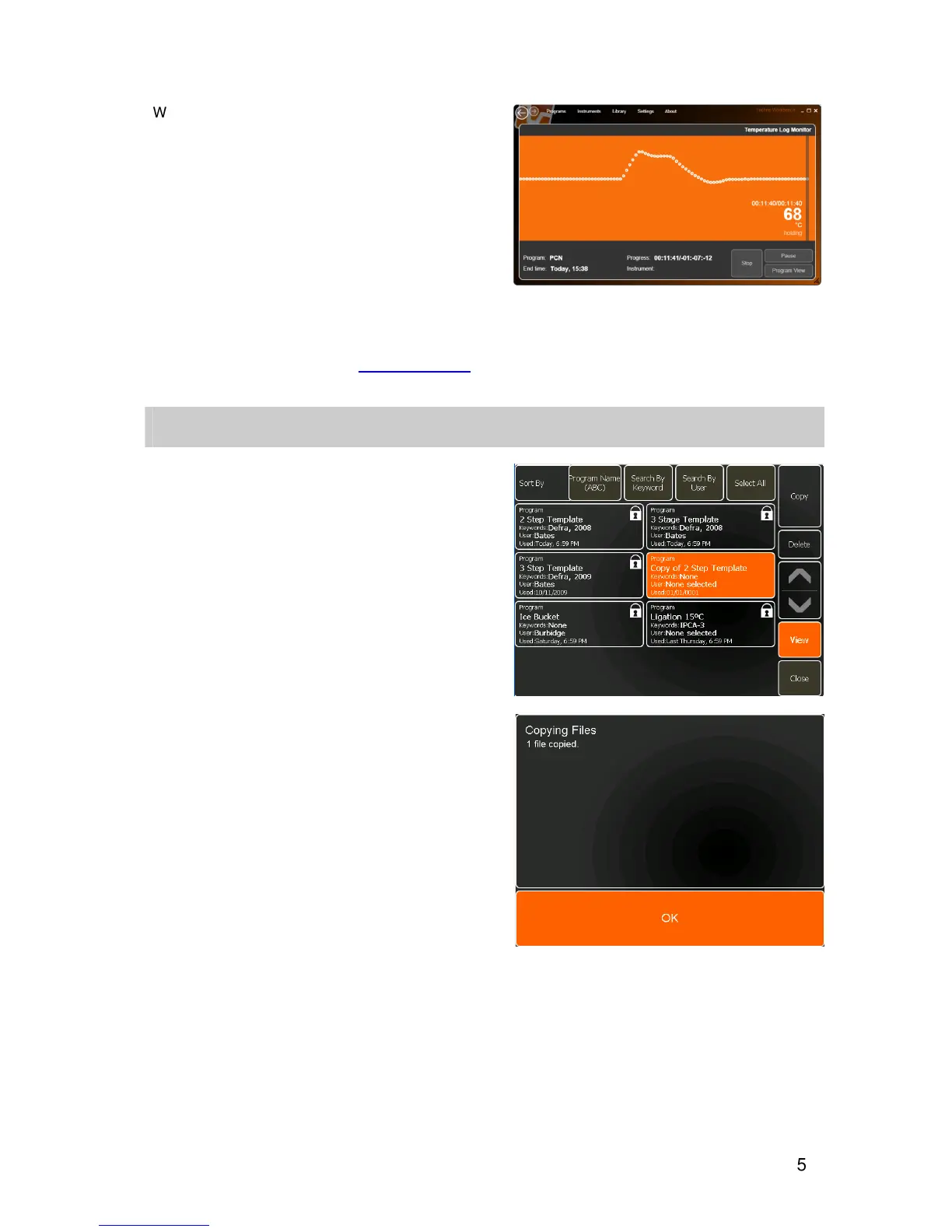
When opening a temperature log file, the Temperature
Log Monitor screen will be displayed. To view the
complete temperature log, drag the mouse across the
screen to scroll through the data points.
The view will show a graphical representation of the
actual temperature changes, second by second,
throughout thermal cycling program.
Clicking on the
Program View
button of this screen
will display the program that generated the
temperature log.
For further information on using the Techne
Workbench software, see the separate user manual
which can be downloaded from www.techne.com
COPYING FILES
Files can either be copied onto the unit for editing, or
to and from a USB memory stick.
To copy files to the unit:
•
Select one or more files for copying by touching the
appropriate file button.
Note
: Multiple file selection is optional and can be set
up in the User Preferences section of the Settings
Module.
or
•
Touch
Select All
to select all files.
•
Touch
Copy
.
A message box will confirm that the files have been
copied.
The copied file(s) will now be highlighted and listed as
Copy of… and can be edited as required.


 To Next Page