TV SETUP
TIME MENU
1. Press the TV MENU button.
2. Usethe
or
button to select the TIME.
3. Usethe
,
button to select the options (Clock, Sleep Timer or
Time Zone),thenadjustthemusingthe
, , or
button.
4. PresstheTV MENU button to return to previous menu.
5. Toexitthesetupmenuandreturntothenormalscreen,press
the EXIT button.
• Clock
Press the ENTER/OK button to enter the Clock menu, then use the
,
,
,
button to set Date, Month, Year,
Hour and Minute.
• Sleeptimer
SelectthetimetoturntheunittoStandbymodeautomatically:O->5min----->90min->120min.
• TimeZone
Select your time zone.
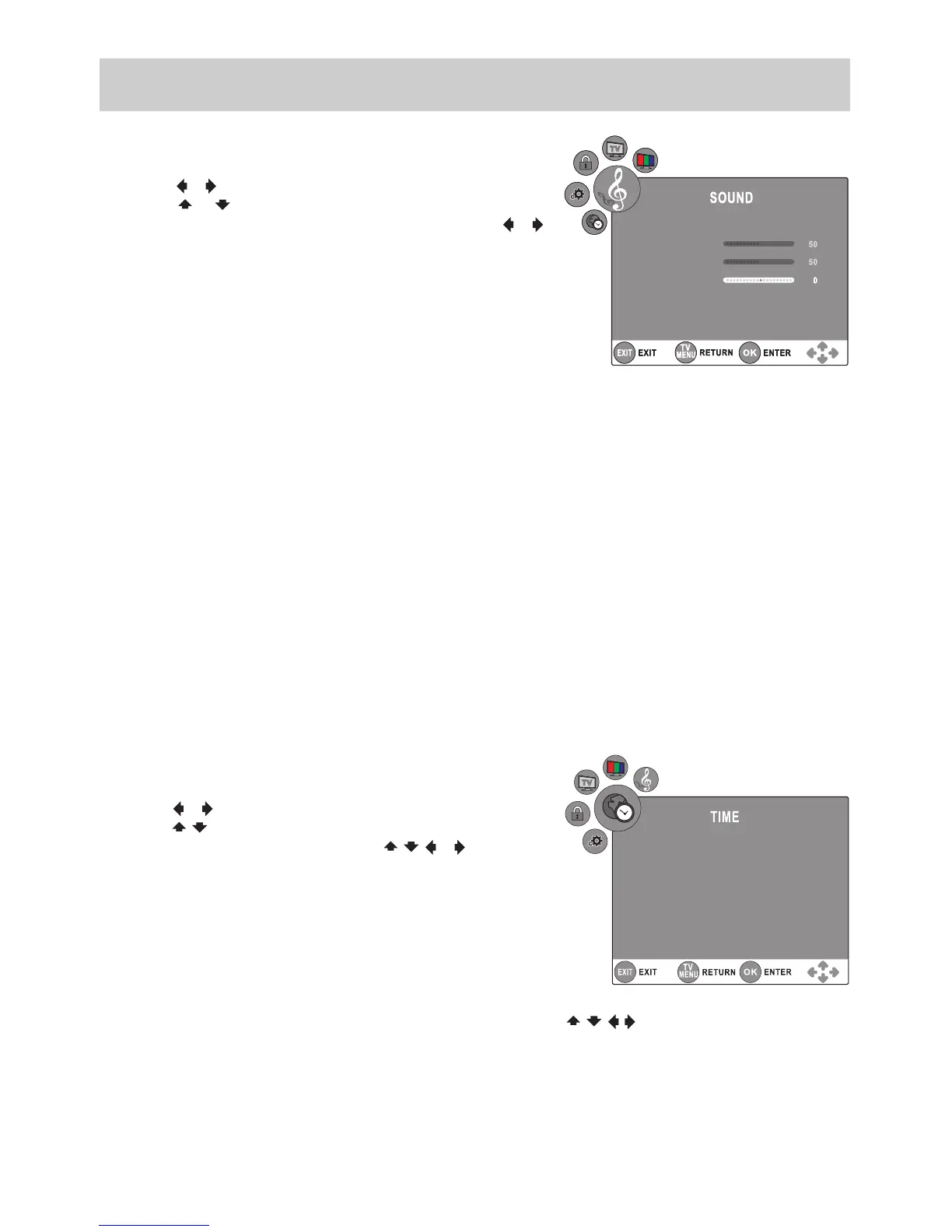
SOUND MENU
1. Press the TV MENU button.
2. Usethe
or
button to select the SOUND.
3. Usethe
or
button to select the options (Sound Mode,
Treble, Bass, Balance or AVL),thenadjustthemusingthe
or
button. (Only when Sound Mode is set as Personal can the Treble
and Bass options be activated.)
4. PresstheTV MENU button to return to previous menu.
5. Toexitthesetupmenuandreturntothenormalscreen,press
the EXIT button.
Experimentwithdierentsoundsettingsuntilyoundthesettingsyouprefer.
• SoundMode
Select from four preset sound settings (Standard, Music, Theatre and Voice), or select Personal in which your
own settings of Treble, Bass are stored.
• Treble
Adjustthetreblerange.
• Bass
Adjustthebassrange.
• Balance
Adjustthebalanceleveltowardtheleftorrightspeakers.
• AVL
It stands for Auto Volume Leveler. When set On, it automatically remains on the same level of volume if you
change programmes.
NOTE: You can also select Sound Mode simply by pressing the SOUND button on the remote control.






 To Next Page