EasyManua.ls Logo

Technogym Climb - User Manual

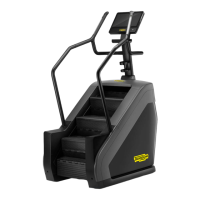
Technogym Climb
36 pages
Print Icon
To Next Page IconTo Next Page
Loading...
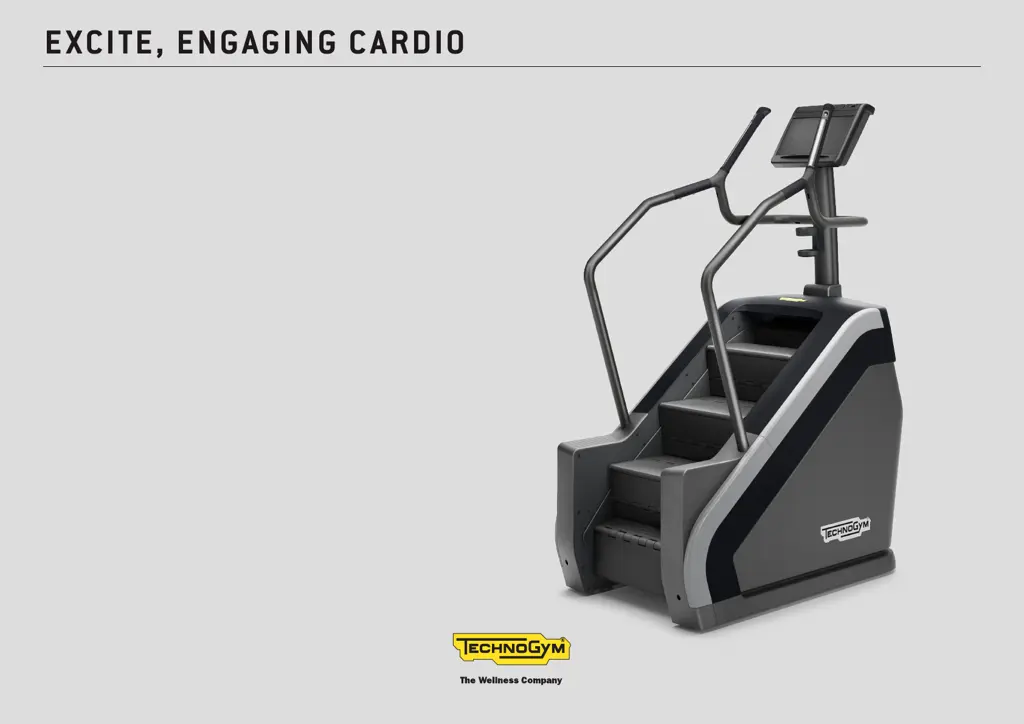
EXCITE, ENGAGING CARDIO
CLIMB
User manual

Questions and Answers

  • R
    Robert AllenJul 28, 2025
    What to do if my Technogym Climb doesn’t switch on?
    • K
      Kathleen SmithJul 28, 2025
      If your Technogym Fitness Equipment doesn't switch on, first, check the power supply at the wall socket by plugging in another appliance that you know works. If the outlet is functional, there might be an issue with the power supply cable, its connection, burnt-out fuses, or a disconnected control panel connector. For these issues, it's best to contact the Technogym Technical Support Service.
  • B
    Brenda LesterAug 2, 2025
    Why is my Technogym Fitness Equipment heart rate monitor not working correctly?
    • J
      johnstonwilliamAug 2, 2025
      If you're experiencing problems monitoring your heart rate with the chest band on your Technogym Fitness Equipment, there could be several reasons: * Other transmitters nearby may be causing interference, so move the equipment further away (minimum 80 cm) from other units. * Strong interference sources, like electrical appliances, might be the issue; try moving them or the equipment. * The chest band may be worn out and need replacing. * Ensure the chest band transmitter makes proper skin contact by dampening the inside with water. * The transmitter itself might be damaged, requiring a chest band replacement.
  • K
    katherinejonesAug 6, 2025
    How to reduce noise from my Technogym Climb Fitness Equipment?
    • M
      Matthew BerryAug 7, 2025
      If your Technogym Fitness Equipment is too noisy, it might not be properly leveled. Check the position and level the adjustment feet. Alternatively, damaged bearings or worn transmission components could be the cause. For damaged bearings or worn transmission components, it's best to contact the Technogym Technical Support Service.
  • T
    Trevor HancockAug 12, 2025
    What to do if my Technogym Climb Fitness Equipment is stuck in emergency mode?
    • K
      Kevin ThompsonAug 12, 2025
      If your Technogym Fitness Equipment is permanently in emergency status with the steps locked, it could be due to damaged or blocked safety sensors. Try removing any obstructions from the sensor zone. If the issue persists, contact the Technogym Technical Support Service, as the safety sensors may be damaged.
  • V
    Victor MayoAug 16, 2025
    Why is the data on my Technogym Climb incorrect?
    • A
      Alexis HaynesAug 16, 2025
      If the data displayed on your Technogym Fitness Equipment is incorrect or unreliable while the equipment is running, it could be due to radio interference from nearby electrical appliances. Try moving the equipment to another location or moving the interfering appliances away from the equipment.
  • H
    harmondianeAug 21, 2025
    What to do if steps on Technogym Climb Fitness Equipment do not remain locked?
    • A
      Allison HorneAug 21, 2025
      If the steps on your Technogym Fitness Equipment do not remain locked in place, this indicates that the brake is disabled. In this case, contact the Technogym Technical Support Service.

Summary

Important safety instruction

General Safety and DANGER;WARNING

Provides essential safety information, including critical DANGER and WARNING notices for immediate user awareness and equipment protection.

Electrical Safety and Usage Rules

Emphasizes electrical safety, proper disconnection, and connection guidelines to prevent hazards.

Personal Safety Guidelines

User Health and Conduct

Advises on user health, proper exercise conduct, clothing, supervision of vulnerable users, and equipment handling.

Equipment Integrity and Environment

Highlights avoiding unauthorized service, not placing items on the console, and warnings about internal high voltages.

Manufacturer and Equipment Identification

Product Identification Details

Details product identification, manufacturer information, technical specifications, and intended use for medical and commercial environments.

Equipment Components and Features

Control Panel and Handgrips

Describes the control panel, TGS input, side handgrips, fast track controls, and stop button for user interaction.

Sensors, Footrests, and Holders

Explains the hand sensor for heart rate, footrests for resting, bottle holder, and reading stand.

Technical Specifications

Performance Data

Provides detailed technical data including power supply, weight, user limits, and operating conditions.

Equipment Dimensions

Presents the physical dimensions of the equipment, including height, width, and depth, with both metric and imperial units.

Included Accessories

Accessory Contents

Lists the standard equipment accessories provided, including tools, documentation, power cable, and replacement fuses.

Safety Devices and Warnings

Key Safety Features

Identifies key safety features like fixed guards, main switch, fuses, stop button, and safety sensors for user protection.

Warning Labels and Information

Highlights adhesive labels for electrical characteristics and cable specifications, along with general hazard warnings.

Recommended Place of Usage

Environmental Requirements

Specifies environmental conditions for installation, including temperature, humidity, lighting, clear space, and floor stability.

Moving the Equipment

Wheels and Handling Precautions

Explains the use of wheels for moving the equipment and provides critical warnings regarding handling and balance.

Equipment Levelling

Adjusting Feet for Stability

Details the process of levelling the equipment by adjusting feet, tightening lock nuts, and repositioning protective guards.

Electrical Connection

Power Supply and Grounding

Covers proper connection to the mains, socket requirements, grounding, and risks associated with improper electrical connections.

Connectivity Options

Device and Network Connections

Explains how to connect to audio/video devices, networks via CSAFE, and TV/Ethernet connections using specified cables and protocols.

Routine Maintenance

Cleaning and Lubrication

Provides instructions for routine cleaning of the display and product, and monthly lubrication of step hinges.

Inspection and Servicing

Emphasizes the importance of regular inspection for wear, and mandates that maintenance and lubrication be performed by authorized service personnel.

Extraordinary Maintenance

Transmission Parts and Fuses

Outlines procedures for replacing transmission parts (every 3 years) and changing fuses, including necessary precautions.

Troubleshooting Guide

Common Issues and Solutions

Lists common problems encountered during operation, their causes, and recommended remedies for resolution.

Technical Assistance

Support Services and Information

Details Technogym's technical support services, contact information, required user details for assistance, and warranty invalidation.

Storage Recommendations

Proper Storage Conditions

Advises on storing the equipment during long periods of non-use, specifying conditions for temperature, humidity, and cleanliness.

Equipment Disposal

Environmental and Waste Regulations

Provides guidelines on responsible disposal of the equipment, adhering to environmental and electronic waste regulations, and notes the product's lifetime.

Switching On and Off

Power Control and Isolation

Explains how to turn the equipment on and off using the main switch and emphasizes complete isolation by unplugging the power cord.

Monitoring Heart Rate

Measurement Methods

Describes the two methods for monitoring heart rate: using the hand grips' built-in sensors and a compatible chest band transmitter.

Heart Rate Zones and Warnings

Details optimal heart rate zones for different training goals and provides crucial warnings regarding maximum heart rate and use with pacemakers.

Using the Equipment

Getting Started and Posture

Guides users on how to safely mount the equipment, start a workout, maintain stability, and adopt correct posture during exercise.

Emergency Procedures and Usage Limits

Explains emergency dismount procedures and reiterates that the equipment is solely intended as a stair simulator, warning against improper use.

Technogym Climb Specifications

General IconGeneral
TypeStair Climber
Resistance Levels25
ResistanceElectromagnetic
ConnectivityWi-Fi, Bluetooth
Display15.6" LCD touchscreen
Step-on height26 cm
Power Requirements100-240 V AC, 50/60 Hz

Related product manuals