USER MANUAL
5. User Edit
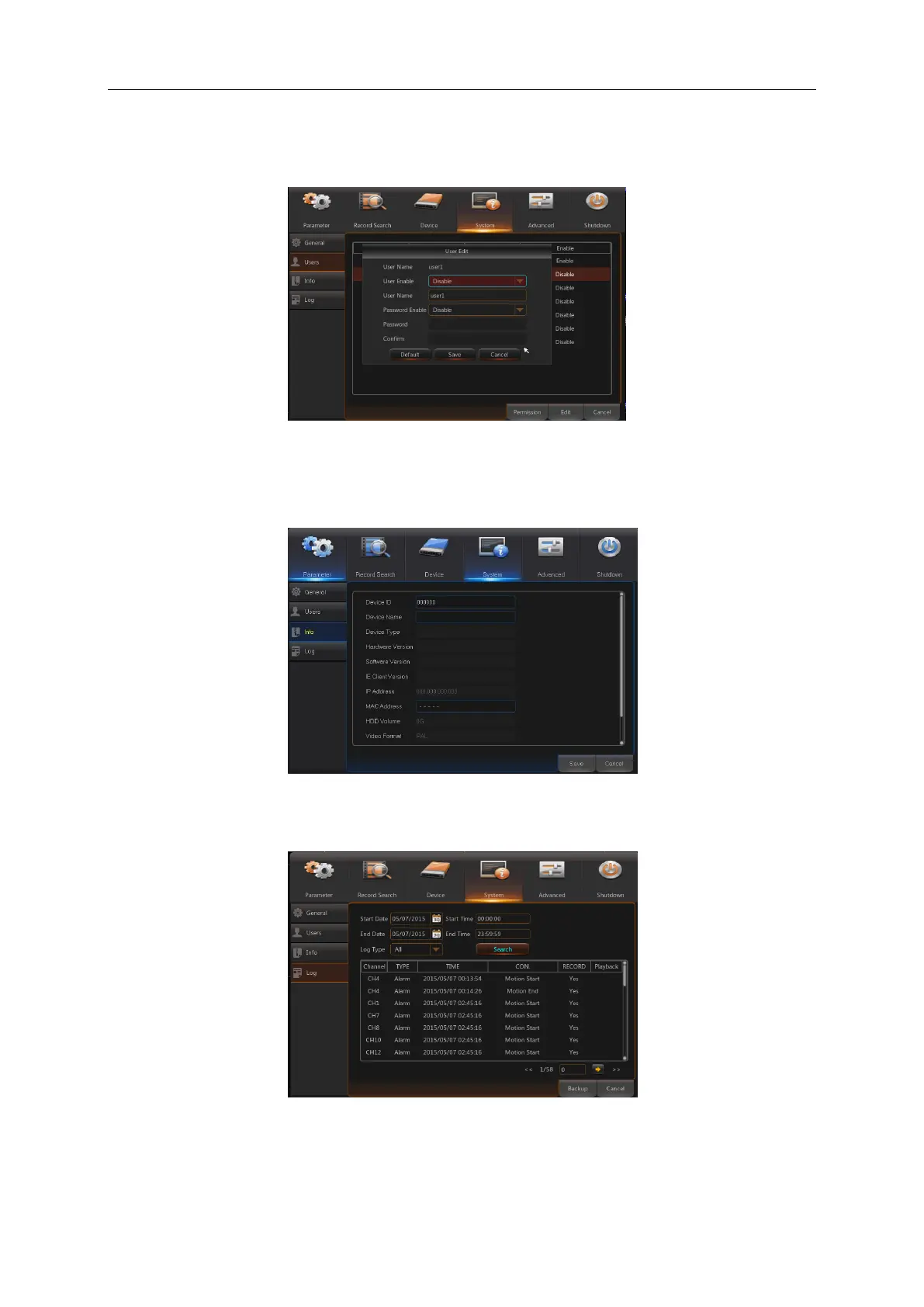
User may enable or disable the function or set password (See Picture 5-45)
Picture 5-45
6. Info
Go to “Main Menu” → “System” → “Info” to enter into the interface shown as Picture 5-46.
Picture 5-46
7. Log
Go to “Main Menu” → “System” → “Log”, as shown in Picture 5-47
Picture 5-47
User may search log information in different period of time. Click “Backup” to save all the log
information, as shown in Picture 5-47.



 To Next Page