USER MANUAL
Record file download
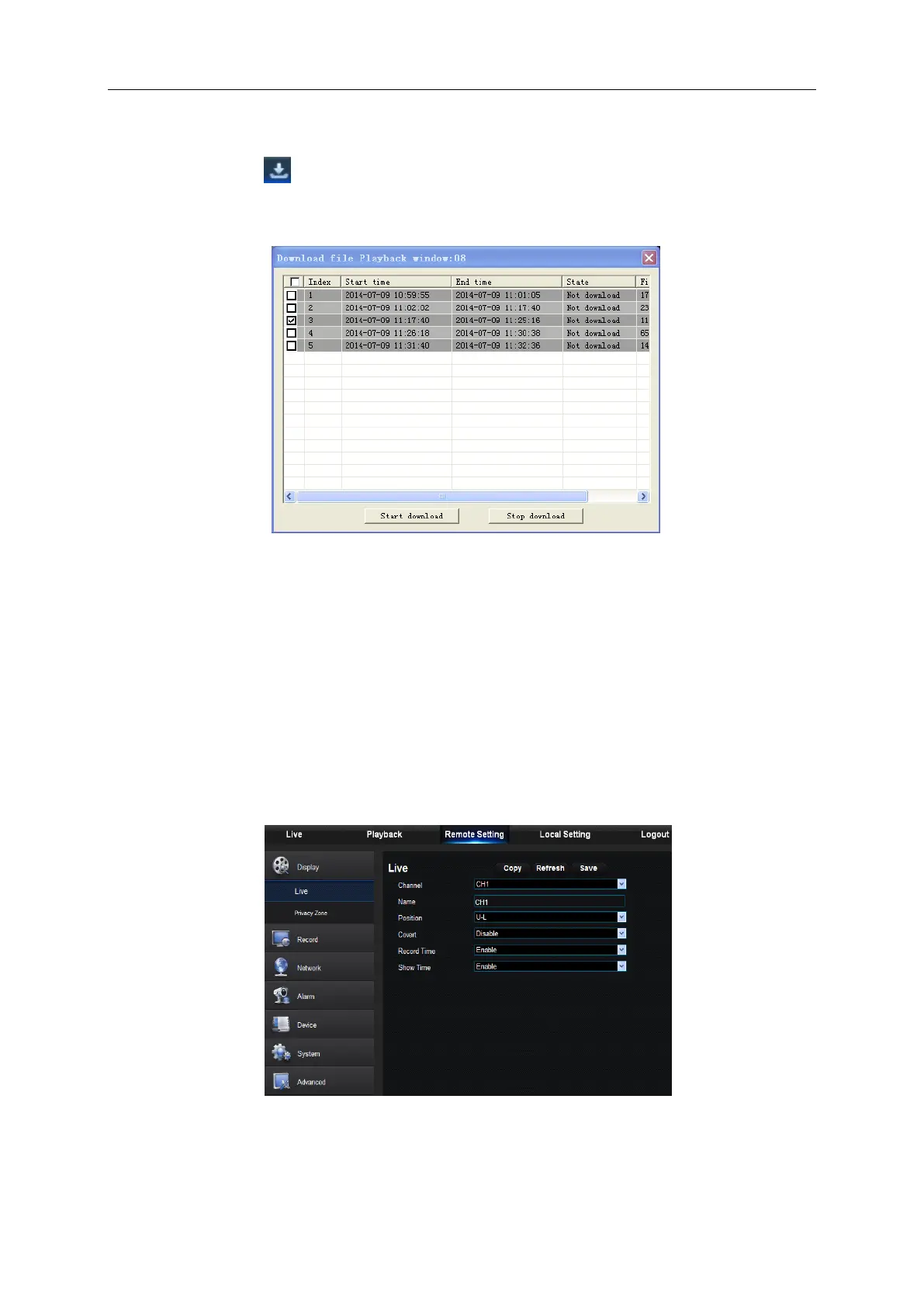
Click download icon “ ” on the control bar to display all the matched record file according to the
search conditions of channels, as shown in picture 6-11.
Picture 6-11
Tick-select the record file you want to download and click [Start download] .System will download
the record file in sequence and save to local PC. The downloading file will be displayed in
percentage form. After downloading finishes, “Complete” will be displayed on the status bar.
6.3.3 Remote Setting
Click Remote Setting to enter into the interface shown as Picture 6-12, including Display, Record,
Network, Alarm, Device, System and Advance.
Picture 6-12



 To Next Page