USER MANUAL
6.3 Live Interface
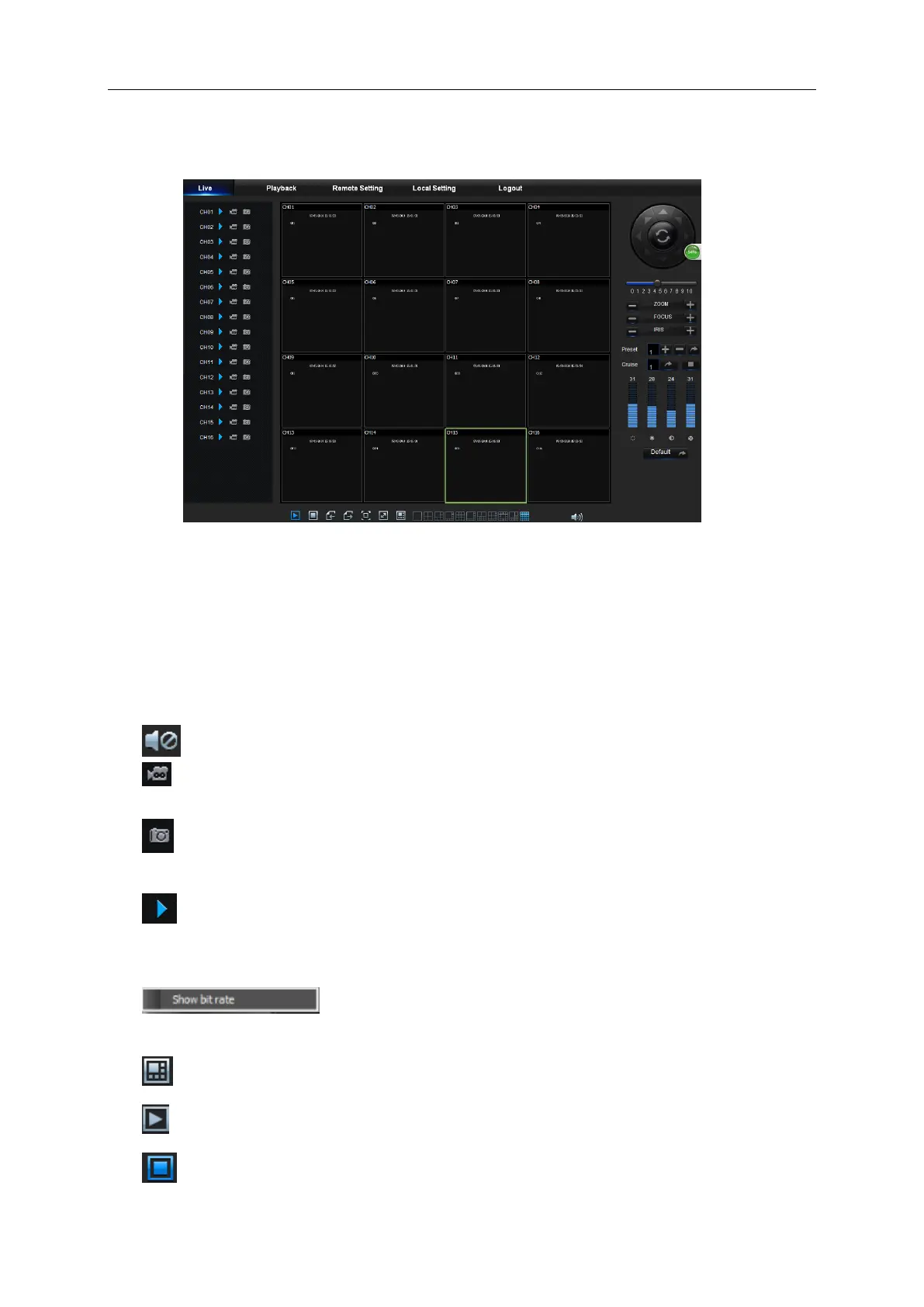
Log in and enter into the live interface, as shown in Picture 6-3.
Picture 6-3
6.3.1 Menu Bar
Menu Bar: Live, Replay, Configuration, Local Setting and Logout.
1. Live Display
Log in the Web Application Manager, system will be defaulted to enter into <Live> interface
shown as Picture 6-3. You can click [Play] button to Open/close live images, on-spot record,
capture, and many live display modes.
Buttons on a single live interface:
: Volume switch
: Record switch: the remote record switch of client. Record will be automatically saved to
a specified position on PC after the function is enabled.
: Snapshot: Capture the selected live image and save it to a specified position on PC. The
image is saved as *.bmp format.
: Open or close the images on Live window.
Or click the right key of mouse on each <Live> window to pop up channel operation menu
as shown in Picture 6-4
Picture 6-4
Show bit rate: Tick Show Bit rate to show IPC bit rate in current window.
: Switch display mode in channel window
: Open all the Live channels.
: Close all the Live channels



 To Next Page