EasyManua.ls Logo

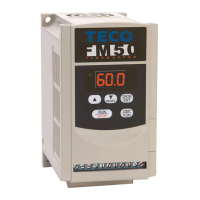
TECO FM50 Series - User Manual

TECO FM50 Series
12 pages
Print Icon
To Next Page IconTo Next Page
Loading...
FM50(TW/ E2)- START GUIDE 1
FM50(TW/ E2)
START GUIDE
Start Guide for FM50 series Inverters
& motors
This guide is to assist you in installing/ running the inverter and
verify that it is functioning correctly for the main and basic features
of Inverter.
For detailed information and if there are any doubts please refer to
the instruction manual.
Supply & Motor connection
1) Ensure that the Inverter & the motor have the correct
KW power and voltage ratings.
Motor full load amps must not exceed the Inverter rating.
2) Ensure that the Supply & Motor cables are connected
correctly prior to switch on.
3) For single phase supply, use L1(L) & L3(N) on units
which has 3 supply terminals.
On units with two supply terminals L1&L2, connect the
live to L1 and the Neutral to L2.
4) Connect motor cable to terminals T1, T2 & T3.
(Swap any two leads if motor runs in reverse direction).
5) Connect both supply & motor Earth to the drive Earth
terminal tag strips, screw this to the bottom left case
screw.
Question and Answer IconNeed help?

Do you have a question about the TECO FM50 Series and is the answer not in the manual?

Summary

FM50 Inverter Quick Start Guide

Supply and Motor Connection

Ensure correct wiring of supply and motor to the inverter.

Applying Power and Initial Setup

Power up the drive and check initial display settings.

Keypad Operation for Running

Learn to start and stop the motor using the keypad.

Keypad Frequency Adjustment

Adjust the motor speed by changing the frequency via the keypad.

Remote Control Configuration and Operation

Wiring for Remote Mode

Connect external devices for remote speed reference and start/stop signals.

Running the Inverter Remotely

Operate the inverter and motor using remote control inputs.

Parameter Verification for Remote Operation

Check and verify parameters necessary for remote control.

Parameter Change Procedure

Step-by-step guide to modifying inverter parameters.

Basic Quick Start Parameter List

Parameter Function and Range

Overview of parameter functions, ranges, and default settings.

Interconnection Diagram and Wiring

Inverter Terminal Connections

Diagram showing AC input, motor output, and control terminal connections.

Running Three Phase Motors with Single Phase Inverters

Motor Configuration and Wiring

Determine and adjust motor wiring for compatibility with 240V single-phase inverters.

Summary

FM50 Inverter Quick Start Guide

Supply and Motor Connection

Ensure correct wiring of supply and motor to the inverter.

Applying Power and Initial Setup

Power up the drive and check initial display settings.

Keypad Operation for Running

Learn to start and stop the motor using the keypad.

Keypad Frequency Adjustment

Adjust the motor speed by changing the frequency via the keypad.

Remote Control Configuration and Operation

Wiring for Remote Mode

Connect external devices for remote speed reference and start/stop signals.

Running the Inverter Remotely

Operate the inverter and motor using remote control inputs.

Parameter Verification for Remote Operation

Check and verify parameters necessary for remote control.

Parameter Change Procedure

Step-by-step guide to modifying inverter parameters.

Basic Quick Start Parameter List

Parameter Function and Range

Overview of parameter functions, ranges, and default settings.

Interconnection Diagram and Wiring

Inverter Terminal Connections

Diagram showing AC input, motor output, and control terminal connections.

Running Three Phase Motors with Single Phase Inverters

Motor Configuration and Wiring

Determine and adjust motor wiring for compatibility with 240V single-phase inverters.

Overview

The TECO FM50(TW/E2) is an inverter designed to control motors, offering both local keypad operation and remote control capabilities. This start guide assists users in installing and running the inverter, as well as verifying its basic functionalities. For detailed information or in case of doubts, users are advised to consult the full instruction manual.

Function Description:

The FM50(TW/E2) inverter controls the speed and direction of a motor by adjusting the frequency of the power supplied to it. It can operate from a single-phase supply and is designed to run three-phase motors. The inverter provides a variable frequency output, allowing for precise motor speed control. It includes features for acceleration and deceleration time control, motor rotation direction, and various start and stop modes.

Important Technical Specifications:

  • Power and Voltage Ratings: Users must ensure that the inverter and the motor have matching KW power and voltage ratings. The motor's full load amps must not exceed the inverter's rating.
  • Supply Terminals:
    • For single-phase supply on units with three supply terminals, connect to L1(L) and L3(N).
    • For units with two supply terminals (L1 & L2), connect the live to L1 and the neutral to L2.
  • Motor Connection: Motor cables connect to terminals T1, T2, and T3. Swapping any two leads will reverse the motor's direction.
  • Earth Connection: Both supply and motor Earth connections must be made to the drive Earth terminal tag strips, screwed to the bottom left case screw.
  • Default Frequency: The default (factory setting) frequency is 50.0 Hz, which provides full motor speed.
  • Acceleration/Deceleration Time (F01, F02): Adjustable from 0.1 to 999 seconds, with a default of 05.0 seconds.
  • Remote Start Control Mode (F03):
    • 000: Forward / Stop, Reverse / Stop
    • 001: Run/Stop, Forward / Reverse
  • Motor Rotate Direction (F04):
    • 000: Forward (Default)
    • 001: Reverse
  • Max. Frequency Limit (F06): Adjustable from 1.0 to 200Hz, with a default of 50/60Hz depending on the system.
  • Min. Frequency Limit (F07): Adjustable from 0.0 to 200Hz, with a default of 00.0Hz.
  • Start Mode (F10):
    • 000: Keypad (Default)
    • 001: Remote (Terminal)
  • Speed Reference Source (F11):
    • 000: Keypad (Default)
    • 001: Remote 0-10V / 0-20mA
    • 002: Remote 4-20mA
  • Stop Mode (F14):
    • 000: Deceleration stop (Default)
    • 001: Free run to stop
  • Motor Overload Protection % (F18): Adjustable from 50% to 200%, default 100%. This parameter is calculated as (Motor rated current / Inverter rated current) * 100.
  • System Setting (F25):
    • 010: 50Hz system (Default)
    • 020: 60Hz system
  • SW1 Switch: Configures the analog input for remote speed reference. Down position for 0-10Vdc (default), Up position for 4-20mA input.
  • Remote Potentiometer Connection: Uses terminals 8 (10Vdc supply), 9 (potentiometer wiper), and 10 (0Vdc).
  • Braking Resistor: Optional.
  • Output Terminals: U, V, W / T1, T2, T3 for motor connection. Supply voltage must NOT be connected to these terminals, as it will damage the inverter.
  • Single Phase 0.75Kw 240V Units: L1 & L2 are available for connection.

Usage Features:

  • Keypad Operation:
    • Applying Power: Upon power-up, the display flashes "05.0" (default frequency) or the last programmed frequency.
    • Running/Stopping: Press the RUN/STOP key to start the motor. The frequency ramps up to 5.0 Hz or the pre-set frequency according to the default acceleration time. Press RUN/STOP again to stop, and the frequency ramps down to 0 according to the default deceleration time.
    • Changing Frequency: Use the ARROW keys (▲/▼) to increase or decrease digits to set the desired frequency. Then use RUN/STOP to start/stop.
  • Remote Operation:
    • Wiring: Ensure proper installation and wiring as per the guide. Check SW1 position for 0-10Vdc (down, default) or 4-20mA (up) input. Connect a remote potentiometer or 0-10Vdc signal to terminals 8, 9, and 10. A remote start switch can be connected as per the instruction manual.
    • Running: Once switched on, the display will show the frequency based on the selected remote reference (potentiometer or analog signal). To run, activate the remote run switch connected to terminals 3 & 5. The frequency will ramp up to the set value on the pot or analog signal according to the acceleration time. To stop, deactivate the remote run switch, and the frequency will ramp down to zero according to the deceleration time.
  • Parameter Adjustment:
    • Press the DSP/FUN key repeatedly until F00 is displayed.
    • Use ARROW keys (▲/▼) to select a parameter, then press DATA/ENTER to view its current value.
    • Use ARROW keys to change the setting.
    • Press DATA/ENTER to save each changed parameter. The word END will be displayed after saving.
    • The DSP/FUN key can be used to alternate the display between the flashing preset frequency and the last accessed parameter.
  • Motor Wiring for Single Phase 240V Inverters:
    • If a three-phase motor was originally wired for 415V (Star configuration), it will run with reduced torque on a single-phase 240V inverter.
    • Users should check the motor's rating plate for voltage ranges (e.g., 220-240V Delta / 380-415V Star).
    • To achieve full torque with a 240V supply, the motor should be wired in a Delta configuration (220-240V). This involves rearranging brass strips at the motor terminals.
    • If the motor has only 3 leads, it is likely 415V permanently connected and cannot be used with a single-phase inverter.
    • Crucial Safety Note: Do NOT put any switches, contacts, DC motors, lamps, or transformers on the inverter's output terminals (U, V, W or T1, T2, T3). Always connect the output directly to a three-phase motor. All switching and control should be wired to the input side of the inverter.

Maintenance Features:

  • Parameter List: A "Basic Quick Start Parameter List" is provided for common adjustments. A full parameter list is available in the instruction manual, downloadable from the TECO Australia website (http://www.teco.com.au).
  • Troubleshooting: In case of any doubt regarding wiring or operation, users are encouraged to contact TECO for technical assistance.
  • System Reset: Parameter F25 allows setting the system to default (010 for 50Hz, 020 for 60Hz).

TECO FM50 Series Specifications

General IconGeneral
BrandTECO
ModelFM50 Series
CategoryInverter
LanguageEnglish

Related product manuals