Quick Start Setup 7
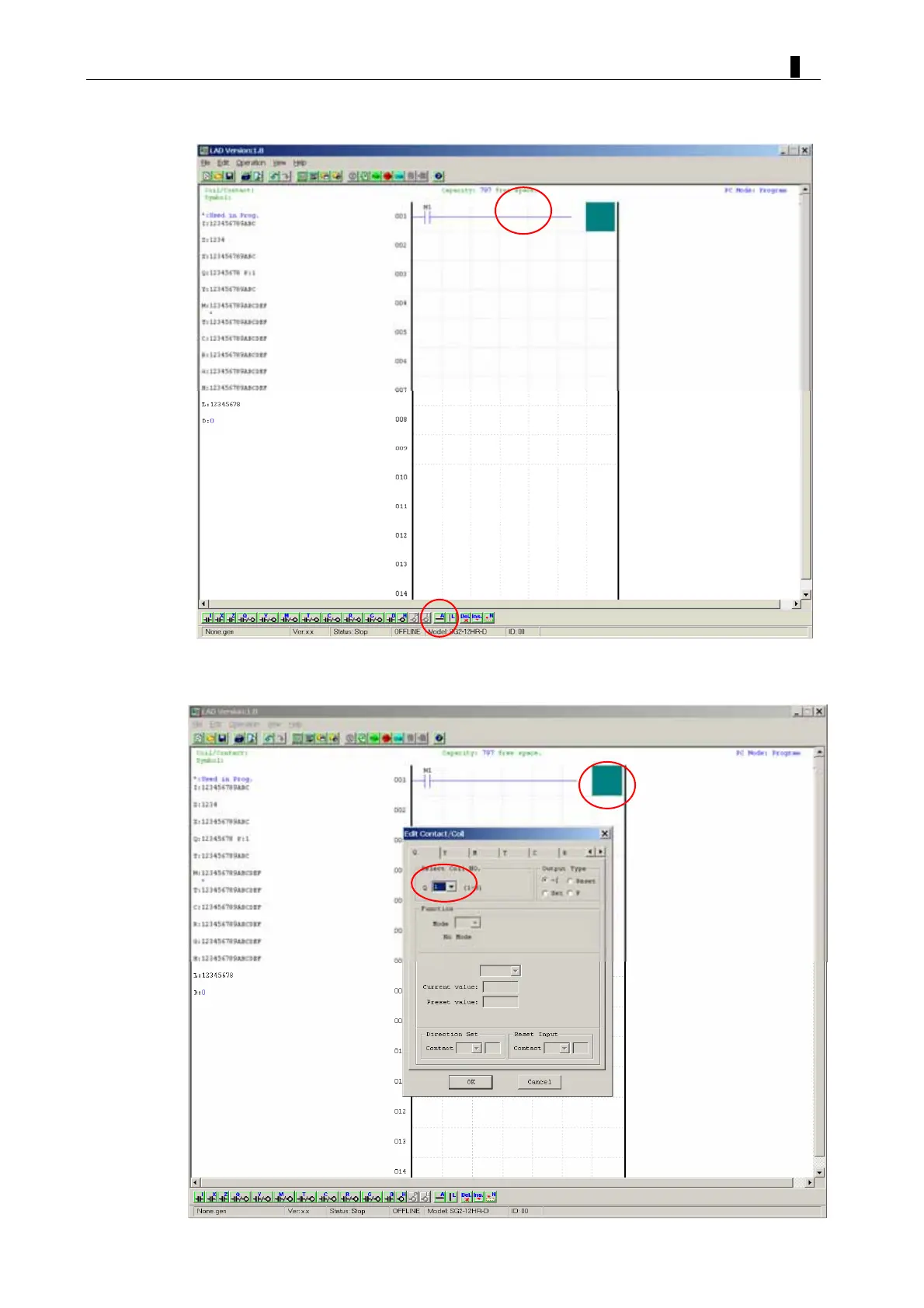
b. Use the “A” key on your keyboard (or the “A” icon from the ladder toolbar) to draw
the horizontal circuit line from the M contact to the right most cell, as shown below.
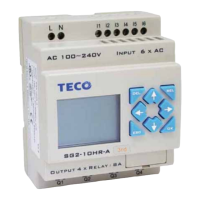
c. Select the “Q” coil icon from the ladder toolbar and drop it on the right most cells.
Select Q1 from the dialog and press OK as shown below. See Chapter 4: Ladder
Programming instructions for complete instruction set definitions.
™


 To Next Page