17
Repeat track: Press and hold [ ] until the display shows “ ”. Press and hold [ ] again to resume
normal playback.
Rewind: Press and hold [ ]
Fast forward: Press and hold [ ]
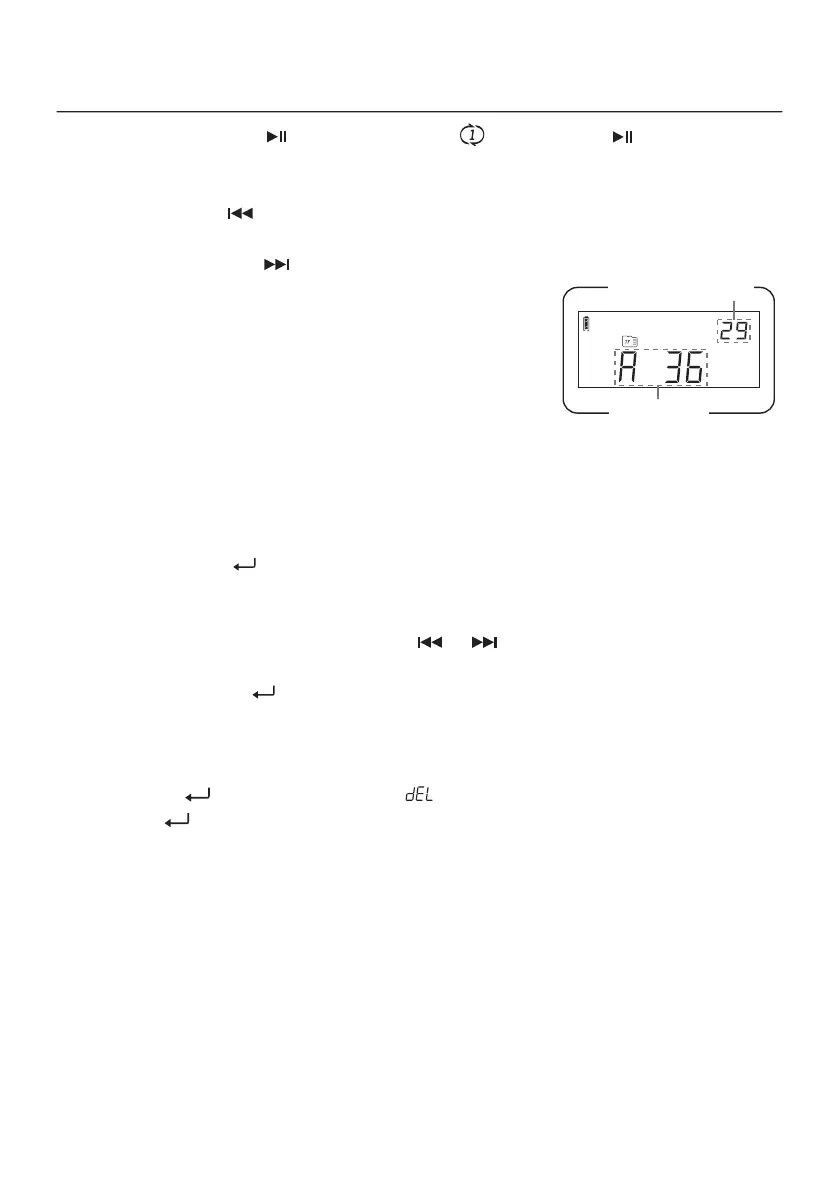
Album Preview
During playback, quick press [ DISPLAY/SNOOZE ] to display the current
album number and the total number of files within the album. Quick press
[ DISPLAY/SNOOZE ] again to display the total number of albums and the
total number of files on the microSD card.
Selecting an Album (folder)
Method 1: Rotate the [ FINE TUNING ] knob.
Method 2: Rotate the [ FINE TUNING ] knob to select the next album, then use the numeric keys to enter an
album number and press [ ] to confirm.
Selecting an Audio Track
Method 1: Rotate the [ TUNING ] knob or quick press [ ] / [ ].
Method 2: Rotate the [ TUNING ] knob to select the next track, then enter the desired audio track number using
the numeric keys and press [ ] to confirm.
Deleting an Audio Track
1) Select the track you want to delete.
2) Press and hold [ ] until the track number and “ ” flash on the display.
3) Quick press [ ] to confirm and deleted the track.
total tracks in album
album number
Album Preview Mode


 To Next Page