844-AB Sprayer control 18
Software 4.03
Figure 4-29: Minimum Pressure Setting
0.6
0.60.6
0.6
1
2
3
4
5 6 7 8 9
10
11
12
bar
barbar
bar
min
minmin
min
prs
prsprs
prs
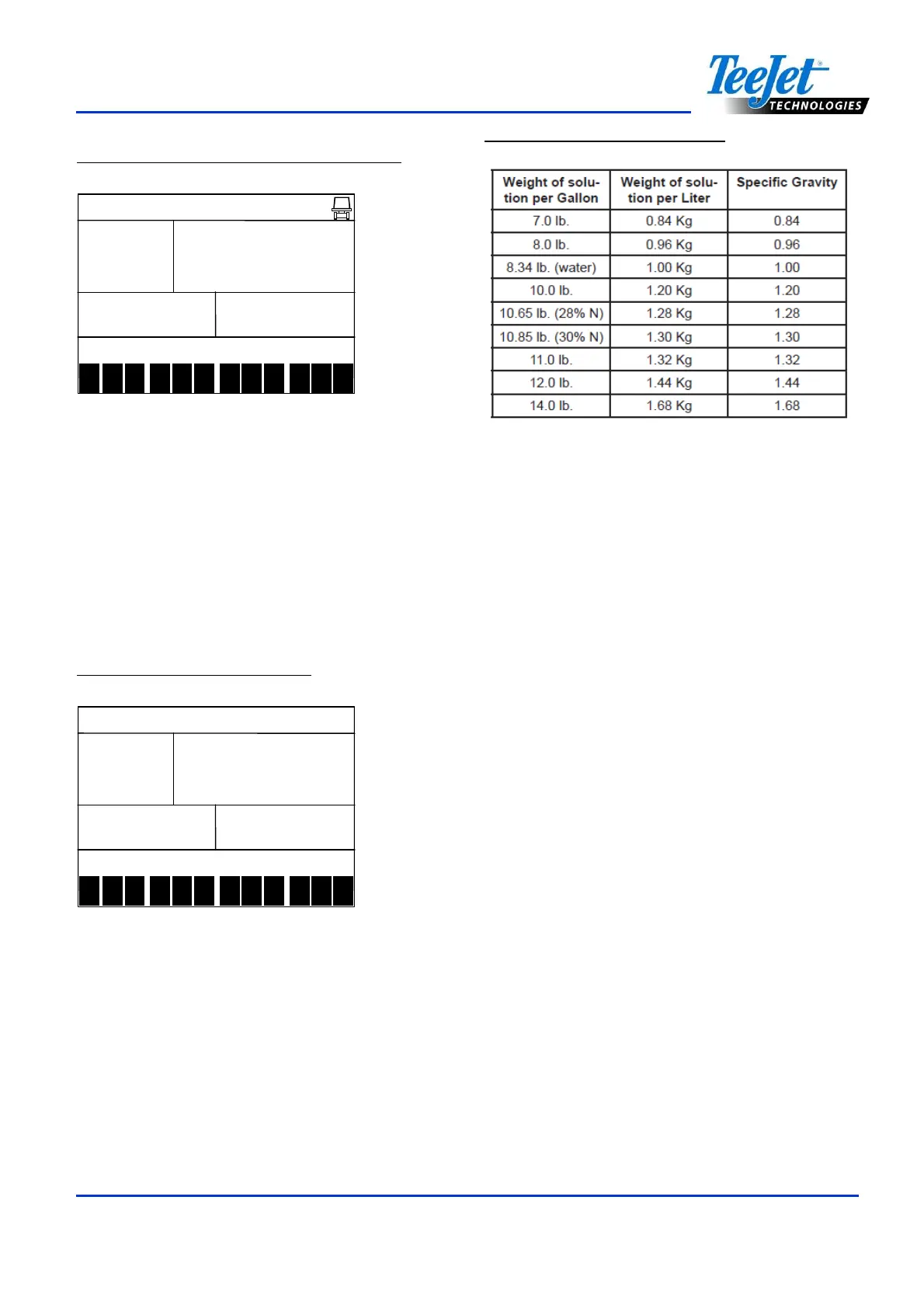
Density (Liquid Specific Gravity)
The default value of “1.00” corresponds with
the specific gravity of water and is correct for
most pesticide applications. Some spray
solutions, such as fertilizer, have different
densities. If such a material is being used, a
new value should replace the default. The
following chart will help determine the density
of other solutions.
Figure 4-30: Density Display
1
2
3
4
5 6 7 8 9
10
11
12
Figure 4-31: Density Settings
Use the Plus or Minus keys to change the
value.
Press the Plus and Minus keys simultaneously
to clear the value to “0”. Press the Program
key to accept the value and advance to the
next step.
If the solution is not identified on the chart
(above), the Specific Gravity can be
calculated as follows:
NOTES:
Water weighs 8.34 lbs/gallon or 1 Kg/L.
To activate the specific gravity number
while in the Application Setup Mode, press
the Auto/ Man key so “D” is displayed on
the top of the screen. All calculations will
use the specific gravity entered during this
step. To remove the “D” press the
Auto/Man key again. Once the “D” is not
displayed, all calculations will use the
specific gravity of water (1.00) regardless
of whether another density was
programmed or not. Refer to Application
Setup mode for additional information.



 To Next Page