STEP
6
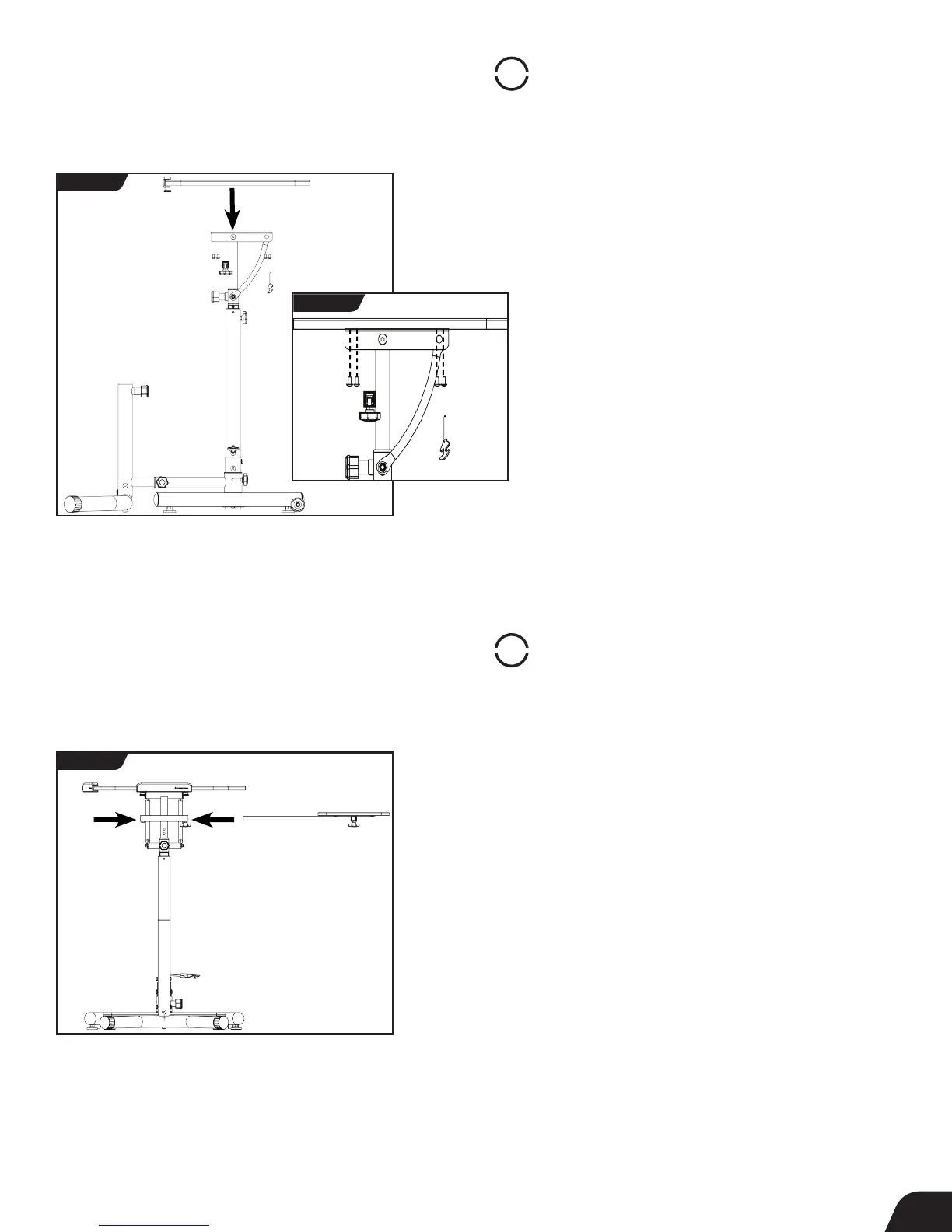
Assemble Side Table to Desktop Post
• Depending on your preference, insert the Side Table Assembly into
the RIGHT or LEFT side of the Side Table Connector Tube located on
the Desktop Post (Figure 7).
• Tighten the Side Table Depth Adjustment Knob on the Side Table
Assembly. Do not overtighten.
7
STEP
5
Assemble Desktop to Desktop Post
• Locate the Desktop Assembly Hardware Kit (HK1032).
• Secure the Desktop to the Desktop Post by inserting the
screws into the designated holes and tightening with the Phillips
Screwdriver provided (Figures 6a & 6b).
FIGURE 6a
FIGURE 6b
FIGURE 7



 To Next Page