© 2007 U 541 - 08/07 6 of 12
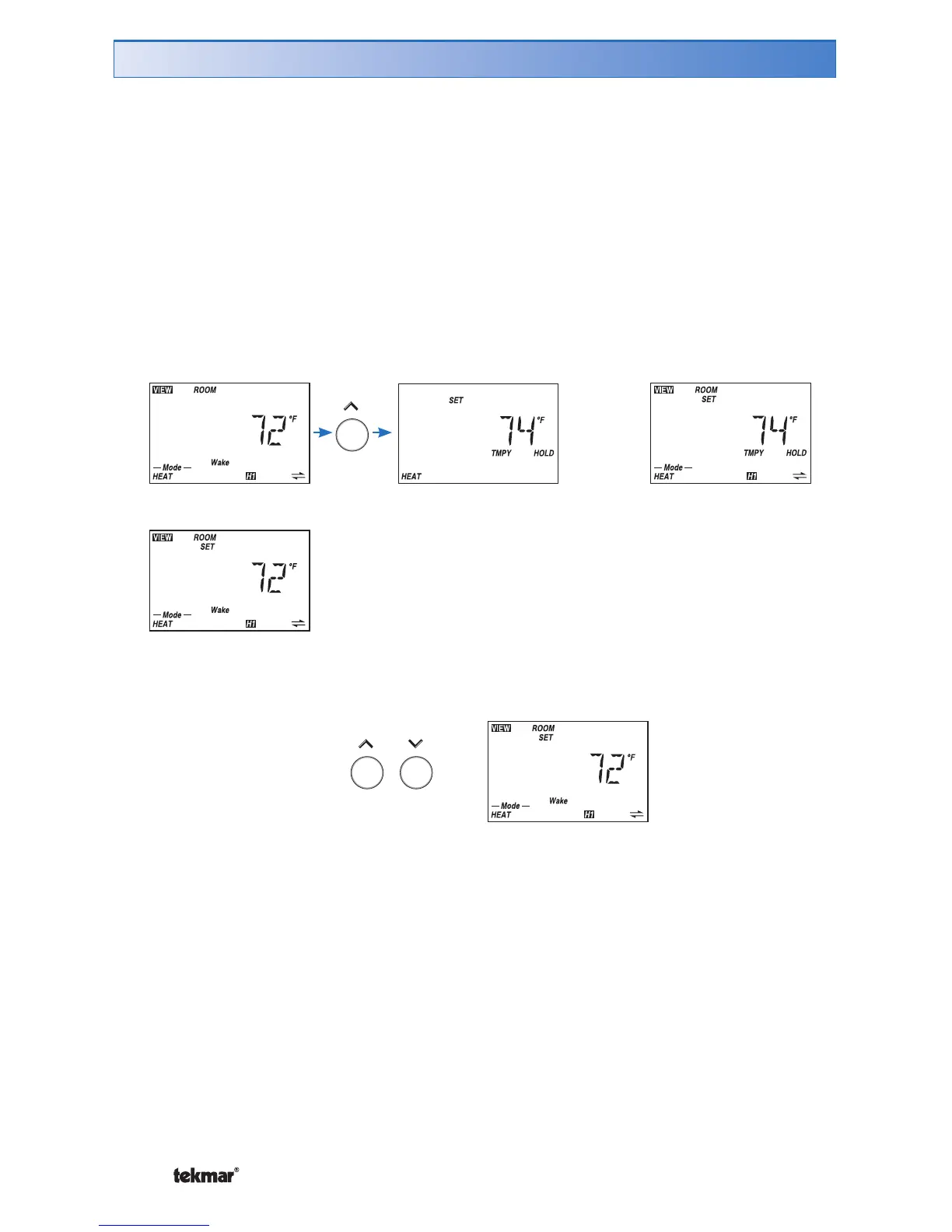
If your thermostat is using a schedule and you would like to temporarily change the
current heating temperature:
1. Make sure you are in the View menu. If not, press the Menu button until VIEW
displays in the top left corner.
2. Press the Item button to select either the ‘Room’ or ‘Room Set’ item.
3. Press the Up or Down button to enter the ‘Set Heat’ mode. The words ‘TMPY
HOLD’ will appear indicating that you are only making a temporary change.
Continue pressing the Up or Down button to adjust the desired temperature.
4. Ten seconds after the adjustment has been made, the display will return to the
default item. The words ‘TMPY HOLD’ will remain on the screen for the 3 hour
duration of the temporary change.
Temporary Room Set Adjustment (Schedule Only)
Wait 10
seconds
OR
5. To cancel the temporary hold before it expires, press and hold the Up and Down
buttons at the same time.



 To Next Page