20
128-01-2305
128-0621-003
6. Lathe Operation on HMI Panel - Human Machine Interface
Panel
6.1 HMI introduction
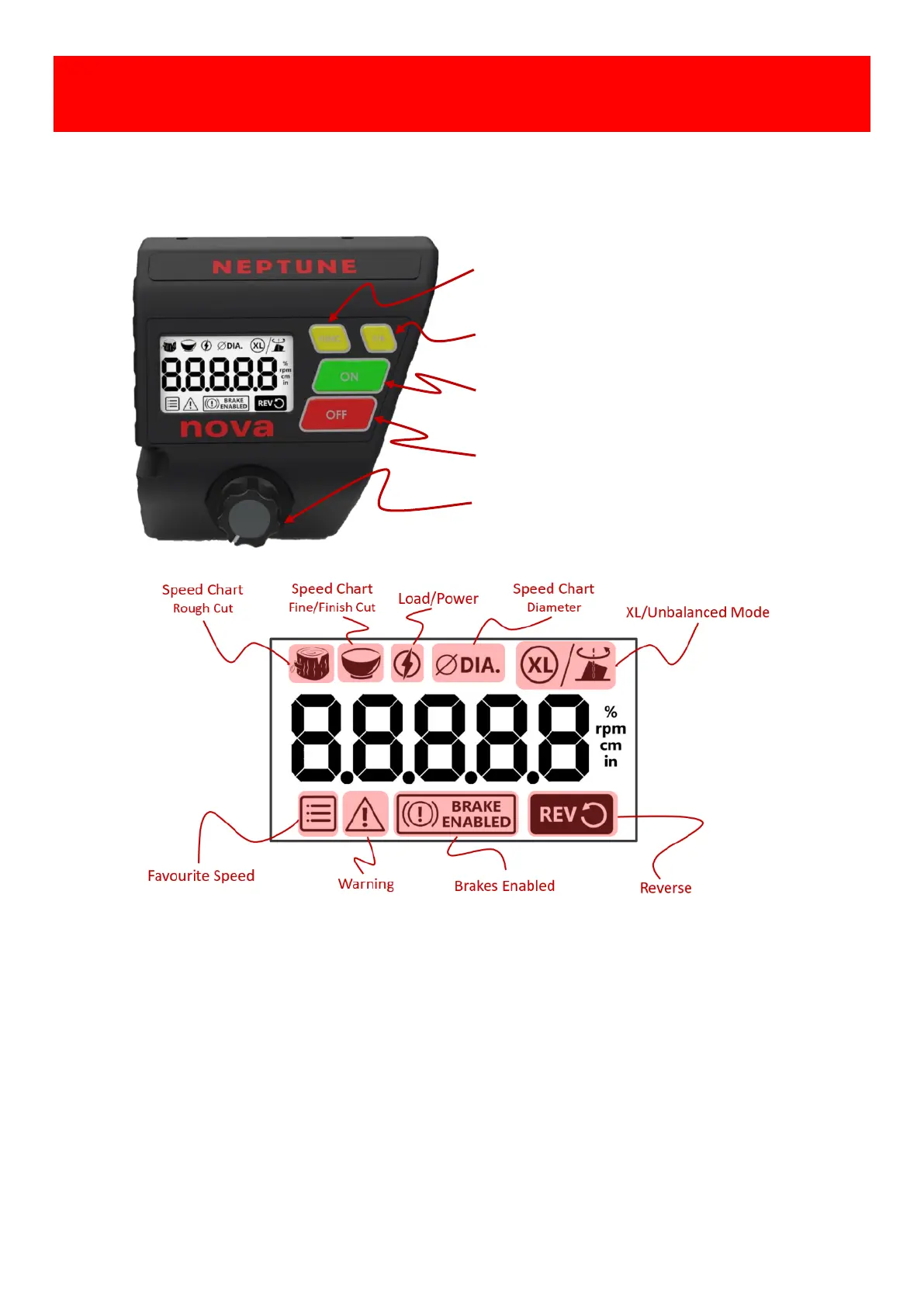
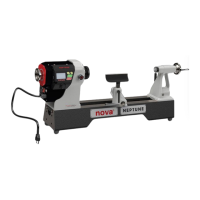
The Neptune HMI panel consists of four keys, one speed knob for the lathe operation, the 2.4” LCD shows the status
of the lathe in real time, these keys and icons on the panel are illustrated as follows.
[FUNC]: Access or Exit to the lathe functions.
[F/R]: Toggle Motor Forward /Reverse direction.
[ON]: Start the lathe or “ENTER” action in FUNC.
[OFF]: Stop the lathe or “CANCEL” action in FUNC.
[Speed Knob]: Speed adjustment and “CONFIRM”
action in FUNC operation.
• Favourite Speed- 4 favourite speeds, pre-set and reprogrammable in FUNC.
• Warning- Warnings indicator
• BRAKE ENABLED – Enabled the brake with OFF function.
• REV- Reversed direction selected.
• Speed Chart - Rough or Fine/Finish cut, pre-set and reprogrammable in FUNC.
• Load/Power- “Running” indicator and actual load in FUNC.
• ΦDIA- the Diameter unit indicator of Speed Chart in FUNC.
• XL/Unbalanced - XL/Unbalanced mode in FUNC.


 To Next Page