EasyManua.ls Logo

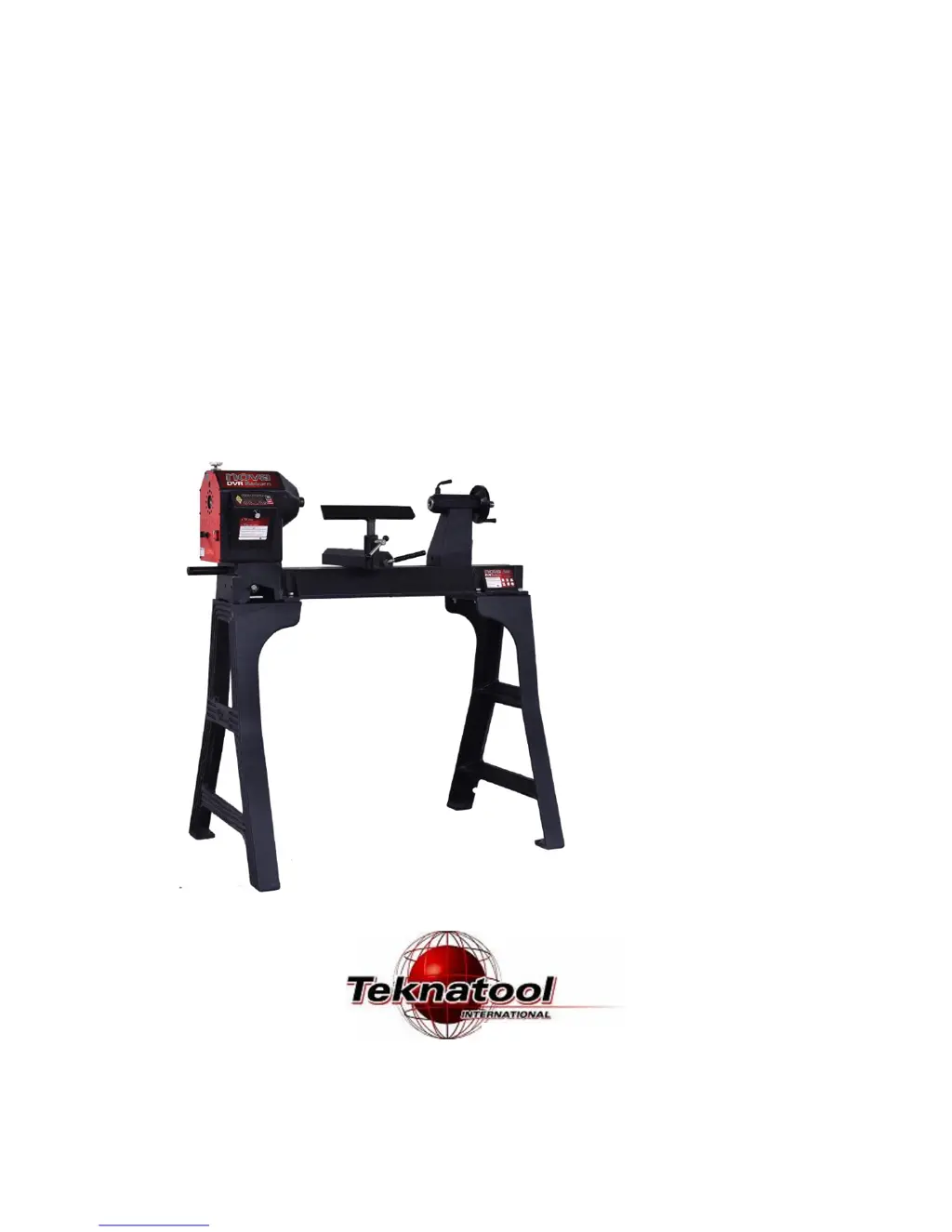
Teknatool NOVA DVR SATURN - User Manual

Teknatool NOVA DVR SATURN
38 pages
Print Icon
To Next Page IconTo Next Page
Loading...
i 115-0917-010
NOVA
DVR Saturn
TM
WOODLATHE
Models:
1) 55241 spindle thread 1 1/4" x 8 TPI 115v (USA/Canada)
2) 55242 spindle thread 1 1/4" x 8 TPI 220-240v (Australasia)
3) 55243 spindle thread M33x3.5 220-240v (Europe)
I
NSTRUCTION
M
ANUAL
Publication: 115-0917-010
Date: 22.September. 2017

Questions and Answers

  • J
    Juan WallaceAug 12, 2025
    Why is my Teknatool NOVA DVR SATURN vibrating excessively?
    • L
      Laura GillAug 12, 2025
      Excessive vibration in your Teknatool Lathe can stem from several causes. It might be due to an out-of-balance or large workpiece. Try reducing the lathe speed to the lowest setting and ensure the workpiece is turned to a true circle. Also, check that the workpiece is correctly mounted and held securely in the center. The lathe may be incorrectly bolted to the stand or bench, so refer to the manual for recommendations, or the stand/bench may not be well constructed, too light, or not level. Ensure the stand is solidly constructed. Consider using sandbags to weigh down the stand, or bolting the metal floor stand to the floor at the 4 hole points.
  • D
    Daniel WellsAug 15, 2025
    What to do if LCD screen shows Rotor Fault on Teknatool NOVA DVR SATURN?
    • D
      Dominic RomeroAug 15, 2025
      If your Teknatool Lathe's LCD screen is flashing 'Rotor Fault', try these steps: Press the off button, switch off the computer using the master switch, wait one minute, and then switch it back on. Also, verify that the spindle index is not engaged and that nothing is preventing the spindle from turning. Note that leaving the spindle index unit engaged won't harm the motor but will put some strain on the index unit.
  • B
    Brandy GarciaAug 19, 2025
    What to do if LCD screen shows RP State Error on Teknatool Lathe?
    • T
      tommymarshAug 19, 2025
      If the LCD screen on your Teknatool Lathe displays 'RP State Error' (flashing), it indicates that the optical sensors providing spindle position feedback are obscured, damaged, or disconnected. First, try spinning the spindle by hand to create a draught through the sensors. Dust accumulation on the sensors over time could be the issue. Retry the motor. With the power off and disconnected, remove the upper-rear guard and use a vacuum cleaner to remove any wood dust, being careful not to get the nozzle too close to the electronics. After this, vacuum the dust out through the vent at the front of the headstock under the spindle. Repeat this sequence a few times. If available, try blowing with an air gun. Finally, replace the guard.
  • D
    david60Aug 23, 2025
    Why is my faceplate or chuck running out of true on my Teknatool Lathe?
    • C
      candicesullivanAug 25, 2025
      If the faceplate or chuck on your Teknatool Lathe is running out of true, it's likely due to dirt buildup on the rear of the faceplates or chuck. Clean off all buildup and dirt to resolve this issue.
  • A
    Amanda DudleyAug 27, 2025
    What does PFC Corrector flashing mean on my Teknatool Lathe and how to fix it?
    • J
      Joshua MataAug 27, 2025
      If the LCD screen of your Teknatool Lathe shows 'PFC Corrector' flashing, the computer has detected a voltage or temperature issue. Check the temperature of the lower section of the headstock. If it's very hot, switch off the master switch and let the machine cool down. If the headstock is relatively cool, the computer may have detected an under or over voltage from the mains power. In this case, switch off the lathe and try rebooting it.
  • K
    Karen YoungAug 31, 2025
    Why are my turning tools not sliding smoothly across the toolrest of my Teknatool NOVA DVR SATURN?
    • J
      Jennifer BaileyAug 31, 2025
      If your turning tools aren't sliding smoothly across the toolrest of your Teknatool Lathe, it's probably because the toolrest face is damaged due to sharp-edged tools. File the toolrest using a fine smooth file and polish with extra fine sandpaper. Also, remove the sharp edges from the corners of your turning tools.
  • N
    natalietravisSep 3, 2025
    What to do if spur drive center is not holding in Teknatool NOVA DVR SATURN Lathe?
    • J
      Joshua SwansonSep 3, 2025
      If the spur drive center or live center isn't holding in the spindle taper or quill taper of your Teknatool Lathe during turning, the small end of the Morse taper might be damaged from dropping or hitting. File or polish away any damage. Ensure the inside of the tapers haven't been scored. Wipe clean the inside of the tapers to remove any grease or oil. Use a quick, firm action by hand to install a taper, and avoid knocking it in with any solid object.
  • J
    John RomanSep 7, 2025
    How to turn on the display screen of Teknatool Lathe?
    • H
      Holly WoodardSep 7, 2025
      To turn on the display screen of your Teknatool Lathe: Is the master switch on? Toggle master switch to "ON" position. Check the machine is plugged into wall socket and switched on. Check that the wall switch plug is live by plugging in another power tool. If the other power tool doesn't go, check your board fuse. Check the master fuse on the lower rear guard. If blown, replace with the spare fuse that comes with the lathe. Do not replace with a higher amp fuse.

Teknatool NOVA DVR SATURN Specifications

General IconGeneral
Spindle Thread1.25 inches x 8 TPI
Tailstock TaperMT2
Spindle TaperMT2
Voltage110V/220V
Swing Over Bed16" (406mm)

Related product manuals