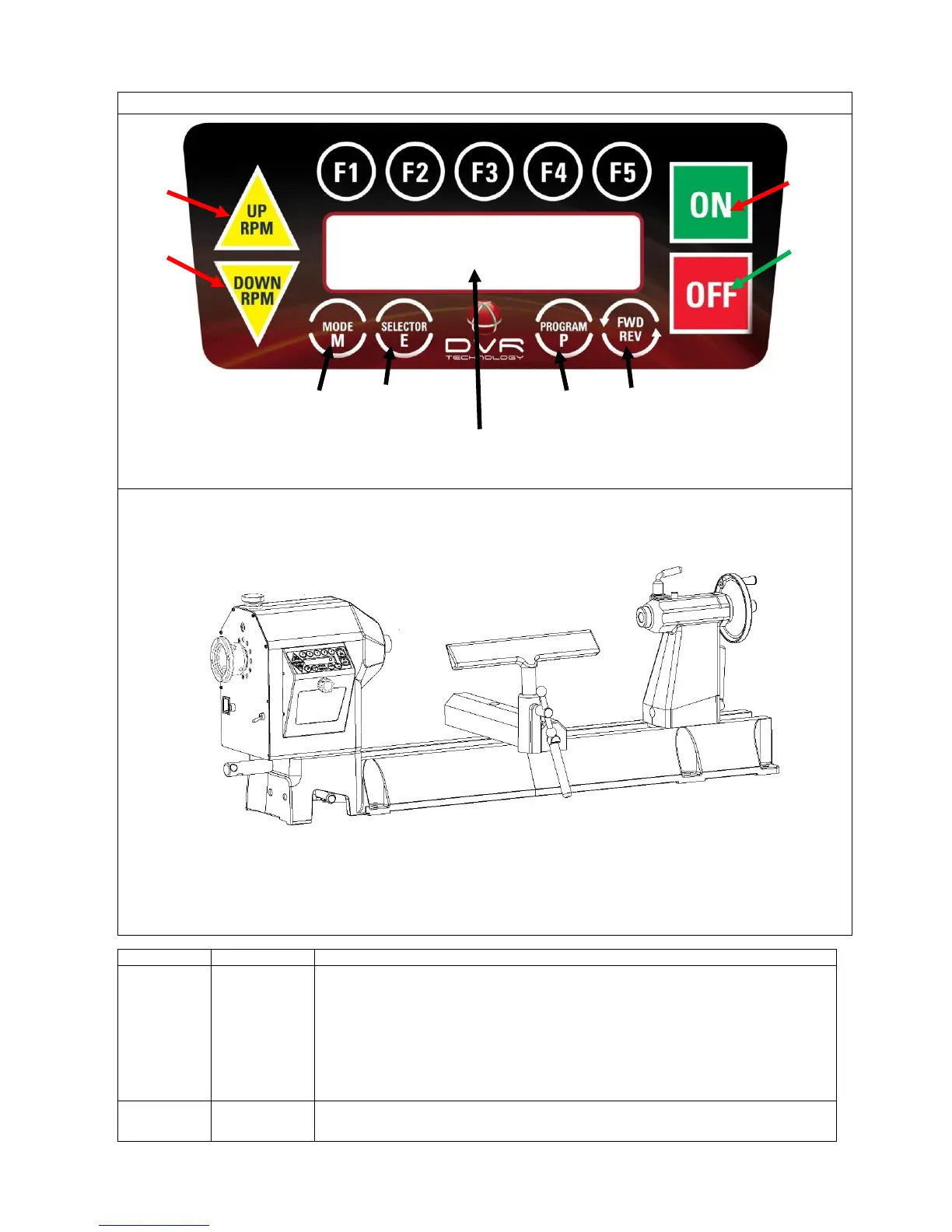
Press to start machine at the commanded speed. Always check that the speed has been selected
correctly.
When the computer is first switched on it is set at a default speed of 500 rpm. Remember that
whenever the computer is switched off at the wall or at the incoming power supply switch, the
computer will restart at the default setting. The spindle will not start until this key has been
pressed once.
When the “ON” button is first pressed, the screen will display “Go Low! rpm” and then “4 retries
left”. These messages are normal, the computer first does a self-check.
Key to stop spindle rotation
The ON/ OFF keys only switch the motor on and off. The selected speed will remain until


 To Next Page