115-0917-010 28
Troubleshooting Guide
Possible Cause and Solution
Out of balance, or large work piece. Reduce the lathe speed to the lowest and turn the work piece to
a true circle. Adjusting the speed using the up/ down key will change the speed in 5rpm increments. If
you try adjusting the speed up or down, you will find that it is easy to find speed points that will
minimize vibration and is one of the biggest advantages of DVR technology
Work piece is not held in the center. Check work piece mounting and correct.
Work piece is not secure or held tight enough. Check work piece mounting.
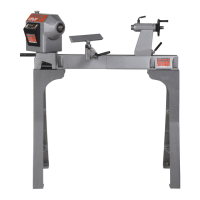
Lathe incorrectly bolted to stand or bench. Refer to this manual for lathe stand recommendations.
Stand or bench not well constructed, too light, or not level on the floor. Make sure the stand is solidly
constructed. Use sandbags to weigh down the stand.
The metal floor stand should be Rawl bolted to the floor at the 4 hole points.
Faceplate or Chuck running out of
true
Dirt build-up on the rear of the faceplates or chuck. Clean off all build-up and dirt. Faceplate and
chucks must mount securely against the inner bearing ring surface of the spindle.
Turning tools not sliding smoothly
across Toolrest
Damaged surface on toolrest face caused by sharp edged tools. File the toolrest using a fine smooth
file and polish with extra fine sandpaper. Remove the sharp edges from the corners of turning tools.
Spur drive center or live center
not holding into the spindle taper
or quill taper when turning
Small end of Morse taper is damaged due to dropping or hitting. File or polish away any damage.
Check that inside of tapers have not been scored.
Grease or oil inside of Morse tapers. Wipe clean the inside of the tapers.
Insufficient pressure when installing the center. Use a quick, firm action by hand to install a taper. Do
not knock in using any solid object.
Is master switch on? Toggle master switch to "ON" position.
Check machine is plugged into wall socket and switched on.
Check that the wall switch plug is live by plugging in another power tool if the other power tool doesn't
go check your board fuse.
Check the master fuse on the lower rear guard. Ensure machine unplugged (see Additional safety
rules at the front of this manual). If blown, replace with the spare fuse that comes with the lathe. Do
not replace with a higher amp fuse.
Press off button; switch off computer by master switch wait one minute and switch on again.
Check that the spindle index is not engaged or that something is preventing the spindle from turning.
Note leaving the spindle index unit in will not harm the motor, however it will put some strain on the
index unit. It is likely that the spindle index will be left in from time to time and the motor is designed
for this.
The optical sensors that gives the spindle position feedback (Rotor Position State) are obscured,
damaged or have been disconnected. Dust over a long period of time may have settled on the
sensors.
Firstly, spin the spindle by hand to create a draught through the sensors. Re-try the motor. If the error
remains, with the power switched off and disconnected, remove the upper-rear guard and remove
any wood dust with a vacuum cleaner. Avoid getting the nozzle too close to the electronics.
After this step, dust may fall further into the headstock so suck the dust out though the vent at the
front of the headstock under the spindle. Do this sequence a few times. Try blowing if available with
an air gun. Replace guard.
The computer has built in voltage condition and temperature sensors. If this message appears, check
the temperature of the lower section of the headstock.
If it is very hot, switch off the master switch and leave the machine to cool down for a period. If the
headstock is relatively cool the computer may have detected an under and over voltage from the
mains power. Switch off and try rebooting. The DVR has a high level of protection and is intelligently
checking conditions all the time.
RP State Error
<Flashing>


 To Next Page