25
128-01-2305
128-0621-003
6.3.7 XL/Unbalanced Mode
The HMI offers smart speed profiles for XL/Unbalanced turning operation, such as slow starting up, steady and
smooth speed acceleration for unbalance wood piece, the mode is ONLY accessible when the motor is stopped, the
default setting is OFF.
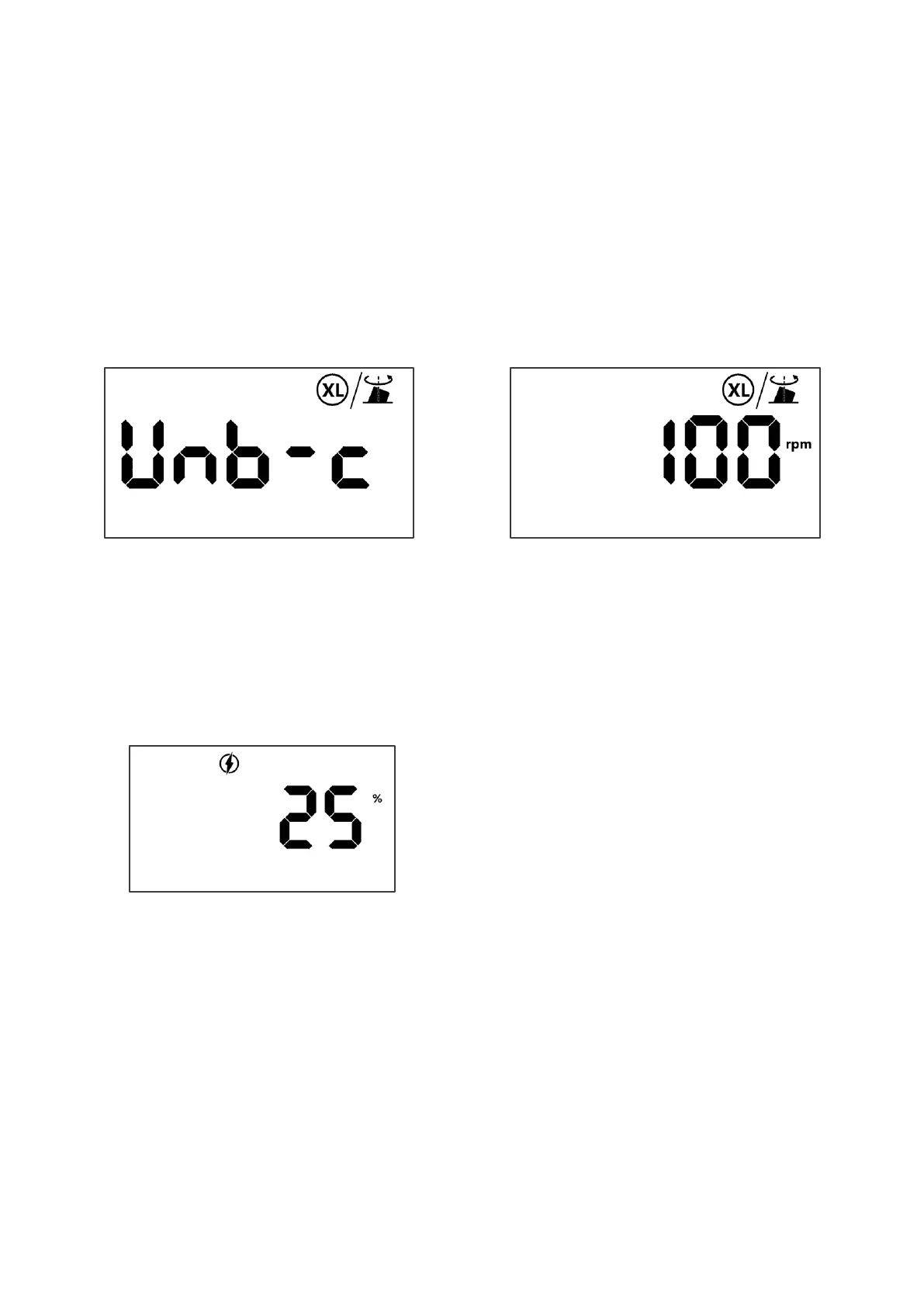
Step1: Press [FUNC] once on the Home page, turn the speed knob to XL/Unbalanced icon, and then press [ON] to
enter the XL/Unbalanced page as below or press [FUNC] or [OFF] to exit.
Step2: Turn the speed knob to change OFF to ON, press [ON] to confirm, the LCD will show XL/Unbalanced Icon on
the Home page. When the mode is on, it will apply the speed profiles immediately for the turning or automatically
apply to:
• Speed chart - IF Rough cut and the diameter is greater than 6 inch this will automatically turn ON
• OR Fine/Finish cut and the diameter is greater than 10 inch this will automatically turn ON
6.4 Miscellaneous
6.4.1 Load monitoring Real time
The HMI can show a load factor as reference for turning operation.
While the motor is running, press [Down & Hold] the speed knob for 3S, the LCD will show the approximate capacity
of the motor being used by turning operation, press [Down & Hold] the speed knob for 3S again, the LCD will come
back
the Home page.


 To Next Page