BioOptix™ 10
Section 4 System Maintenance
4-6
CAUTION
Hot surfaces may cause burns. The UV lamp and nearby sur-
faces are hot.
To remove the lamp:
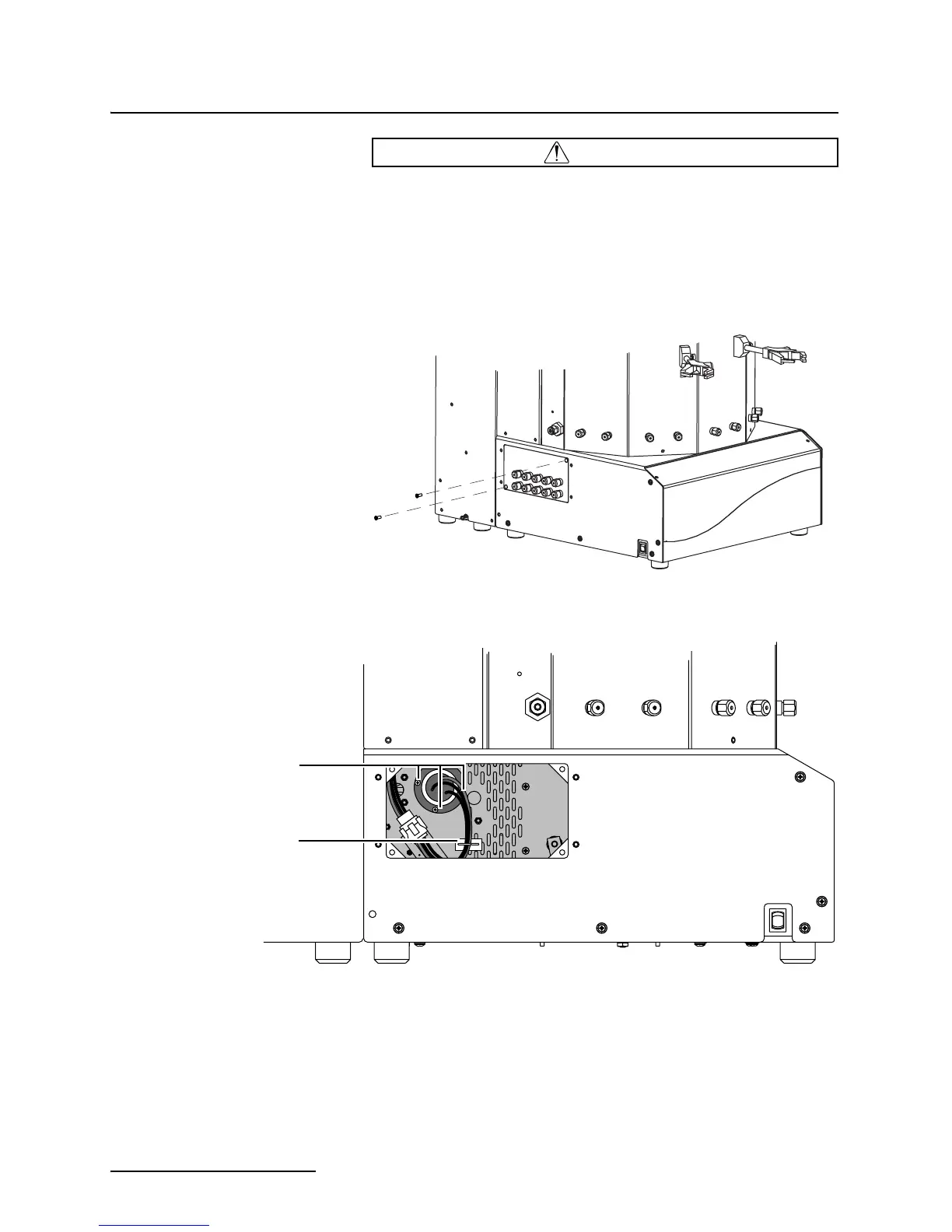
1. Remove the two screws that secure the waste port mount-
ing plate (Figure 4-5). The optical assembly is located
behind this plate.
Figure 4-5 Waste port mounting plate
Figure 4-6 Deuterium lamp location
2. Disconnect the wiring connector.
3. Release the twist lock cable clamp.
4. Remove the three lamp mounting screws.
5. Carefully pull the lamp straight out from the optical
assembly.
Lamp Mounting Screws
Twist Lock Clamp


 To Next Page