P/N 95B-6131-00 (April 2022) RiverRay Deployment Guide
Page 16
EAR-Controlled Technology Subject to Restrictions Contained on the Cover Page.
Step by Step Data Collection
1. Open or create a measurement file.
2. Press F4 to start pinging.
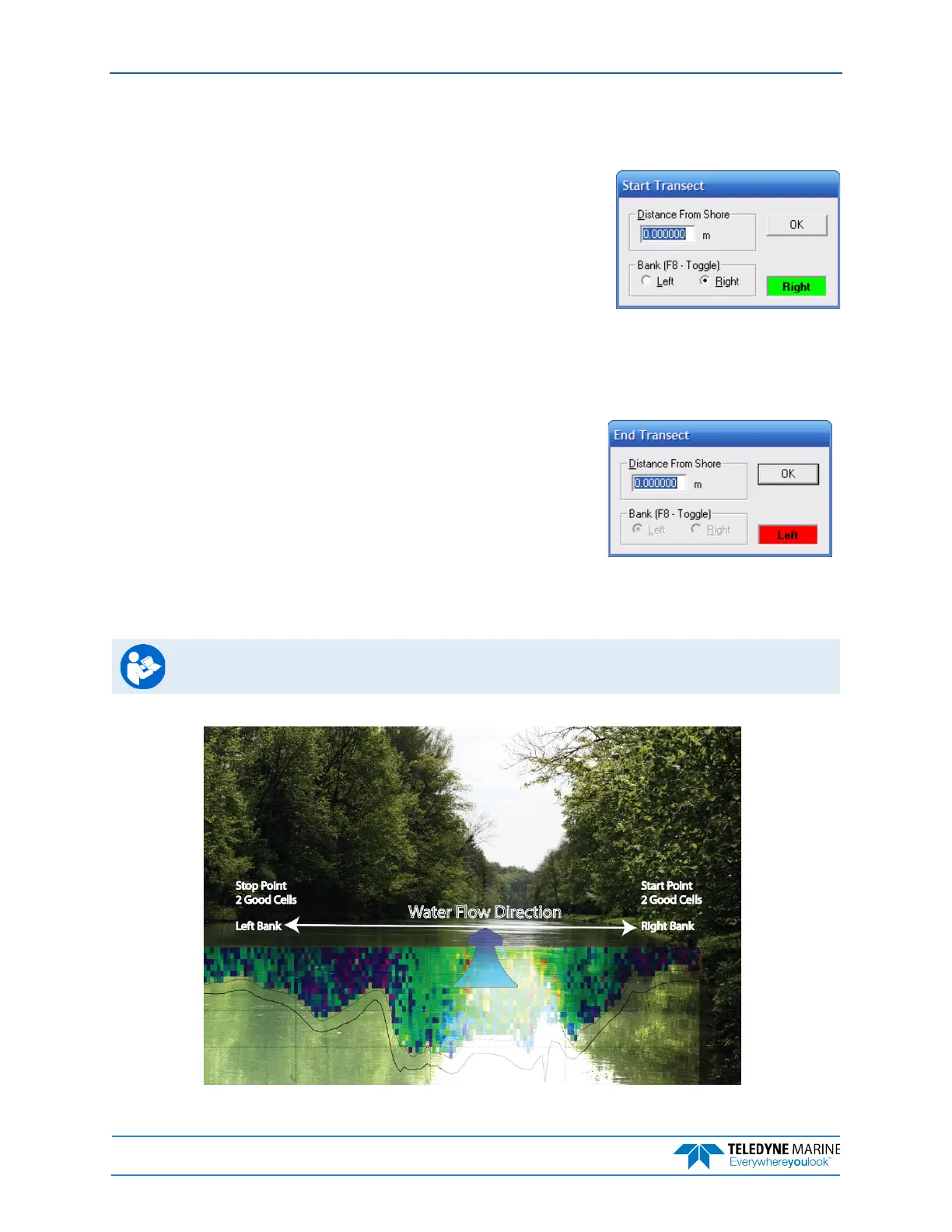
3. At the start/stop position, press F5 to start the transect.
4. Enter the starting distance from the shore.
5. Select Left or Right bank.
6. Wait for 10 shore ensembles.
7. Move across the river.
8. At the stop/start position, wait for 10 shore ensembles.
9. Press F5 to end the transect.
10.Enter the ending distance from the shore.
11.Repeat steps 3 through 10 to collect at least four transect that agree with each other within 5% of
the mean of all the samples. The ADCP operator must make sure that the maximum permissible rela-
tive residual (MPRR) is met before leaving the site.
See Dynamic Residual Analysis, Chapter 6 in the WinRiver II User’s Guide.
Figure 1. Overview of Data Collection



 To Next Page