14
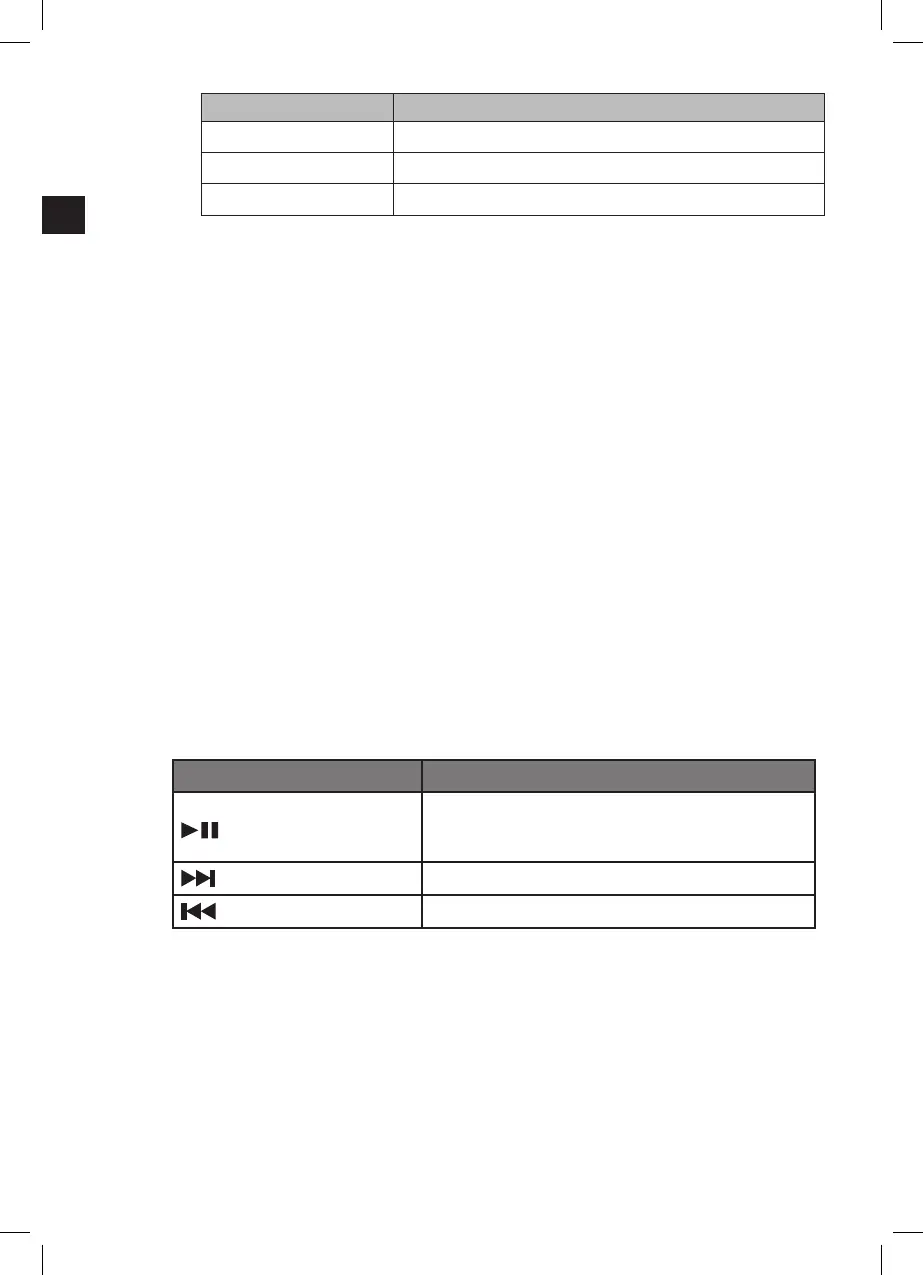
Mode Colour of the indicator
Bluetooth Blue (1)
AUX Green (3)
OPTICAL Orange (2)
Note:
The Audio output of this appliance is eected by the settings of the connected source.
If necessary, adjust the settings of the source device to improve audio output.
If there is no signal within 13 to 16 minutes, the appliance will automatically enter
standby mode.
6. BLUETOOTH OPERATION
External Bluetooth devices can be connected to the appliance through Bluetooth mode.
Before using a wireless device with Bluetooth, establish a connection between the
device and the appliance. This process is called “pairing” and it has to be done only
once. Once the two appliances are paired, they will automatically connect when they
detect each other.
Press repeatedly INPUT (21) on the remote control to activate the Bluetooth function.
An acoustic signal is emitted, and the indicator (1) blinks in BLUE.
If the unit does not pair automatically to the external device, start the pairing procedure
described below.
Specic pairing procedures may vary with dierent Bluetooth appliances. Refer to your
device’s manual for further information.
Activate the Bluetooth function of the external device and search for Bluetooth devices.
Select SBS100W from the Bluetooth device list. Follow the instructions shown on your
device’s screen. Enter the passkey “0000” if the device asks for one.
When the Bluetooth connection has been established, an acoustic signal is emitted and
the indicator (1) lights up steadily in BLUE at the same time.
Tracks from your connected Bluetooth device are played through the speakers now.
Use the volume control of the appliance as described above ( 4. Basic functions).
All playback functions can be managed through the Bluetooth devices’s controls
Alternatively, use the remote control in Bluetooth mode.
Key Function
(27)
During playback:
Press 1x: Pause playback
Press 2x: Resume playback
(20)
Press 1x: Skip to the beginning of the next title
(28
)
Press 1x: Skip to the beginning of the previous title
Press Input (21) on the remote control to select another mode to disconnect the unit
from the Bluetooth device or disconnect using your Bluetooth devices’s controls.
NOTES:
Bluetooth works best within a range of up to 10 metres. Operating range may varies
depending on dierent Bluetooth device.
The appliance can be connected only to one Bluetooth device at a time.
The music streaming may be interrupted by obstacles between the Bluetooth device
and the appliance, such as walls, metallic casing that covers the appliance, or other
appliances nearby that operate in the same frequency.
When switched back to Bluetooth mode, the appliance automatically starts
reconnecting with the last paired appliance, if available.
(IM)953-000094_SBS100W_DE_GB_Telefunken_P150183_V1_20151207.indb 14 16/12/2015 3:15 PM


 To Next Page