Eclipse 8/16/32/99 Series - Installation Manual
19
• Technical Specifications:
* In conformity with the requirements for EN 50131-1:2006 and EN 50131-3:2009.
• Sound signalization from keyboards
All Eclipse Series Keyboards have sound signalization for occurring of different system events. The sound signalization
has 4 volume levels adjustable in the Manager programming menus (Menu 5.KBD Settings -1. Buzzer level or at
address 90):
Single short beep indicating the pressing of a key.
Two long sound signals, indicating the system confirmation to executed operation.
A single long beep, indicating system incorrectly executed operation.
Continuous beep, indicating intrusion into an entrance zone.
Short beeps, indicating the system is armed and the user is required to leave the entrance zone.
10 seconds before the exit time is over beep frequency increases.
Two short beeps at every 20 sec, indicating a technical trouble. To stop the signalization – enter
a valid user code and press the TROUBLE or ENTER button.
Short beeps with subsequently increasing period, indicating intrusion into a zone with an
activated chime option.
Three sound signals in sequence repeated every 5 seconds. That kind of signalization shows
activated fire detector in the premises.
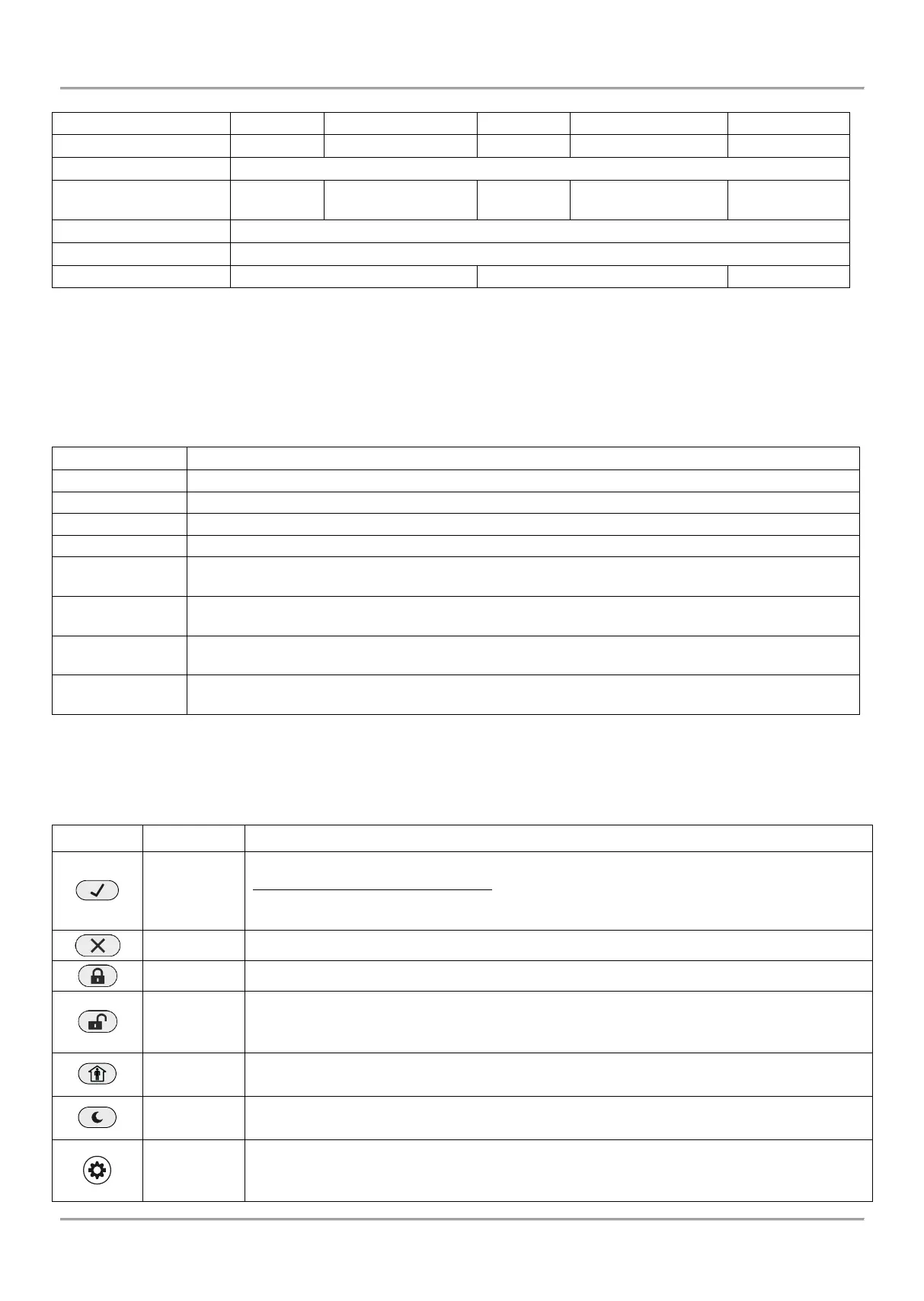
• Buttons Functions
NOTE: The functionality of BYPASS, TROUBLE and MEMORY buttons for LED 8 and LED 16A keyboards is
accessible through the manager and user menus only with the respective LED indication on the display.
Confirmation of the entered data; step ahead in the engineer programming menus.
For LED 8 and LED 16A keyboards: Use the button to review the memory log file, the
system troubles and the bypassed zones – the respective system LED is blinking during
the review.
Canceling the entered parameters; exit from a programming mode.
Quick button for Full Arming Mode.
Disarming the system. The button has a special function in text entering mode – deletes
the current symbol and moves the cursor on one position to the left (like Backspace button
on a standard PC keyboard).
Quick button for Stay Arming Mode. The button has a special function in text entering
mode – shifting between small and capital letters.
Quick button for Sleep Arming Mode.
Entry in Manager and User programming modes.
Entry in Service Keyboard Mode.
The button has a special function in engineer programming mode – saving the entered
















 To Next Page