EN
25
48W AMAZ, SIM, and customers plans
- Sat. Freq.: IF, real Freq.
- Sat. LNB: Universal, C Band, Other.
If Other is selected, you must enter the
frequency.
- Language: English, Español.
- Units(*): dBµV, dBmV, dBm
- Volume
- Energy:
Auto suspension
Auto shutdown
- Wi-Fi AP:
On/O: Turns the Wi-Fi on/o.
- Dish Aligment:
Classic: Allows the user to align the dish by
him/herself in all the features where the
dish aligment is required.
Guided: When the user tries to align a
dish in any feature, somes messages will
appear to help the engineer to align the
dish properly.
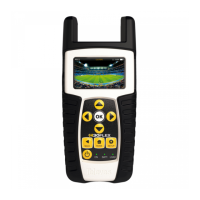
- Reset Conguration: Resets the H30FLEX
SKY to factory settings
- About: Shows the rmware, Fpga, and plans
version
- About HW: Shows the serial number and
the IP of the device
(*) only available for administrators
iPad App
1.- Connection between the
iPad and the H30FLEX Sky
You only need to have turn your H30FLEX Sky on
and follow these steps:
The App main screen looks like this:
When you tap on the Settings button, you will see
this screen:
Tap on Settings
to connect the H30FLEX Sky
to the iPad
Tap on H30FLEXSky Info


 To Next Page
 Loading...