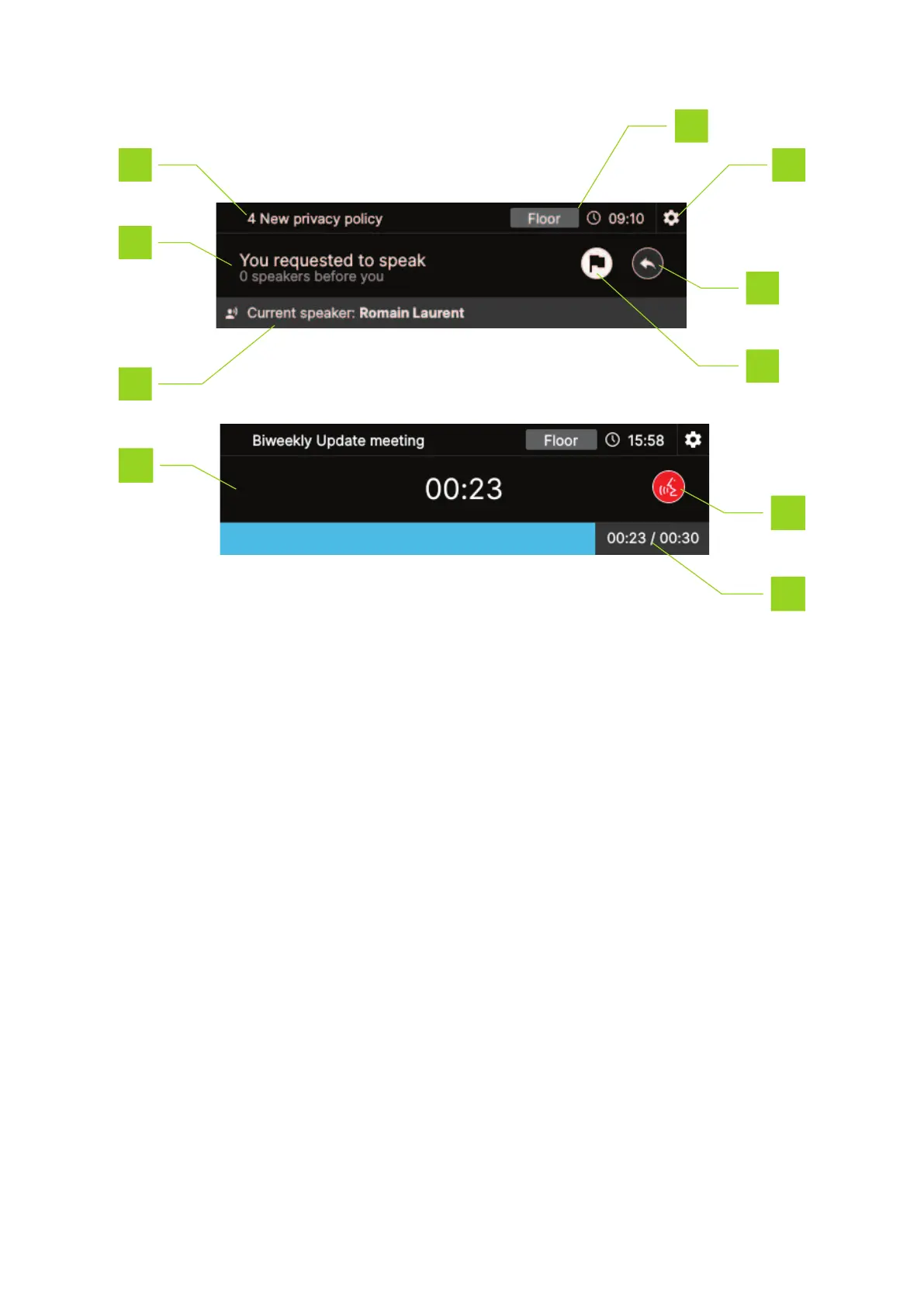
1. Meeting name or the active agenda item
2. The main screen shows different information related to the delegate for example if you requested
to speak or reply and how many speakers are before you.
3. Current speaker list: when there are multiple speakers the display shows each speaker one by
one and repeats this when finished
4. Cancel request
5. Reply button: press button to reply to the speaker, this puts the delegate in the reply list which
has priority over the request list
6. Current time
7. Channel selection: press the channel name to change it, see "Channel selection interface" on
the next page
8. Numerical Speech timer: when the speech time is running out the color of the timer changes to
orange and then red
HO W TO USE THE CONF IDEA FL EX INTER F ACE 27



 To Next Page