How Use The UniCOS Tabletop Unit
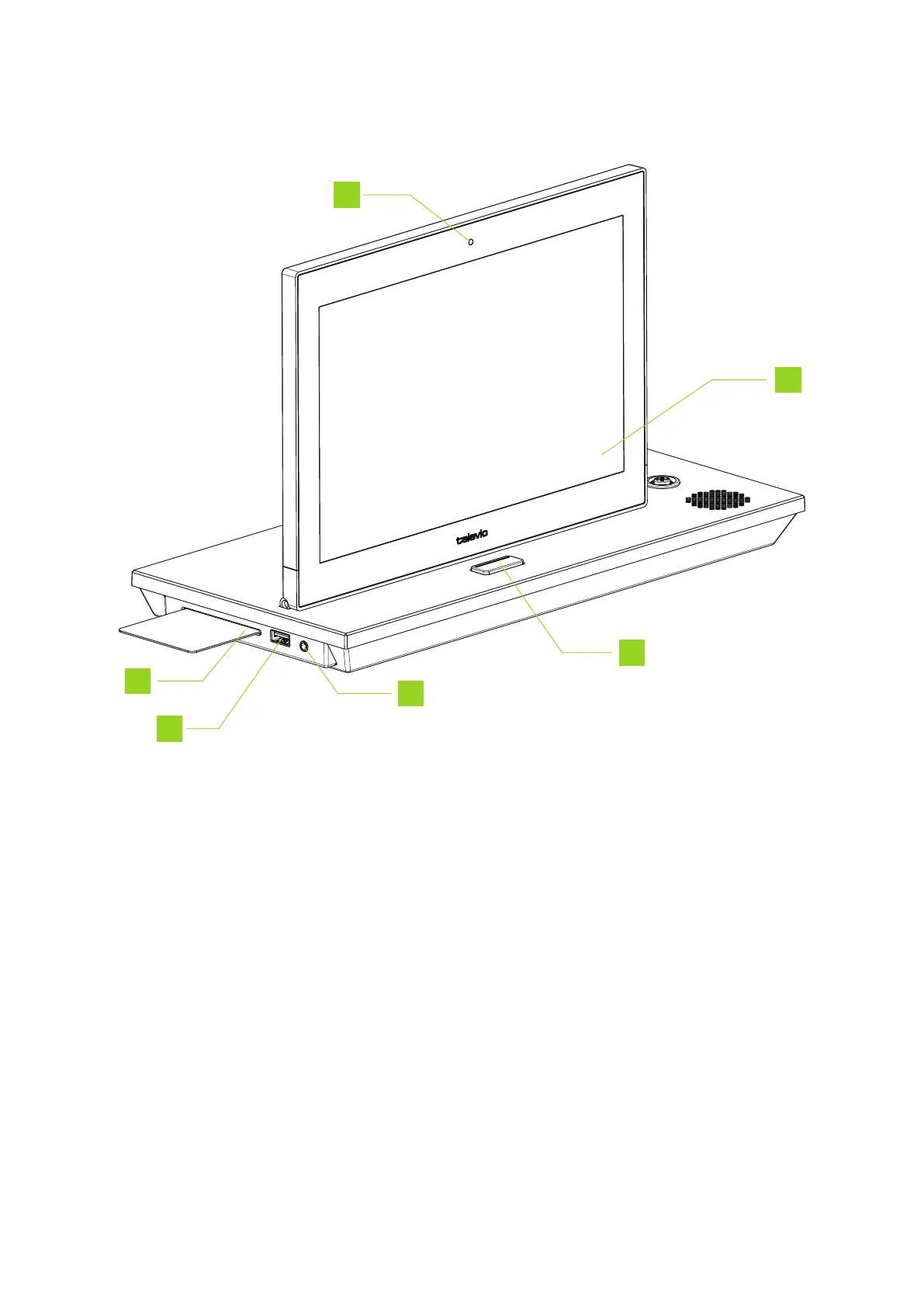
1. RFID badge reader: insert your badge to identify yourself
2. USB connector: connect external devices such as a smartphone to charge the device
3. Headphone connector
4. Microphone button: press the button to activate the microphone or put it in request (depends
on the configured microphone mode)
5. Interactive display: shows meeting information and different controls. Which controls are
available depend on the configuration of your unit (chairperson / delegate). See " reguoHow to use
the uniCOS interface" on the next page
6. Integrated camera: provides live video of the last active speaker
HO W TO USE THE UNICO S UNITS 34



 To Next Page