HOW TO USE THE LINGUA
IDINTERFACE
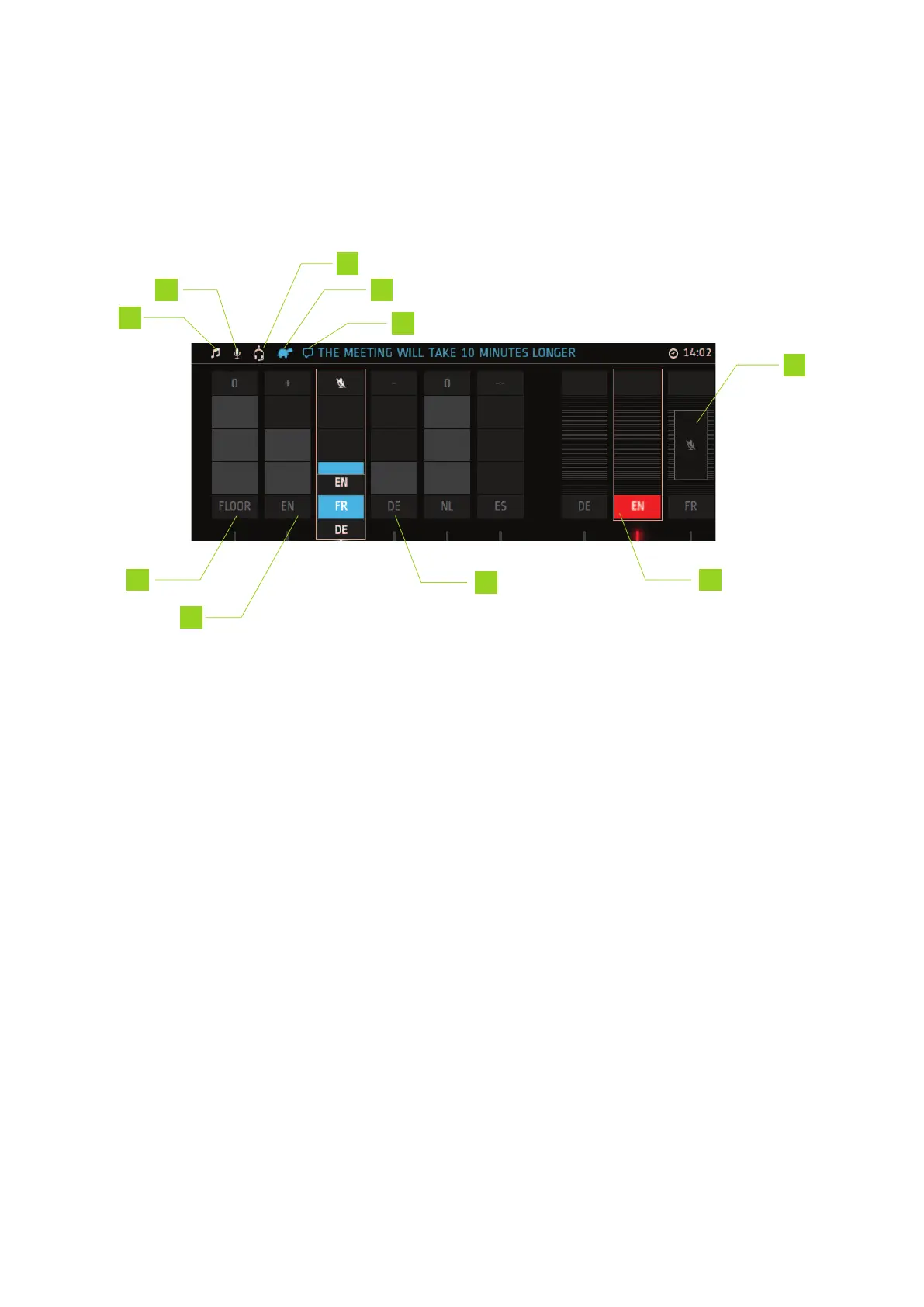
Below you can find a description of the information presented on the display of the Lingua ID.
Figure 1-12 The display of the Lingua ID
1. Auditory feedback is active
2. Gooseneck microphone is active
3. Headset is active: the dot next to the icon, indicates where the headset is plugged in (left, top
or right)
4. Slow down message was sent to the speaker(s)
5. Incoming message
6. Direct interpretation from Floor (3 blocks, Floor)
7. Relay interpretation from English (2 blocks, +)
8. Double relay interpretation from German (1 block, -)
9. Active outgoing channel
HO W TO USE THE L ING UA IDINTER F ACE 46



 To Next Page