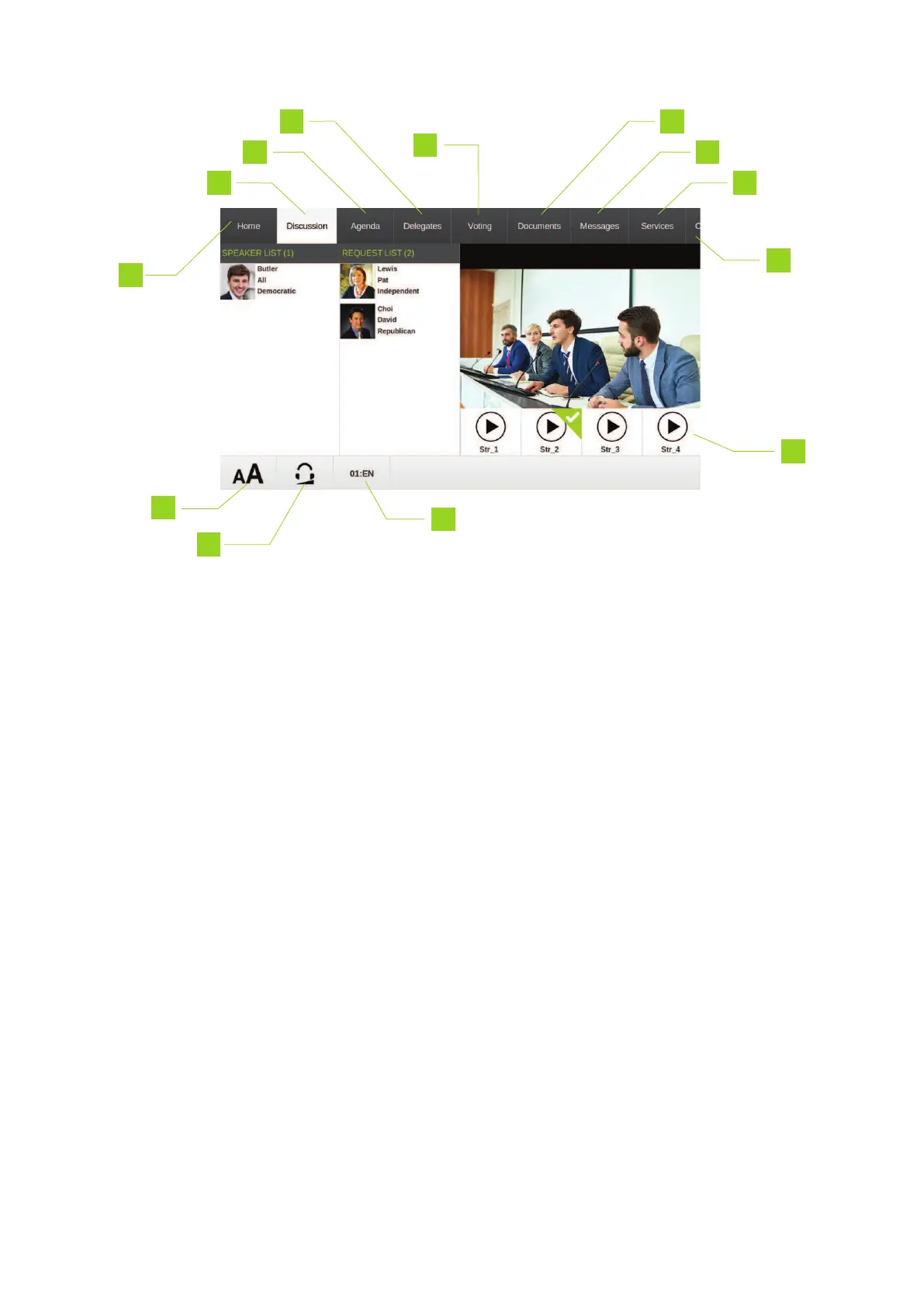
Figure 1-8 Example of one of the screens on the uniCOSunits configured as delegate
11. Select video stream: this bar shows all available video streams. When there are more than 4
video streams, you can scroll through the different streams.
12. Interface text size: tap the icon to open a menu to change the interface text size: Normal,
Medium or Large
13. Headphone volume: tap the icon to open a slider to adjust the volume. Drag the slider right or
left to increase or decrease the volume
14. Interpretation channel: Tap the text to open a menu and select an interpretation channel, if
available
REG UO HO W TO USE THE UNICO S INTERF ACE 36



 To Next Page